Which plans have access to WordPress integration?
WordPress integration is available for GOLD plan and higher plans.
Where can I find the WordPress integration?
In the Project Settings, you can find the WordPress integration option.
To activate the WordPress connection, enter your WordPress username and Application Password for synchronization.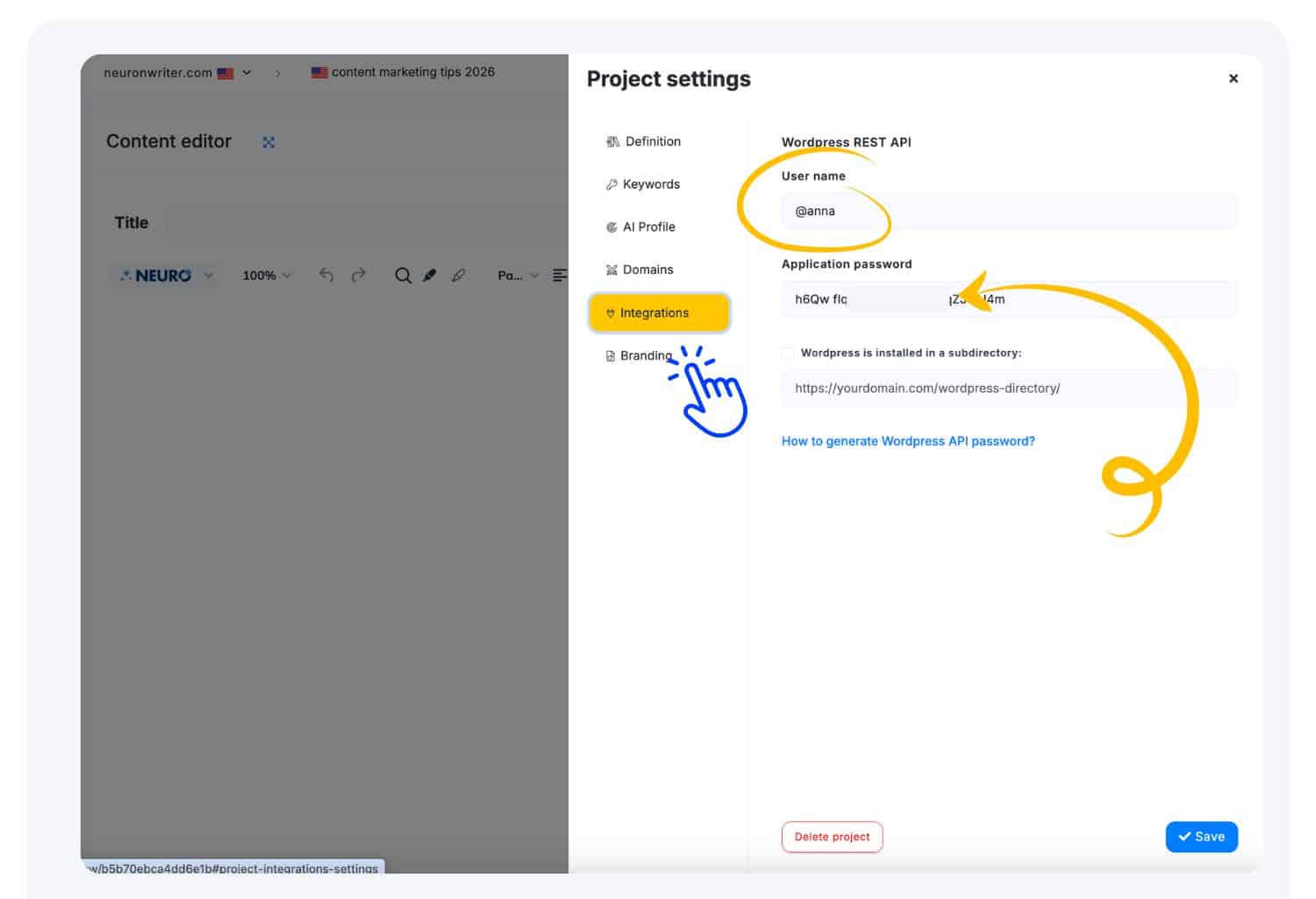
How to generate a WordPress Application password and configure the connection?
Here you can find steps how to generate a WordPress Application Password and configure the connection:
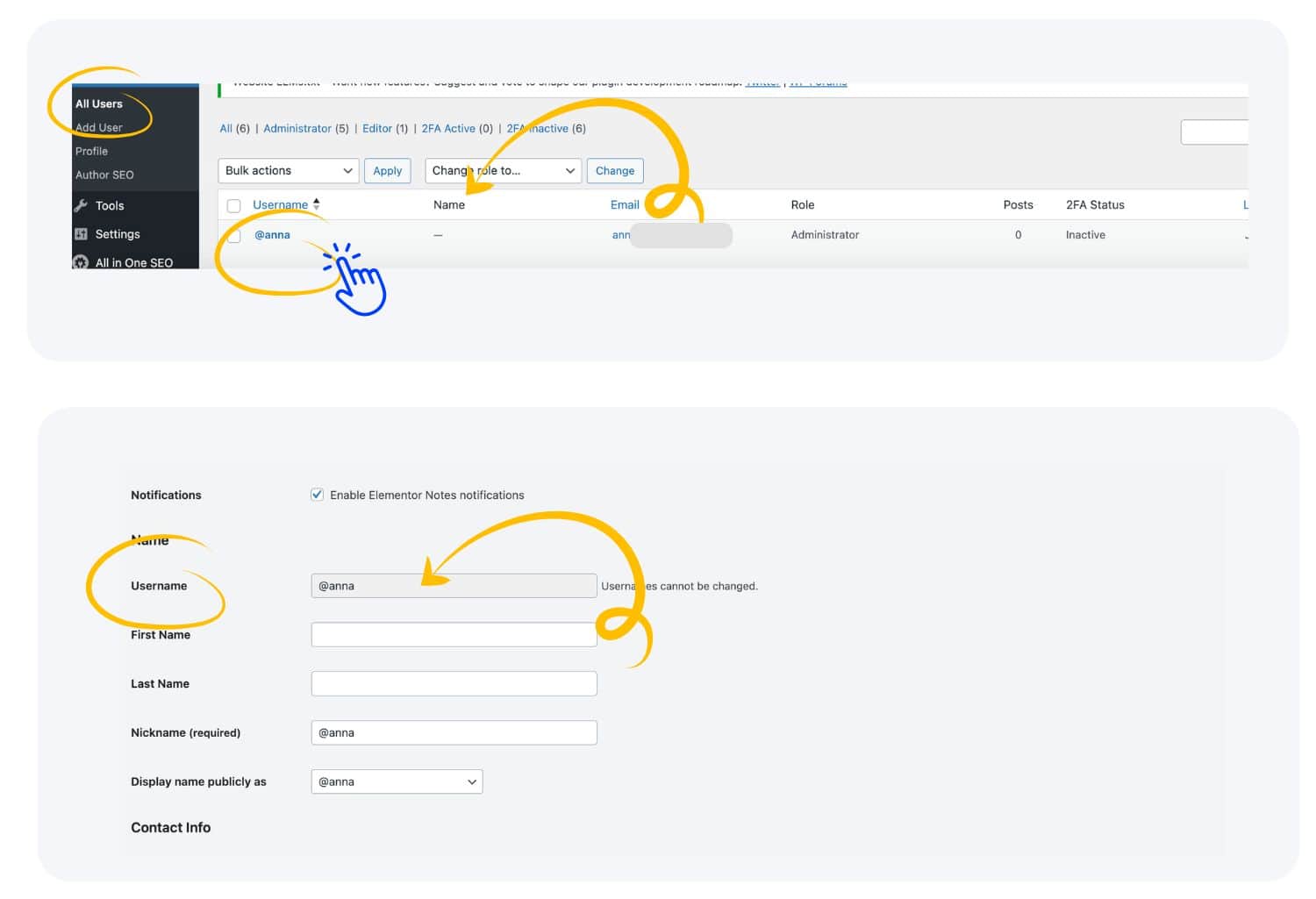
Select an existing user account with the Author role (or higher) or create a new one.
Go to the user profile settings for that specific account. Here also you can find a Username – use it in the configuration later.
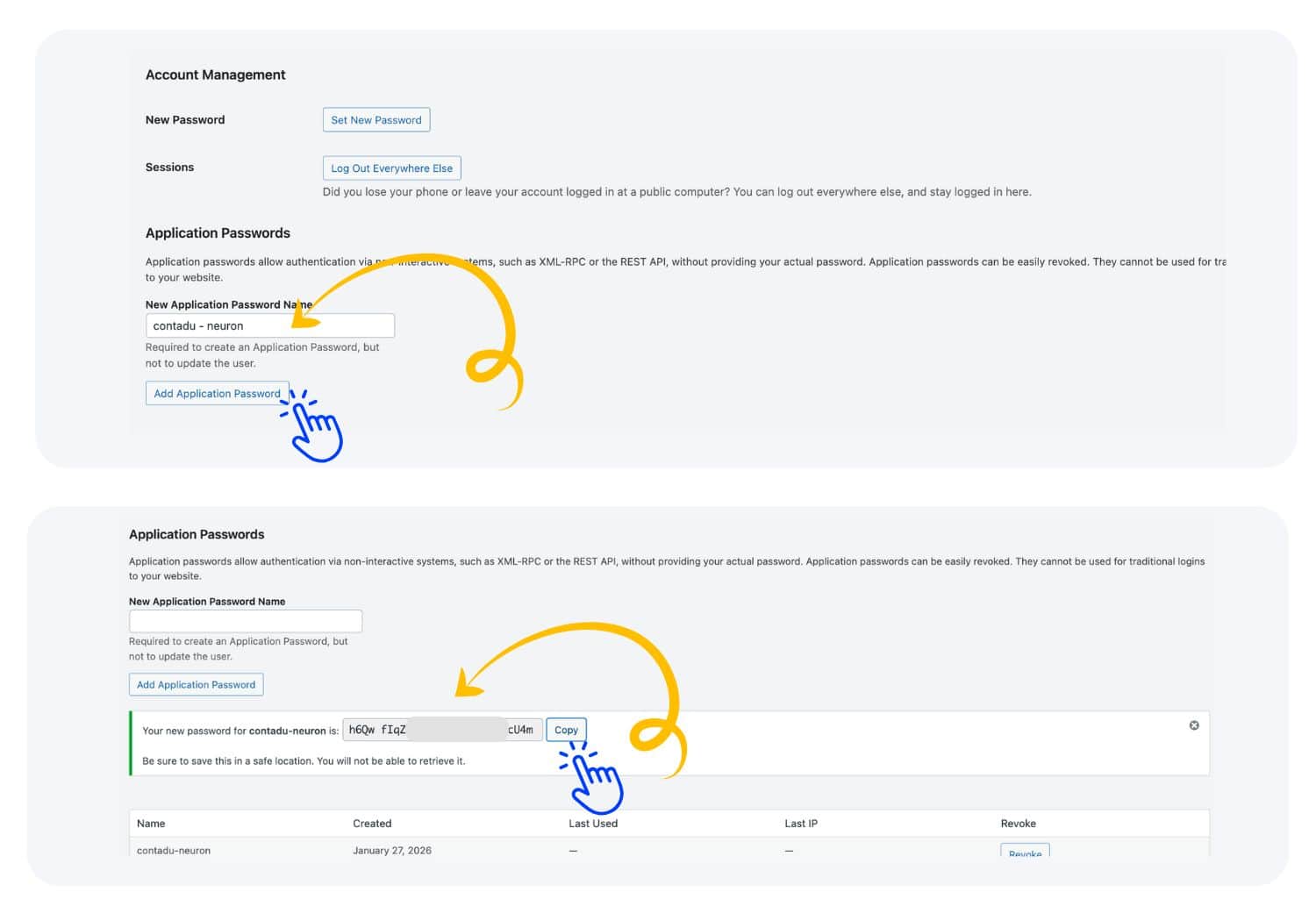
Scroll down to the Application Passwords section.
Enter a name for the New Application Password name (you need use
contadu-neuron) and click Add Application Password.Next your new generated password is ready to copy.
From the WordPress app, copy the username and application password, then paste them into the Project Settings in the NEURONwriter app. Finally, save the configuration to complete the connection.
How to export/import content to WordPress?
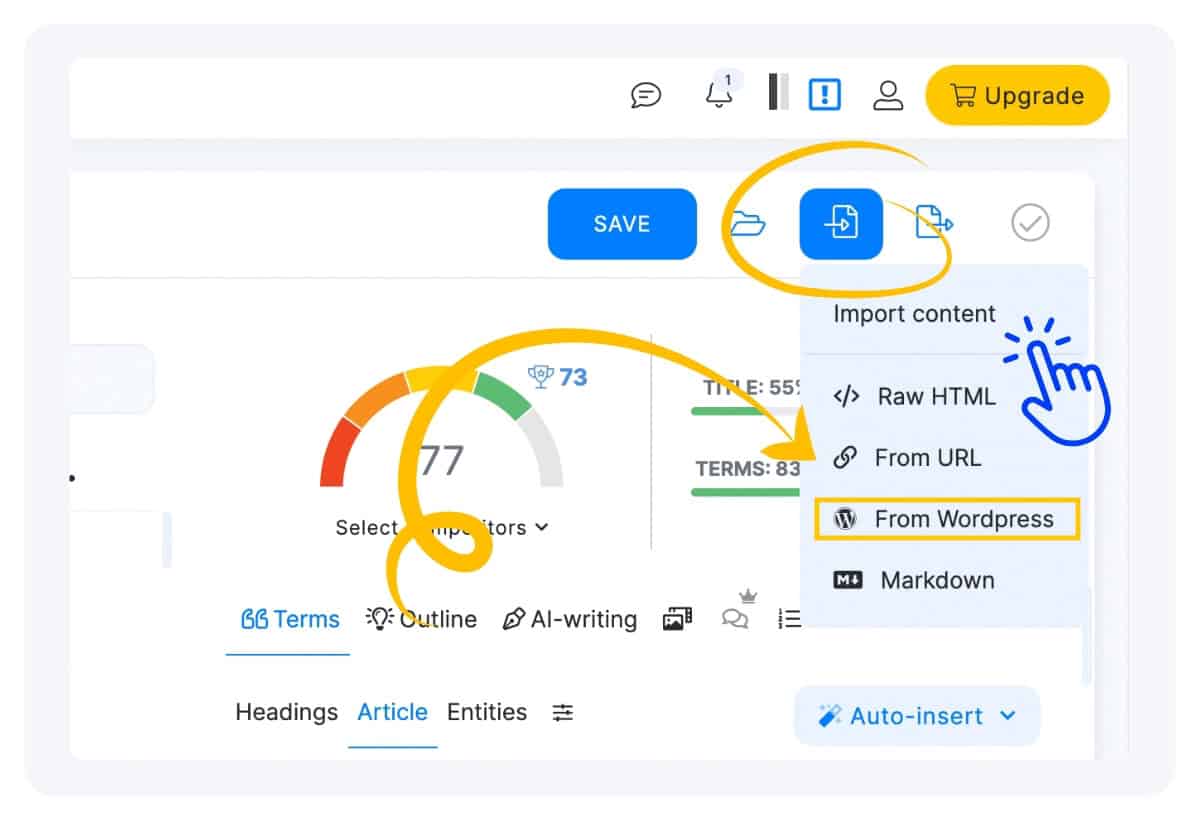
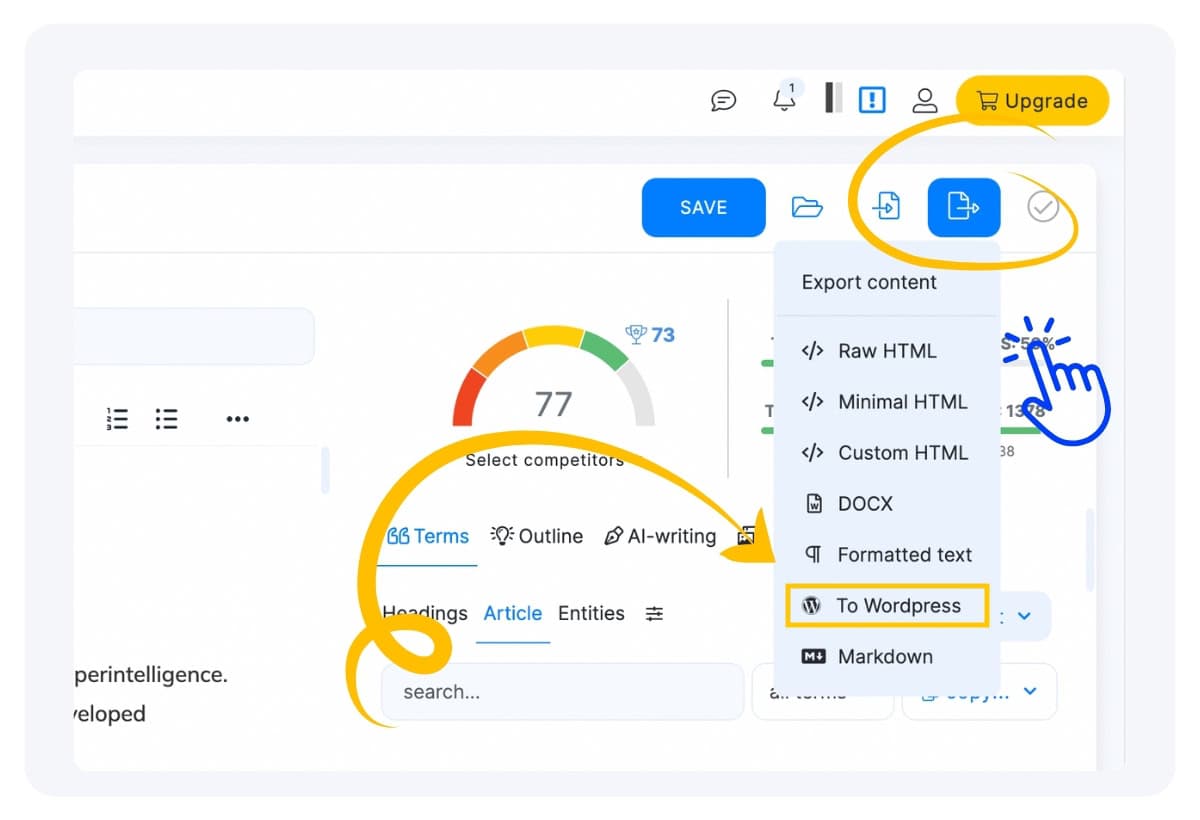
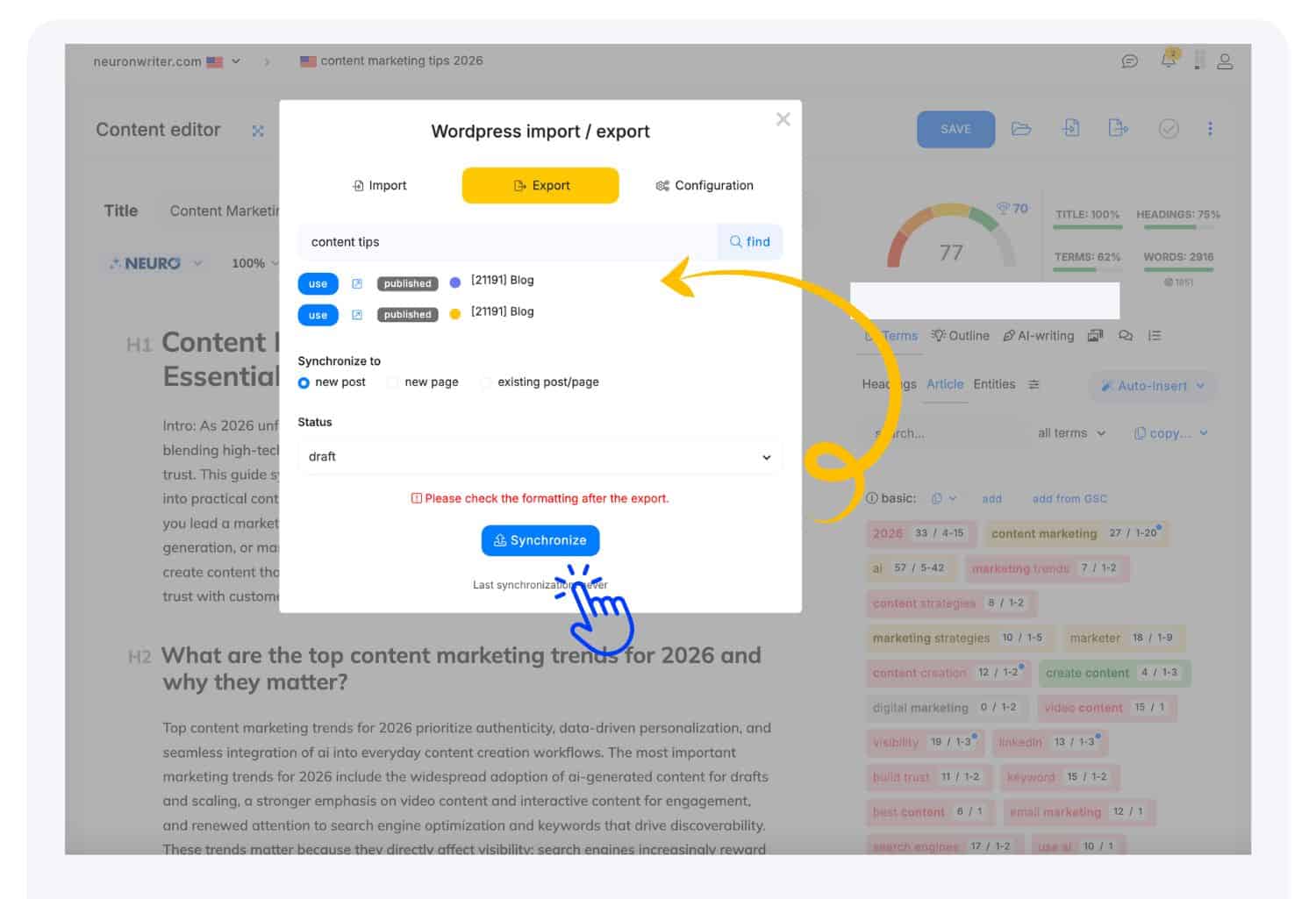
After completing the configuration and establishing the connection, you can use the Import/Export content feature with WordPress.
The Import/Export buttons are located on the editor’s top bar, right next to the Save button. Here you can find WordPress option.