What is AI Visibility module?
AI Visibility in NEURONwriter is an add‑on feature designed to help brands track and improve how their content appears inside AI‑generated answers, not just in traditional Google rankings. With more people getting instant replies from tools like ChatGPT, Perplexity, and Google’s AI Overviews instead of clicking search results, it gives brands a way to stay visible where modern users actually look.
AI Visibility is an analytics and AI brand monitoring module that:
– Tracks mentions. See where and how large language models (LLMs) and AI answer engines mention your brand. You can discover if (and how) ChatGPT, Perplexity, and Google AI Overviews refer to you across different user prompts.
– Monitors citations. Measure your share of voice inside AI responses. The module shows when LLMs use your pages as cited sources in long‑form answers, so you know if your content is actually powering those replies..
– Provides real‑time visibility metrics and insights so you can see which prompts (questions) and which AI systems are referencing your brand and content — and which aren’t.
– Reflects SEO rankings See how your pages rank in the Google TOP 10 for a given prompt as a keyword.
How does AI Visibility module enhance AI monitoring?
Many users increasingly bypass traditional search engines, turning to AI systems like ChatGPT, Perplexity, and Google AI Overviews for direct answers drawn from online content. AI Visibility module provides clear insights into how these systems engage with your brand and materials.
Key benefits include:
- Gaining insights into how AI interprets and cites your content, helping you refine both your SEO and overall content strategy.
- Understanding your brand’s presence in AI-generated responses and build a strategy to increase that visibility.
- Receiving suggested content improvements that can help drive more traffic and conversions from users who trust AI-generated recommendations.
How to activate the AI Visibility module in Neuronwriter?
Step 1: Enable AI Visibility
- Enter specific Project in your Neuronwriter account.
- Locate AI Visibility on the project’s menu activate it (note: this may require a separate subscription or add-on purchase).
- Once selected, you should see a new “AI Visibility” window on your dashboard.
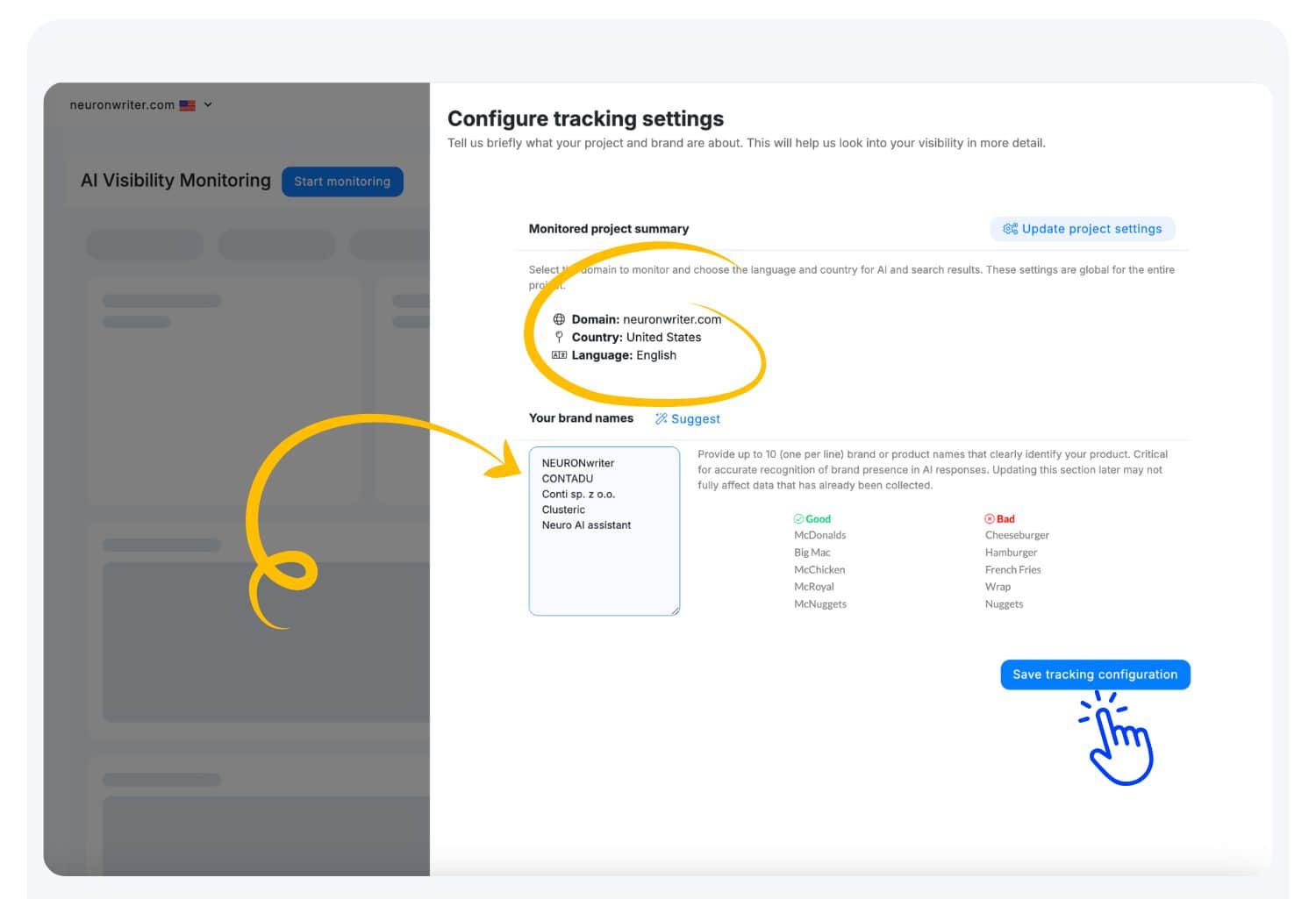
- Configure tracking settings: Provide up to 10 (one per line) brand or product names that you need to monitoring in LLMs. Save tracking configuration.
Step 2: Add Monitored Prompts for AI Visibility
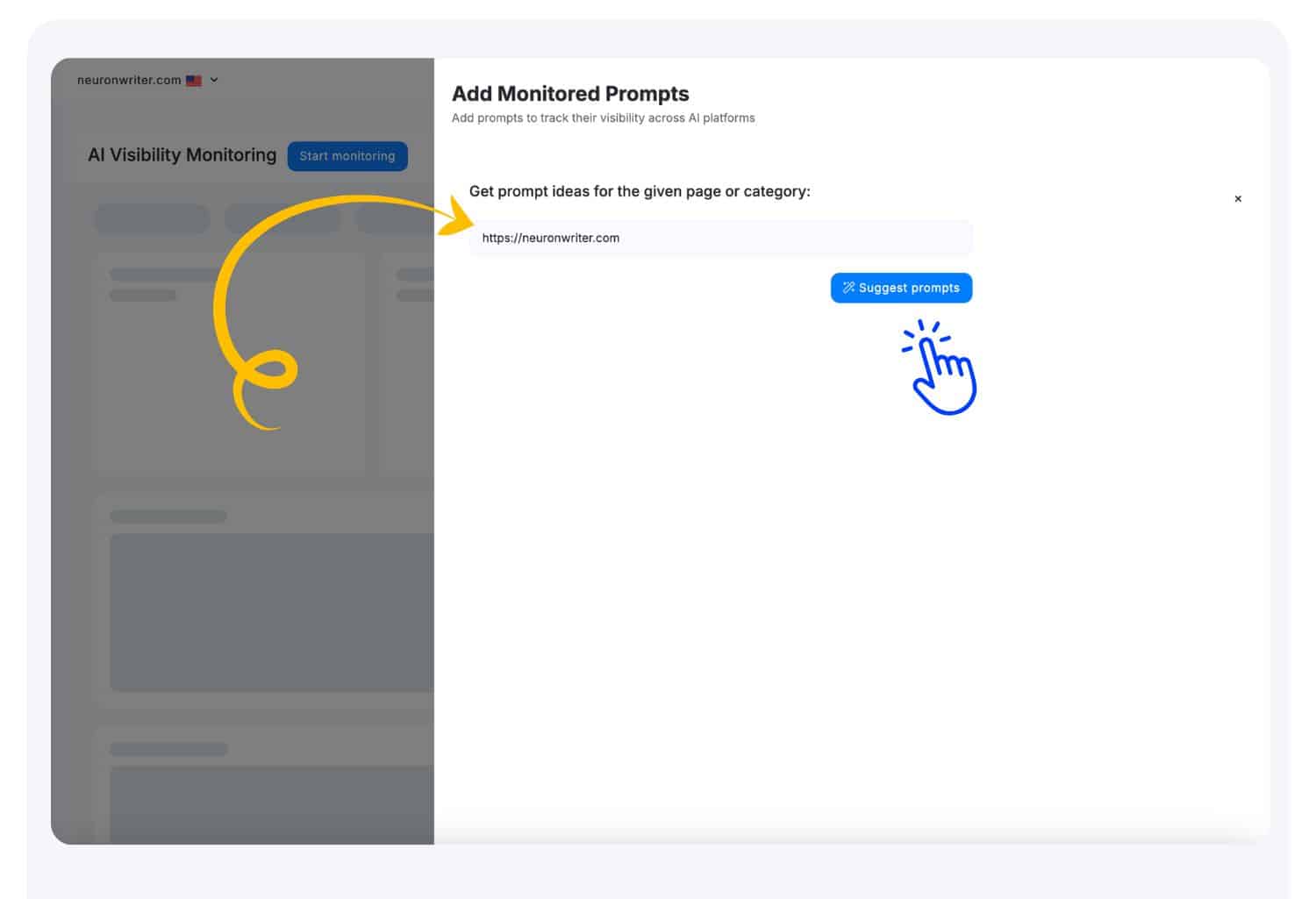
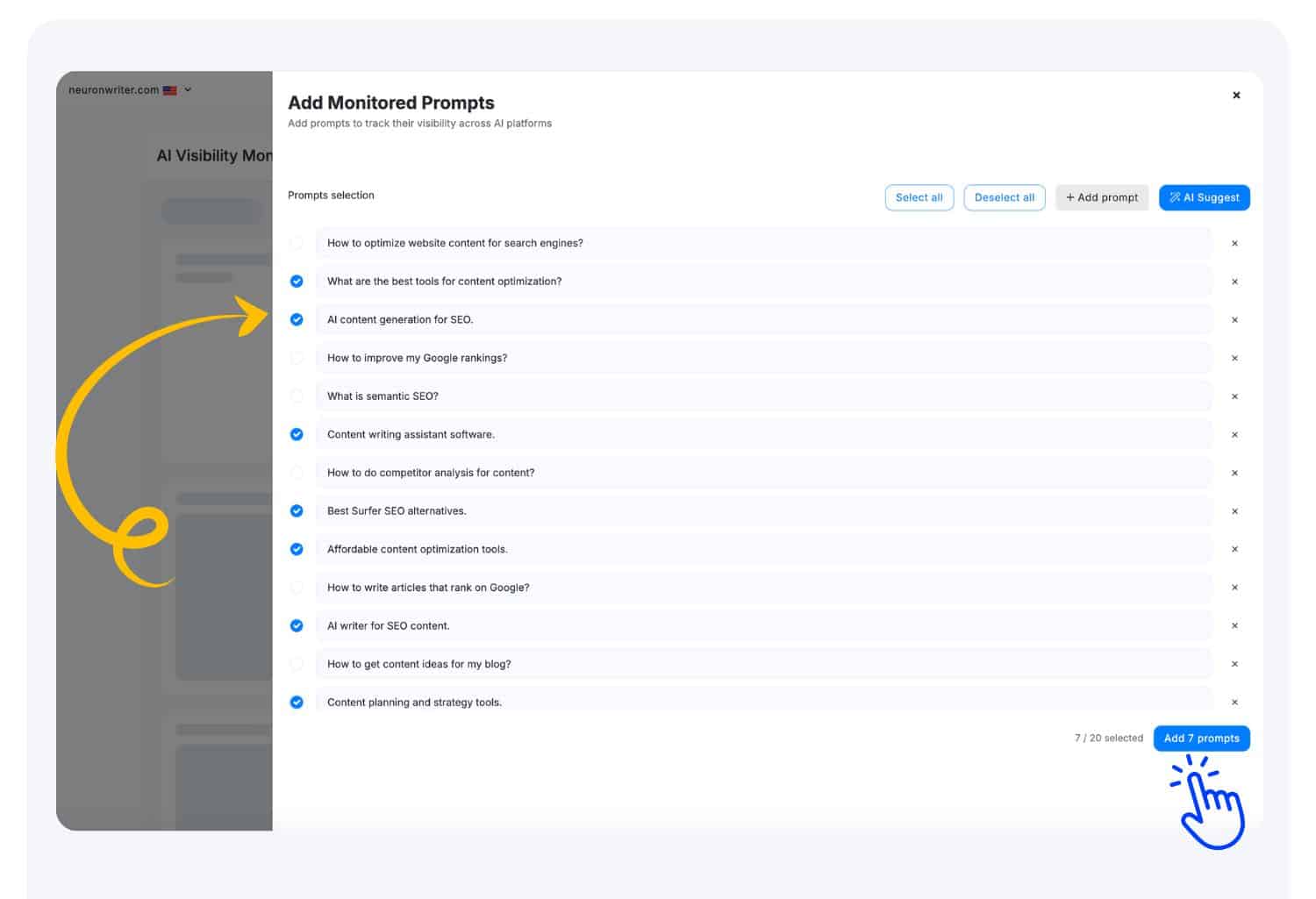
- Ask AI to suggest prompt ideas for the given page or category or insert own prompts.
- Add prompts to start collecting insights related to the selected prompts across AI platforms.
Step 3: Collect AI Visibility Insights
Once the scan completes, you’ll see:
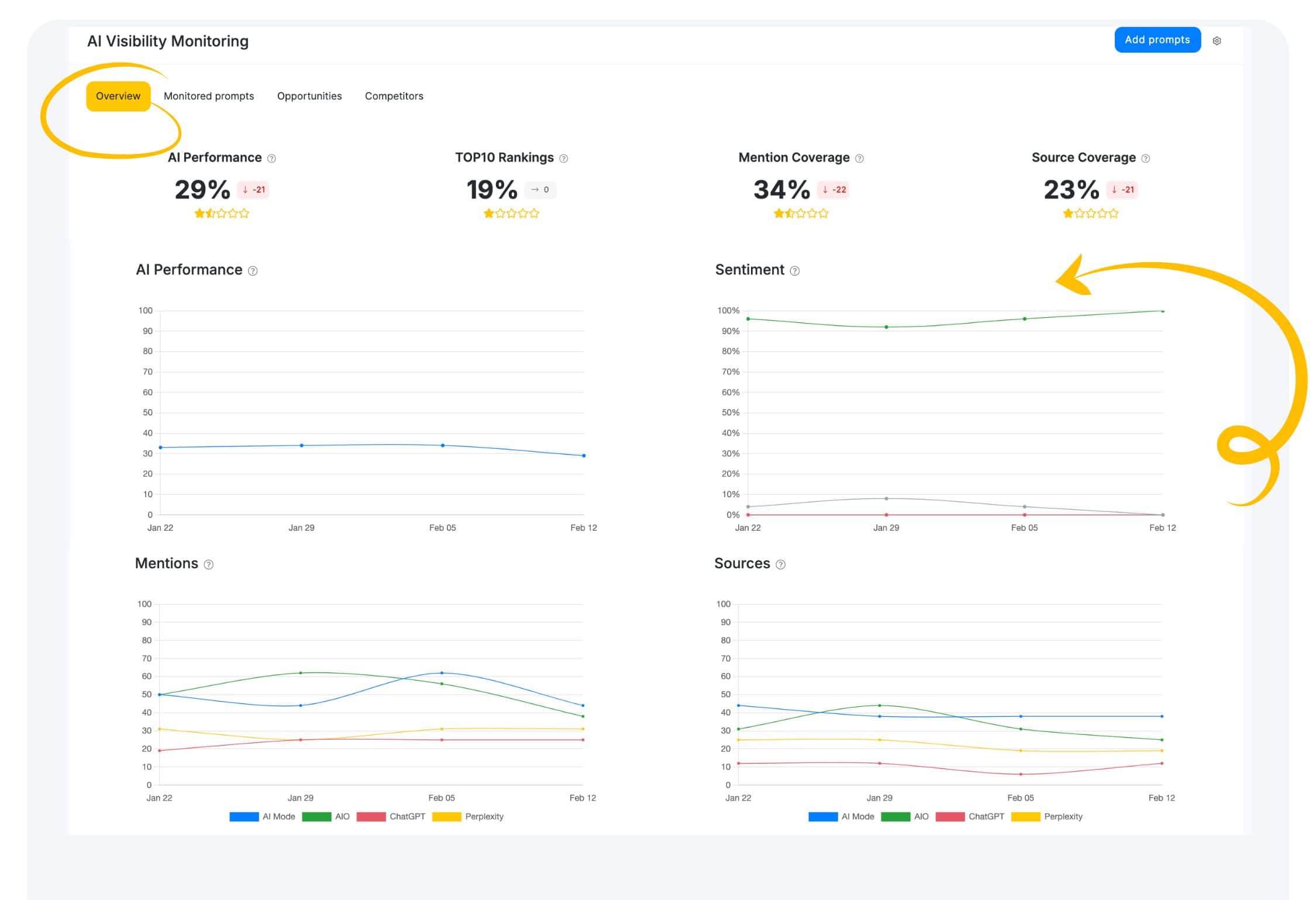
- AI Monitoring Overview – Discover real-time coverage by LLMs platforms – e.g., ChatGPT vs. Perplexity vs. Google AI.
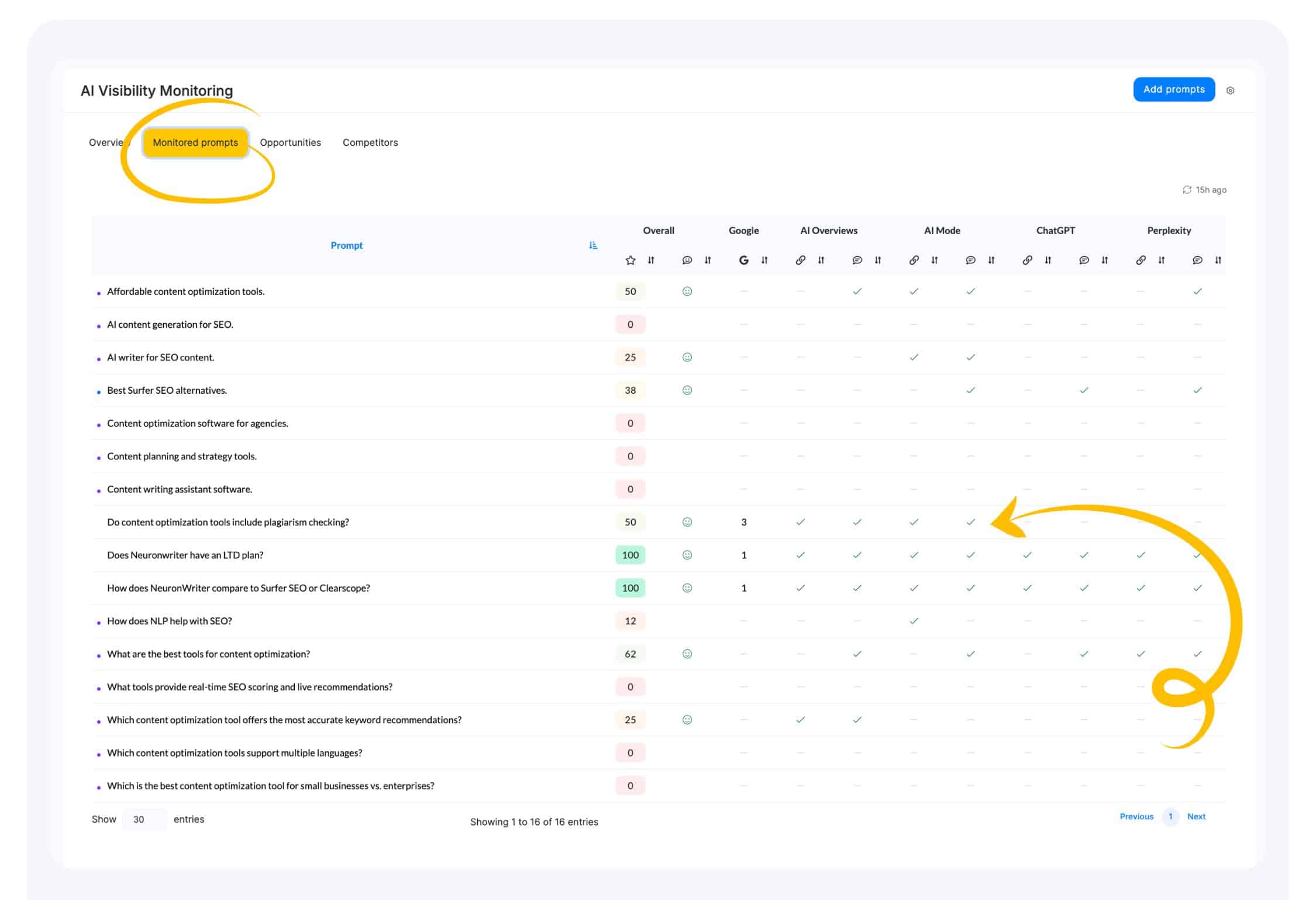
- Mentioned Prompts. See how well visible your content is across AI platforms.
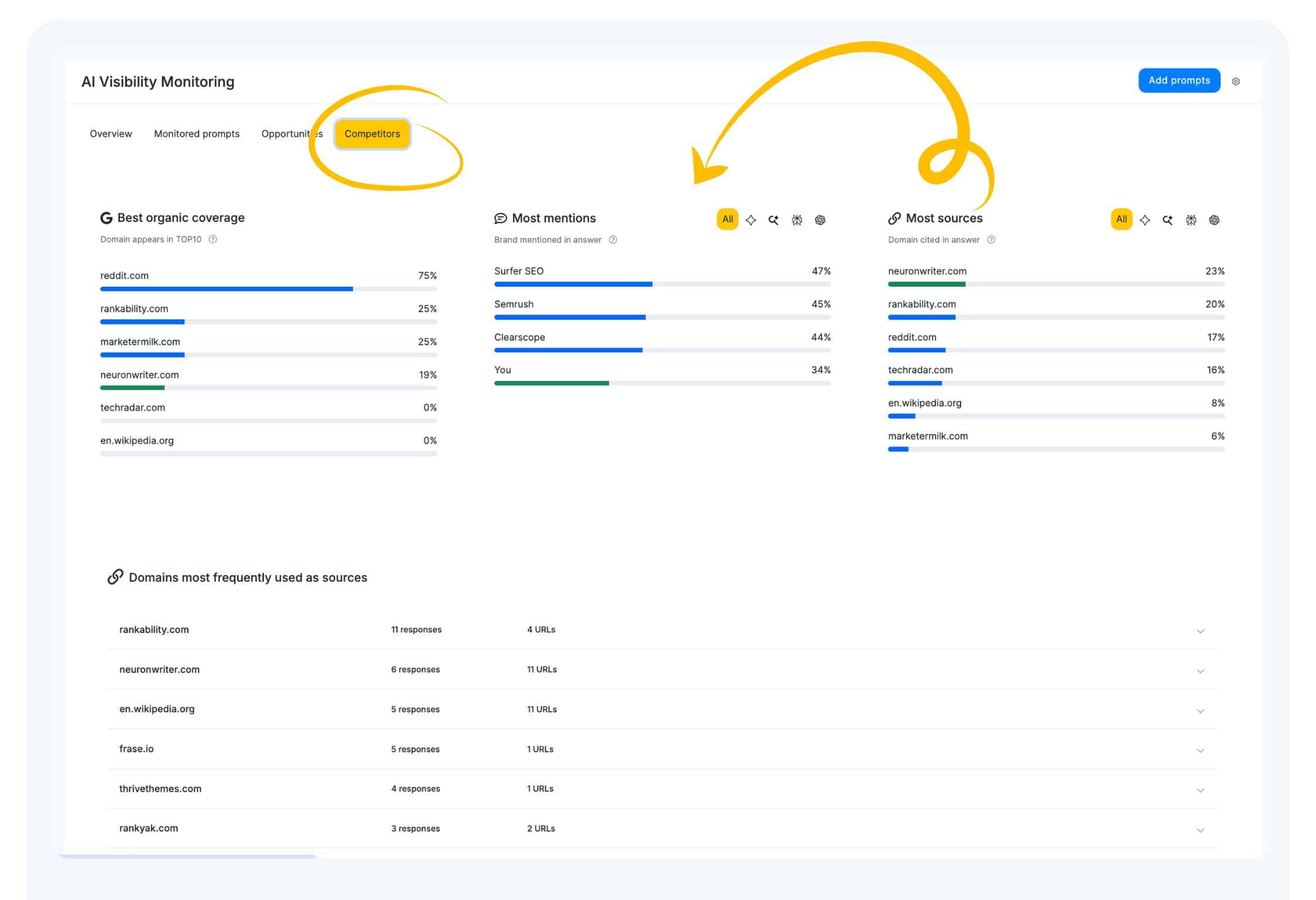
- Competitor Visibility – Find which competitors appear in AI platforms in answers where you don’t.
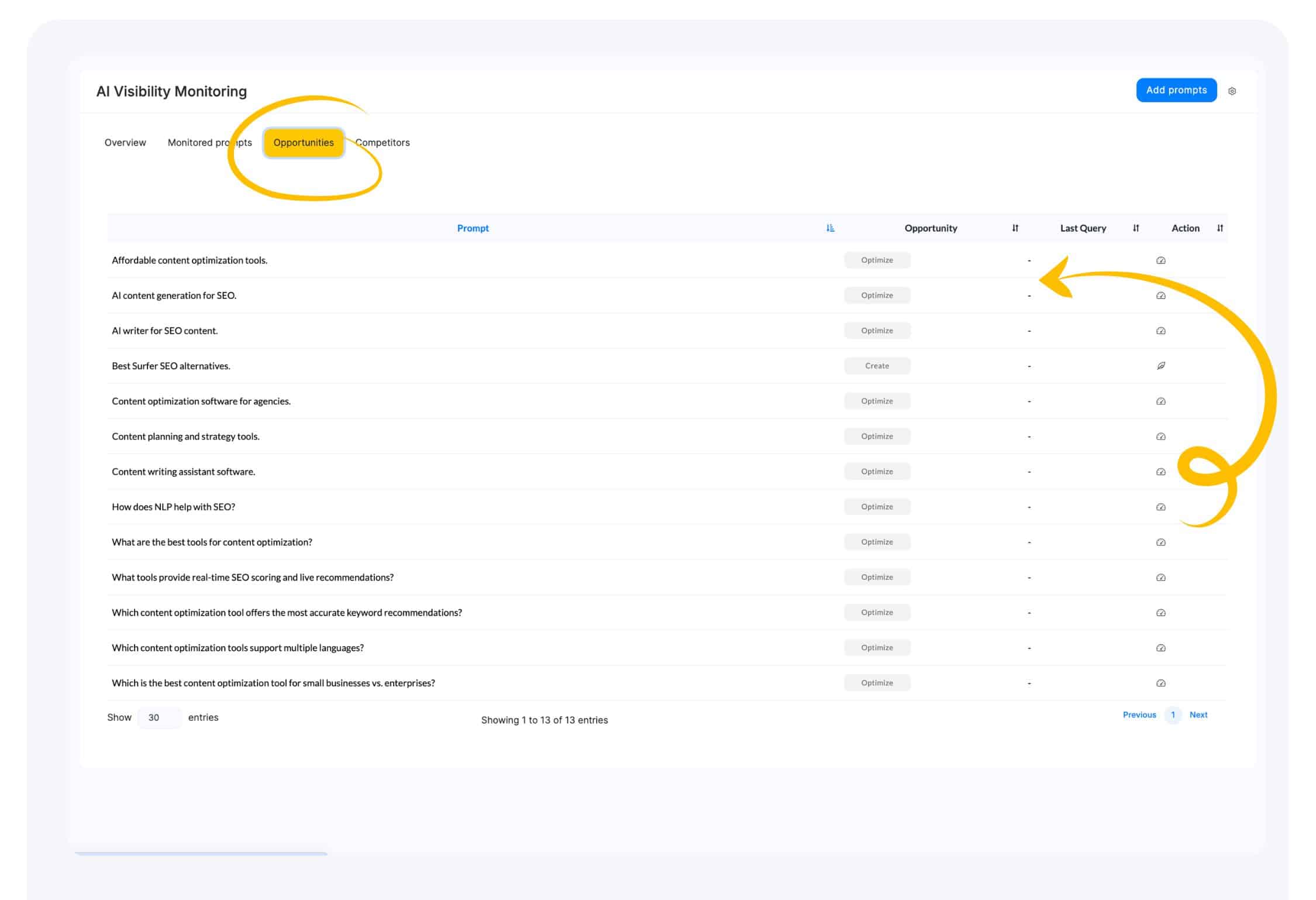
- Opportunities – identify existing pages that could be updated or recommend creating new content to better align with AI responses. These adjustments increase the likelihood that AI systems will reference your content.