
What is the YouTube Ideas feature?
YouTube Ideas is an smart tool in NEURONwriter that helps content creators enhance their articles with engaging, multimedia-rich elements or quickly generate relevant video topic ideas. It provides ready-to-use Youtube media suggestions tailored to your niche and audience based on the main keyword, making your content more SEO-friendly and visually appealing with minimal effort.
How to Access YouTube Ideas in NEURONwriter?
You can easily find YouTube Ideas inside the Content Editor:
Open the Content Editor for your query.
In the editorial tool sidebar, go to the Media icon.
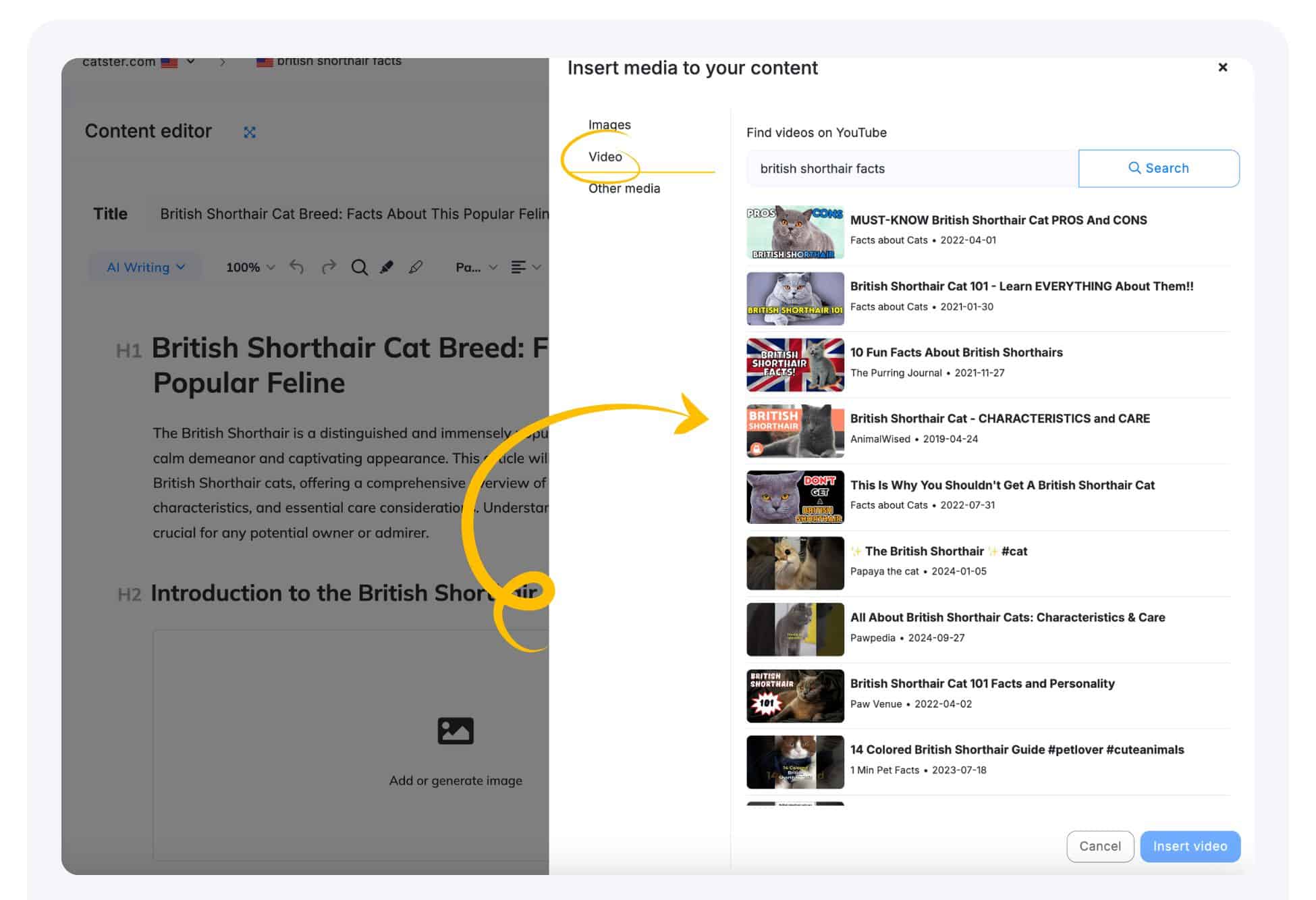
In the opened Media pop-up select Youtube Ideas. Entered your focus keyword, the system will automatically generate hundreds of YouTube videos related to that keyword – based on what ranks in Google.
The list will immediately appear on the right side of the editor.
From there, you can:
- Paste video directly into your content to enrich it with relevant visual elements
- Click the link to open the video in a new tab and explore it further
- Embed or use selected videos to enhance your content’s value and user experience
With just a few clicks, you can make your articles more engaging, multimedia-rich, and SEO-friendly.
What the YouTube Ideas feature gives you?
- Enriching Your Content with Multimedia
- Inspiration for Your Own Video Creation
- Discover which topics are covered in popular videos—use them as inspiration for your headers, sections, or original recordings
- Ongoing access to fresh video ideas directly in the content editor
- Streamline your content calendar by integrating video with written content
- Improve user experience with a multimedia approach—text + video = longer time on page
- Increase credibility and authority—video-supported content is seen as more complete and professional