
Technical SEO for Beginners: A Simple Guide
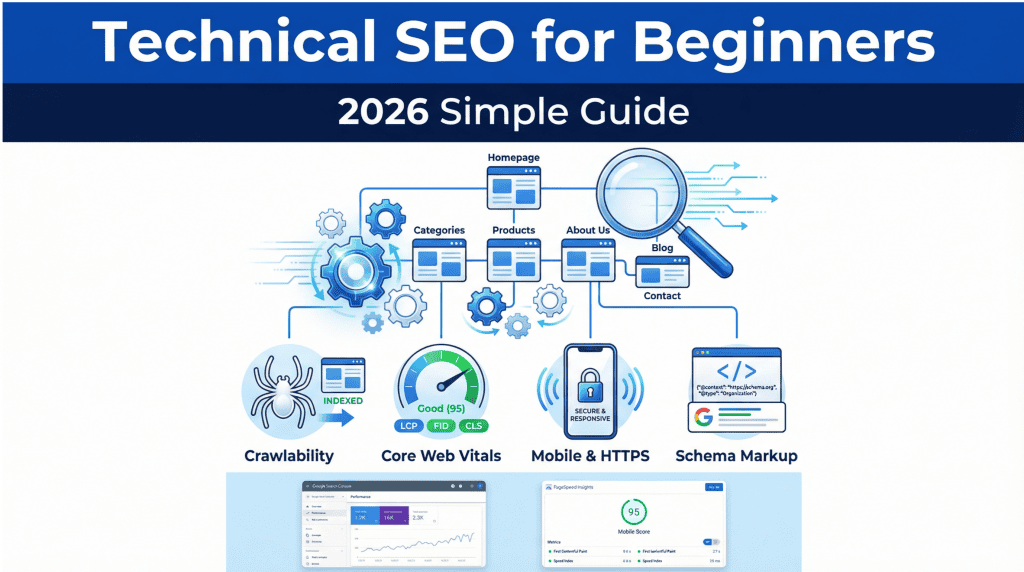
Technical SEO can sound intimidating, but it doesn’t have to be. Think of it as the foundation of your house: without a solid foundation, even the most beautifully decorated house will have problems. Similarly, without a strong technical SEO foundation, even the best content may struggle to rank in search engines.
This guide will demystify technical SEO for beginners. We will break down the core concepts into simple, actionable steps that you can implement to ensure your website is built for search engine success.
What is Technical SEO?
Technical SEO is the process of optimizing your website’s technical elements to help search engines like Google find, crawl, understand, and index your pages more effectively. It is distinct from on-page SEO (which focuses on content) and off-page SEO (which focuses on backlinks and reputation). The primary goal of technical SEO is to remove any technical barriers that might prevent your site from ranking.
The 4 Pillars of Technical SEO in 2026
For beginners, it’s helpful to think of technical SEO in terms of four main pillars. Mastering these will address over 80% of the technical issues that most websites face.
Pillar 1: Crawlability and Indexing
Before Google can rank your content, it must be able to find (crawl) and store (index) it. If search engines can’t index your pages, nothing else matters.
- XML Sitemap: This is a file that lists all the important pages on your website. Submitting your sitemap to Google Search Console is like giving Google a map of your site. A Google representative has stated that XML sitemaps are the “second most important source” for finding URLs
- Robots.txt: This is a simple text file that tells search engine crawlers which pages or sections of your site they should not crawl. It’s important to ensure you are not accidentally blocking important content.
- Internal Linking: Linking between pages on your own website helps search engines discover new content and understand the relationship between your pages.
How to Check: Use the “Page Indexing” report in Google Search Console to see if Google is having trouble indexing any of your pages.
Pillar 2: Site Speed and Core Web Vitals
Site speed is a confirmed ranking factor. In 2026, Google Core Web Vitals are the primary metrics for measuring user experience related to speed and stability.
| Core Web Vital | What It Measures | Good Score | How to Improve |
| LCP (Largest Contentful Paint) | Loading performance | Under 2.5 seconds | Optimize images, improve server response time |
| INP (Interaction to Next Paint) | Responsiveness to user interactions | Under 200ms | Reduce JavaScript execution, optimize code |
| CLS (Cumulative Layout Shift) | Visual stability | Under 0.1 | Specify image dimensions, avoid ads that shift content |
How to Check: Use Google’s free PageSpeed Insights tool to test your pages and get specific recommendations for improvement.
Pillar 3: Mobile-First and HTTPS
- Mobile-First Indexing: Google primarily uses the mobile version of a website for indexing and ranking. This means your site must be fully responsive and provide an excellent experience on mobile devices.
- HTTPS Security: Having an SSL certificate (which enables HTTPS) is a confirmed Google ranking factor since 2014. It encrypts data between your server and the user’s browser, building trust and E-E-A-T signals.
How to Check: Use Google’s Mobile-Friendly Test tool. Check your browser’s address bar for a padlock icon to confirm your site is using HTTPS.
Pillar 4: Schema Markup and Duplicate Content
- Schema Markup (Structured Data): This is code that you add to your website to help search engines understand your content in more detail. While not a direct ranking factor, it can lead to “rich results” in search (like star ratings, FAQs, and product prices), which can significantly improve your click-through rate. In 2026, schema is also critical for getting your content cited in Google’s AI Overviews.
- Duplicate Content: Having the same or very similar content on multiple pages of your site can confuse search engines. Use the canonical tag (rel=”canonical”) to tell Google which version of a page is the primary one that should be indexed.
How to Get Started with Schema: NEURONwriter Content Editor provides schema markup suggestions, making it easy for beginners to implement this powerful feature.
7 Common Technical SEO Mistakes for Beginners
Not Using HTTPS: A simple but critical mistake that hurts trust and rankings.
Slow Page Speed: Large, unoptimized images are the most common culprit.
Not Submitting an XML Sitemap: Making it harder for Google to find all your pages.
Blocking Important Pages in Robots.txt: Accidentally telling Google not to crawl key content.
Ignoring Mobile-Friendliness: Forgetting that most users (and Google) are on mobile.
Duplicate Content Issues: Not using canonical tags to resolve duplicate pages.
Ignoring Google Search Console: This free tool is your direct line of communication with Google. Ignoring its warnings is a major missed opportunity.
How NEURONwriter Helps with Technical SEO
While technical SEO requires some setup outside of your content editor, NEURONwriter provides several features to support your efforts:
- Schema Markup Suggestions: The Content Editor analyzes your content and suggests relevant schema types (like Article or FAQ) that you can implement.
- Internal Linking Suggestions: NEURONwriter identifies opportunities to link to other relevant articles on your site, helping to improve your site structure and crawlability.
- Content Structure Guidance: By providing a clear, optimized structure with H1, H2, and H3 headings, NEURONwriter helps you create content that is easy for both users and search engines to understand.
Conclusion
Technical SEO is not a one-time fix but an ongoing process of ensuring your website provides the best possible experience for both users and search engines. By focusing on the four pillars—Crawlability, Site Speed, Mobile/HTTPS, and Schema/Duplicate Content—beginners can build a strong technical foundation that supports their content strategy that will support their content and help them achieve higher rankings in 2026 and beyond.
FAQ
How long does it take to see results from technical SEO changes?
Some changes, like fixing an indexing issue, can show results within days. Others, like improving site speed, may take several weeks to be reflected in your rankings as Google re-crawls and evaluates your site.
Is technical SEO more important than content?
They are equally important and work together. Excellent content on a technically flawed site may never be seen. A technically perfect site with poor content will not rank. You need both to succeed.
Can I do technical SEO myself?
Yes, absolutely. The basics covered in this guide can be managed by most website owners using free tools like Google Search Console and PageSpeed Insights. For more complex issues, you may need to consult a developer.
What is the most important technical SEO factor for beginners?
Ensuring your website is crawlable and indexable. If Google can’t find and index your pages, all other efforts are wasted. Start by setting up Google Search Console and submitting an XML sitemap.