
20 AI search lessons from SEO experts: how to earn visibility after AI Overviews
For years, the basic SEO formula was straightforward: identify the keyword, create the page, earn the ranking, get the click.
Google AI Overviews changed the middle of that journey.
A searcher can now receive a definition, a short recommendation or a basic explanation before they reach a website. That does not make content less valuable. It makes generic content easier to replace.
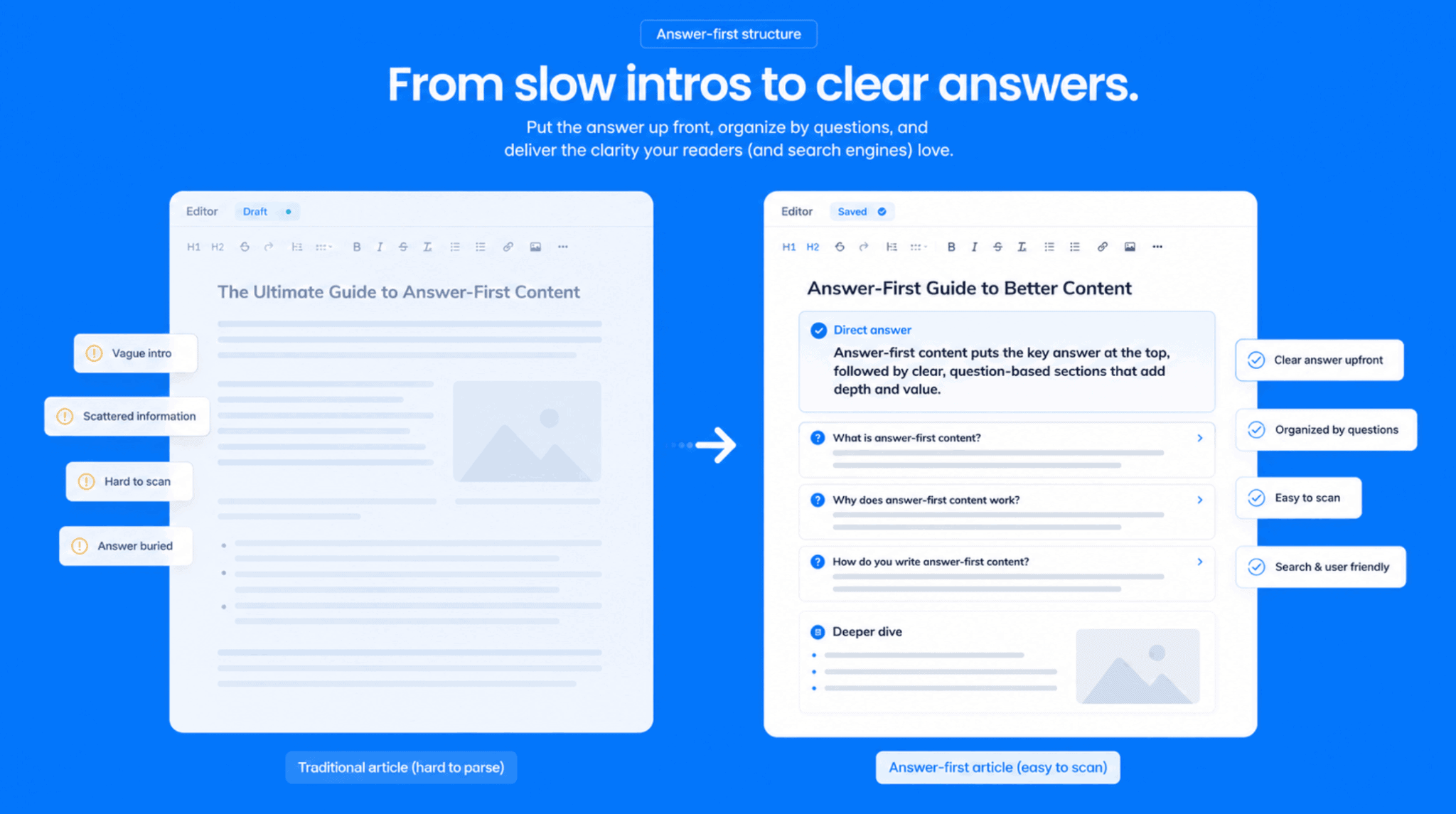
The pages that still earn attention do not hide the answer behind a slow introduction. They answer the question early, then offer what a summary cannot fully provide: judgment, proof, nuance, practical detail and a reason to continue.
We asked SEO specialists and agency leaders how they are adapting their content strategy for AI search. Their answers point to a tougher editorial standard. Your content needs to be easy to interpret, but too useful to leave behind.
TL;DR
AI Overviews may handle the first answer, but they do not replace content that helps people make a real decision.
In this guide, 20 SEO experts explain how to:
- move the core answer above the fold;
- write around specific questions instead of loose keyword variations;
- target decision-stage searches that still earn clicks;
- use original proof and real expertise;
- turn structure into a reason to trust the page;
- measure qualified visits, not traffic volume alone.
The shared principle is simple: make the answer easy to extract, then make the full page worth choosing.
How NEURONwriter helps turn AI visibility into a repeatable workflow
The challenge with AI search is not finding one useful tactic but applying the right content decisions consistently across dozens or hundreds of pages.
That is where NEURONwriter fits into the workflow.
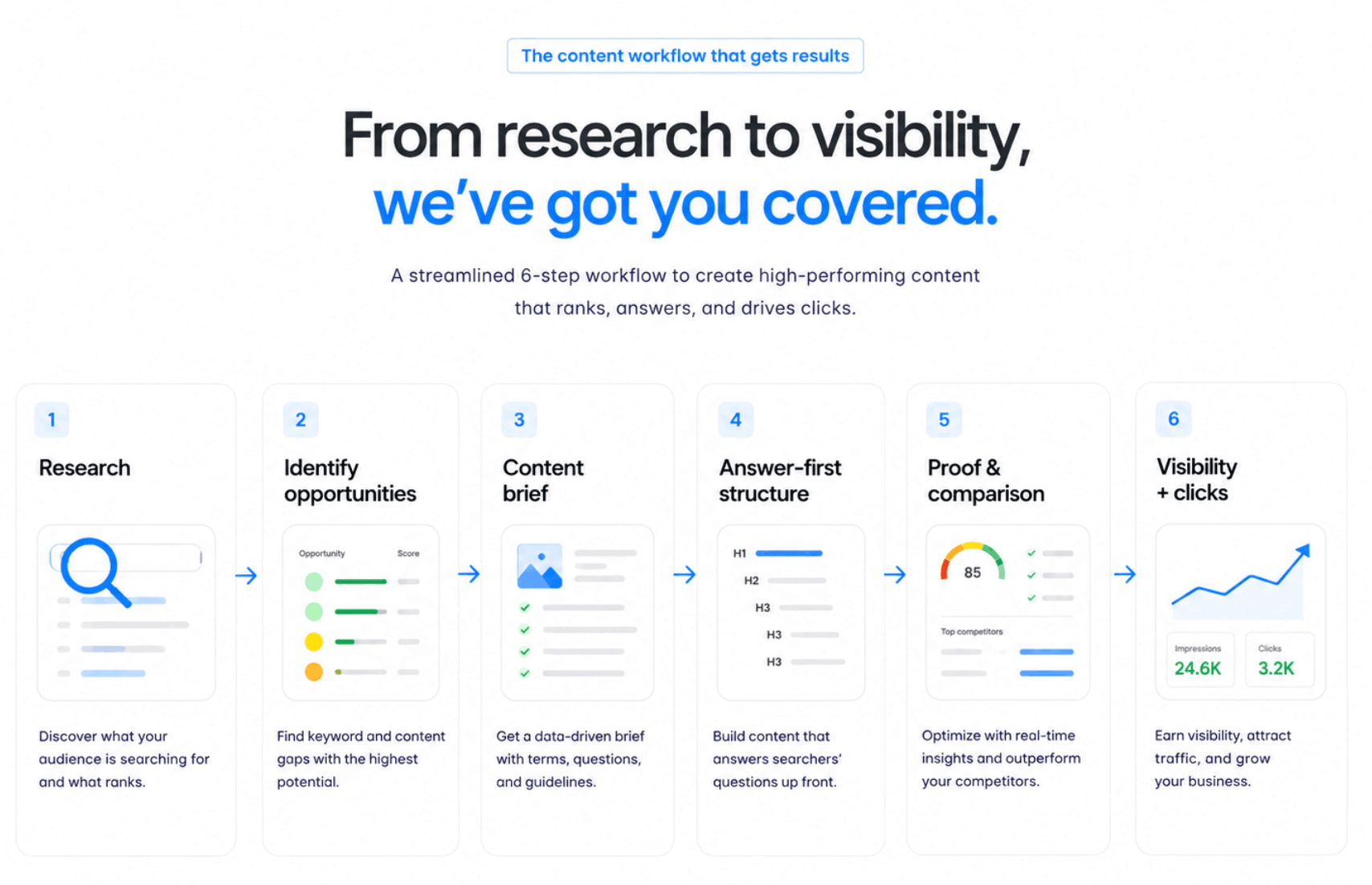
It helps teams start with the search landscape instead of a blank document. You can analyse what already ranks, identify the questions and subtopics that shape the SERP, then turn that research into a clearer content brief. The goal is not to copy competing pages. It is to spot what the current results cover, where they stay generic and where your team can add a stronger answer.
From there, NEURONwriter can help content teams build the type of pages experts described throughout this guide:
- answer-first structures that make the key point clear early;
- question-led sections built around real search intent;
- stronger topic coverage without stuffing every term into the draft;
- comparison, proof and decision-support sections that make the click worthwhile;
- internal links that connect a single article to a wider topical cluster.
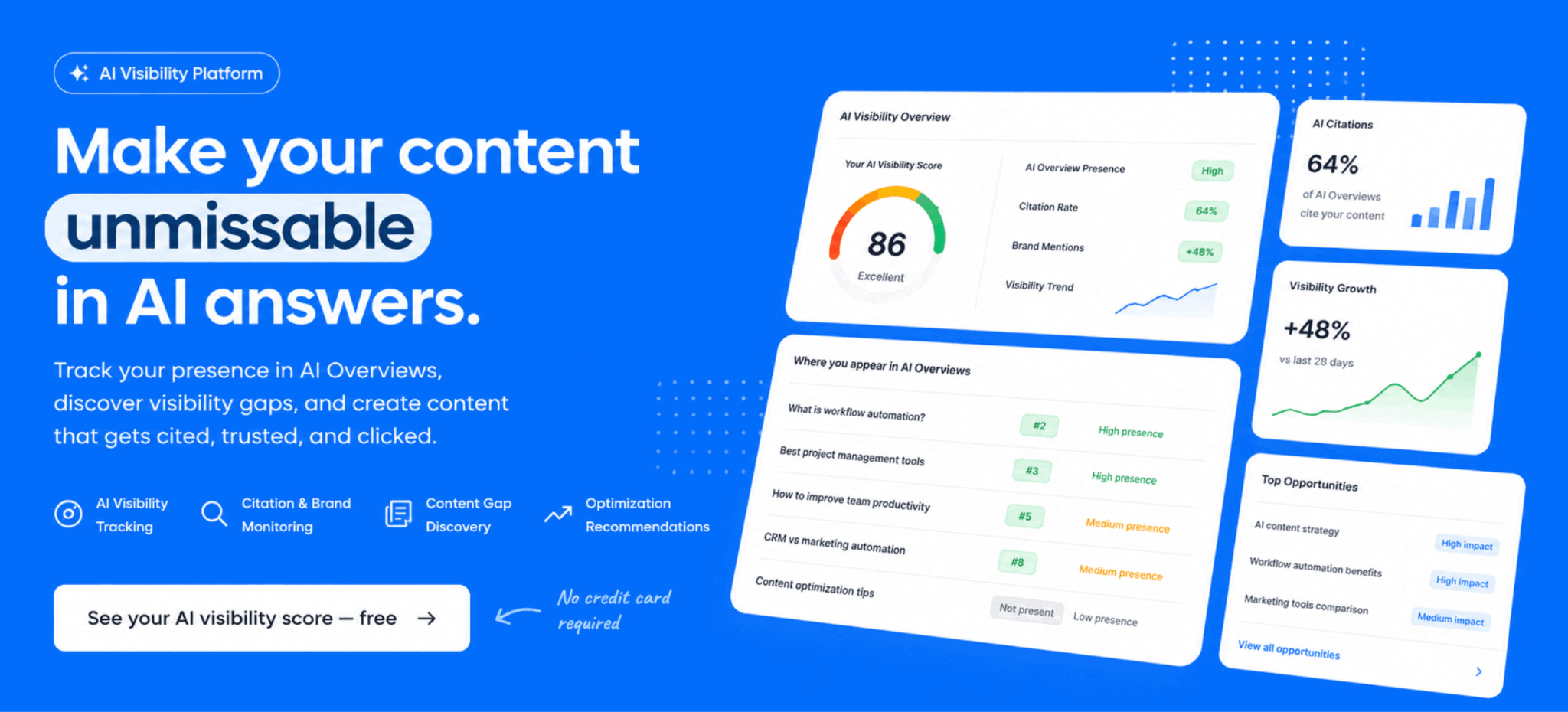
Our AI Visibility module adds another layer. It helps brands monitor where they appear across AI-generated answers, including ChatGPT, Perplexity and Google AI Overviews, then identify gaps in mentions and citations that content updates can address.
That does not turn AI visibility into a guaranteed outcome. No tool can promise that. But it gives content teams a more practical loop: research what people ask, create a page that answers the decision behind the query, improve the gaps that matter and track where the brand starts to appear.
The end goal is not to publish more content for its own sake. It is to create pages that are easier to understand, stronger in context and more useful when the reader needs more than a summary.
1. Write the first screen for both AI and the buyer
A lot of SEO content still follows the old rhythm: introduction first, context second, answer later.
That structure makes less sense when Google can summarise a page before someone clicks through. The opening now needs to prove that the article contains a useful answer and a reason to keep reading.
According to Nikita Baksheev, Head of Marketing at Ronas IT, “The biggest change in our content strategy was moving the answer much higher in the article. Before, a lot of SEO content followed the old pattern: introduction, context, definitions, then the answer. That’s too slow now. If Google can summarise the page before the reader clicks, the page has to prove its value in the first 10 seconds.”
Baksheev’s team now adds a short answer block near the top of decision-stage articles, then explains the conditions that can change the recommendation.
An article about software outsourcing should not begin with a broad explanation of outsourcing. It should answer the more useful question: when does an in-house team make more sense, when is a dedicated team the better option and what risks should a founder check before choosing?
That gives AI a clear answer to extract. It gives a buyer a reason to stay because the page moves into the decision, not just the definition.
2. Build pages around answerable questions, not keyword variations
Keyword research can reveal demand. It cannot always reveal the exact problem someone wants to solve.
A page built around ten close keyword variations may look thorough in a content brief, but it often feels vague in practice. It covers a category without owning a clear answer inside it.
Oksana Gulyk, B2B Search & Visibility Consultant at OKtraffic.online, explains the shift this way: “When Google AI Overviews started appearing for B2B search queries, I stopped thinking about content in terms of keywords and started thinking about it in terms of answerable questions.”
She changed titles and opening paragraphs to match “the exact diagnostic question a B2B buyer would type, not a keyword a tool would suggest.”
That distinction matters. “B2B SEO strategies” can lead almost anywhere. “Why AI does not mention your company in search results” has a clear reader, problem and promise.
The best pages often make one useful promise and fulfil it completely. They do not try to stretch one article across every possible variation of a topic.
3. Treat citation as a visibility layer, not the finish line
A citation in an AI Overview can put a brand in front of someone before they visit the site. But citation is not the final outcome. It is the first sign that a page is clear, distinct and credible enough to enter the answer.
Justin Belmont, Founder and CEO of Prose, says, “One of the biggest pivots we’ve made is writing for citation, not just ranking.”
He explains that the team now spends less time on generic keyword-heavy content and more time on “original insights, strong opinions, firsthand experience, and concise answers to specific questions.”
That is a useful response to zero-click anxiety. A cited page may not win every visit, but it can still build recognition and attract readers who need more than the short version.
The mistake is treating citation as a formatting trick. A summary box alone does not make a page worth citing. The page needs a clear claim, a useful explanation and an angle that adds something beyond the obvious.
4. Answer the next question, not only the first one
The strongest articles rarely stop after the most obvious query. They anticipate what a reader needs to know next.
That is where a page becomes more than a definition. It starts helping someone understand the issue, its consequences and the decisions that follow.
Blake George, Owner of BMG Media Co, says the biggest shift has been “writing content that answers a sequence of questions rather than a single query.”
His responsive design content does not simply explain breakpoints. It moves through the reasoning behind content-driven breakpoints, the problems that appear when teams hide assets with CSS and the impact those choices can have on Core Web Vitals.
“AI Overviews tend to pull the first clean answer,” George says. “A reader who wants the full chain still has to click through.”
That is a strong editorial model. Answer the first question clearly. Then build the rest of the page around the questions that make the answer useful in the real world.
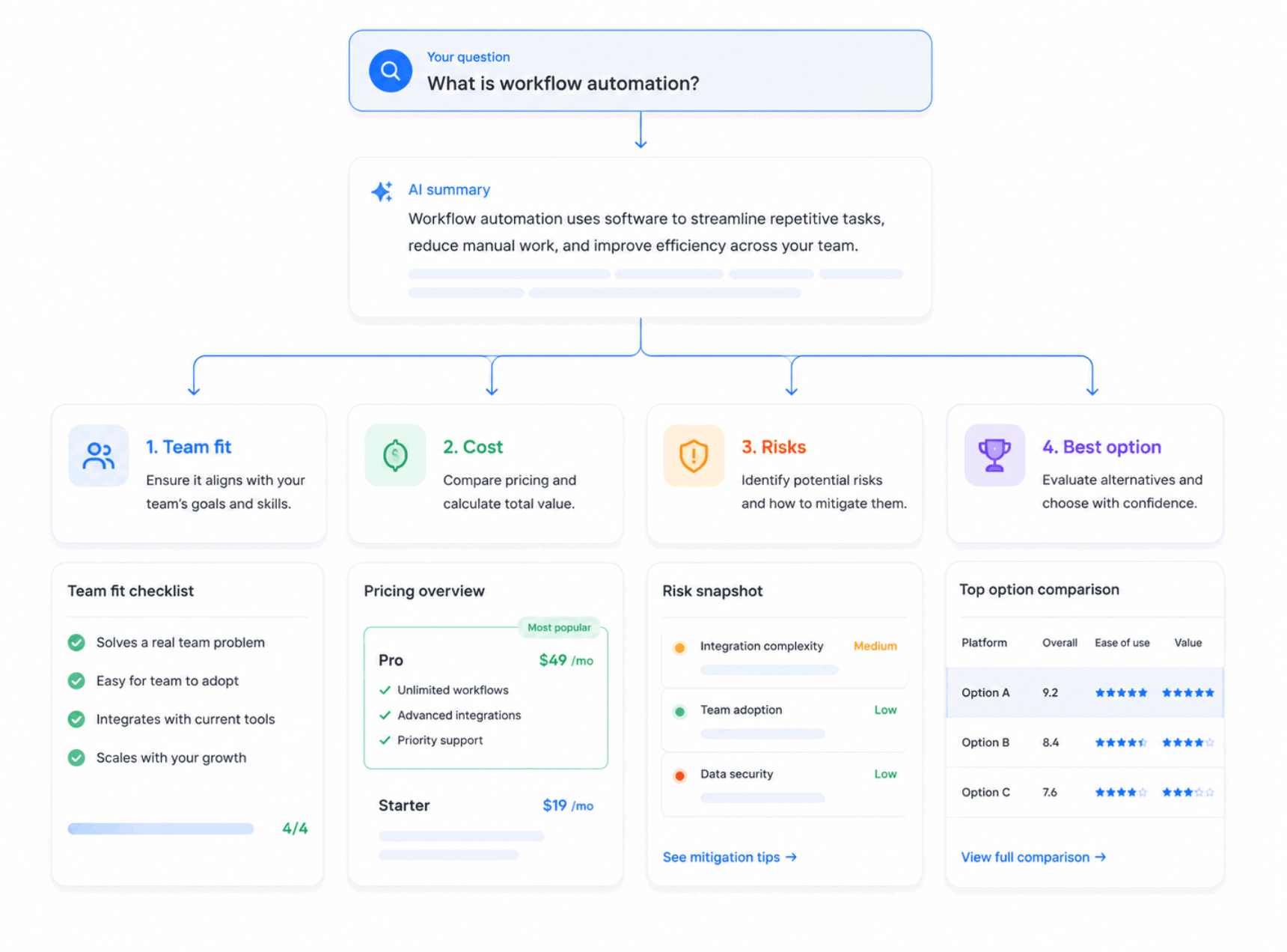
5. Lead with the answer, then build depth underneath it
A page does not need to make readers work for the useful part.
Scott Kasun, Digital Marketing Executive at ForeFront Web, says, “We started leading every article with the direct answer in the first paragraph once titles shifted toward questions. This matches how AI Overviews extract and display content.”
Kasun also notes that his team consolidated several thin posts into fewer, deeper resources. Those pages now surface more reliably for both traditional results and AI-driven queries.
The lesson is not to turn every article into a list of robotic questions. It is to make the role of each section obvious.
A vague heading such as “Key considerations” leaves the reader guessing. “How long does CRM implementation take for a five-person sales team?” makes a promise the section can fulfil.
The clearer the section, the easier it becomes to extract, scan and trust.
6. Target the moment when a buyer knows the problem exists
Broad informational content still has value. But AI Overviews often handle basic definitions well enough that a general “what is” page may no longer earn the click it once did.
The stronger opportunity often appears when someone has moved beyond awareness and needs help with a specific situation.
Scott Bates, Chief Technology Officer at Reputation Defense Networks, says his team moved from broad topic coverage to “entity-specific, decision-stage content.”
Instead of targeting “what is online reputation management,” they focused on the moment when someone has already identified the issue: “my company’s negative news article is showing in Google.”
That creates a different content brief. It does not begin with a broad definition. It begins with the reader’s actual concern and the implied next step.
For B2B teams, the same logic applies. “What is workflow automation?” is broad. “How do we remove approval bottlenecks without rebuilding our entire internal stack?” is a decision with stakes.
7. Put the resolution in the first sentence
A high-intent searcher rarely needs a long warm-up before the answer.
They may still want detail. They may need context, caveats and examples. But they want to know that the page can resolve the question before they invest more attention.
Ben Goodey from Spicy Margarita says, “We restructured our FAQ content so every answer contains a clear, self-contained resolution in the first sentence. No lead-in, no preamble.”
That is especially useful for pages built around a risk, a decision or a problem. The first sentence should provide a usable answer. The next paragraph can explain the boundaries around it.
For example:
A negative result cannot always be removed, but it can often be pushed down when stronger, relevant assets exist and the issue does not involve an ongoing legal dispute.
The sentence creates clarity without pretending every situation has the same outcome.
The goal is not to make every answer sound final. It is to stop creating unnecessary suspense.
8. Focus on searches that require judgment
The easiest searches for AI to answer are often the least commercially useful.
A summary can explain a concept. It struggles more when the reader needs help comparing options, estimating effort or judging risk in a specific context.
Magee Clegg, CEO of Cleartail Marketing, says his team has moved more budget toward “longer, intent-heavy phrases that imply a decision is being made.”
“Informational keywords are getting swallowed by AI summaries,” he says. “Transactional and comparison queries still push people to actually visit a site.”
This is not a reason to abandon informational content. It is a reason to balance it with pages about cost, migration, implementation, fit, alternatives, limitations and common mistakes.
A valuable article does not only tell the reader which option is best. It explains why an option may suit one situation and fail in another.
9. Build content around the decision, not the definition
According to Jules Davies, CEO at Scalerrs, “AI can summarise the definition, but it cannot carry the full decision. The pages that still earn the click are the ones that show what changes the answer, what the buyer should compare and what they risk missing if they act on a generic recommendation.”
This is the line between basic awareness content and content that supports a real buying decision.
A definition may help a searcher understand a category. It rarely helps them choose a platform, set a budget, plan a migration or explain a recommendation to colleagues.
The most useful pages make the choice clearer. They show the criteria, the trade-offs and the conditions that change the answer.
That is also where a content workflow becomes more valuable. Instead of writing around the broad topic, research the decision points hidden inside it.
10. Build complete answers, not keyword-shaped articles
A keyword tells you what people type. It does not always tell you what they need before they can act.
Joseph Riviello, CEO and Founder of Zen Agency, says, “I stopped writing articles optimized around a keyword and started writing them optimized around a complete answer.”
For his team, that meant turning every H2 into a genuine prospect question and placing a tight, citable response directly below it.
Riviello also says the team increased trust signals inside the content itself: named methodologies, specific client outcomes and real attribution.
A complete answer does not mean adding more words for the sake of length. It means helping a reader understand how the topic works, what changes the outcome and what they need to assess before choosing.
The keyword may open the door. A complete answer gives the page a reason to exist after the overview appears.
11. Give the page a point of view that generic content cannot copy
If a page only repeats common knowledge, why should anyone choose it?
The answer is not always more data or a longer guide. Sometimes it is a clearer point of view.
Christopher Coussons, Director at Visionary Marketing, says his team stopped framing articles as “one block of prose” and started treating them as “a stack of self-contained answers.”
The specific change involved turning every subheading into the exact question people type and adding a two- or three-sentence answer before expanding on it. But the bigger idea is that a page should make a useful argument, not only recycle a definition.
A stronger opening might say:
Most SaaS sites do not have a design problem. They have a message-order problem: features arrive before the buyer understands why the problem matters.
That is a clearer starting point than a generic introduction about SaaS conversion rates. It gives the article direction and gives the reader something to think about.
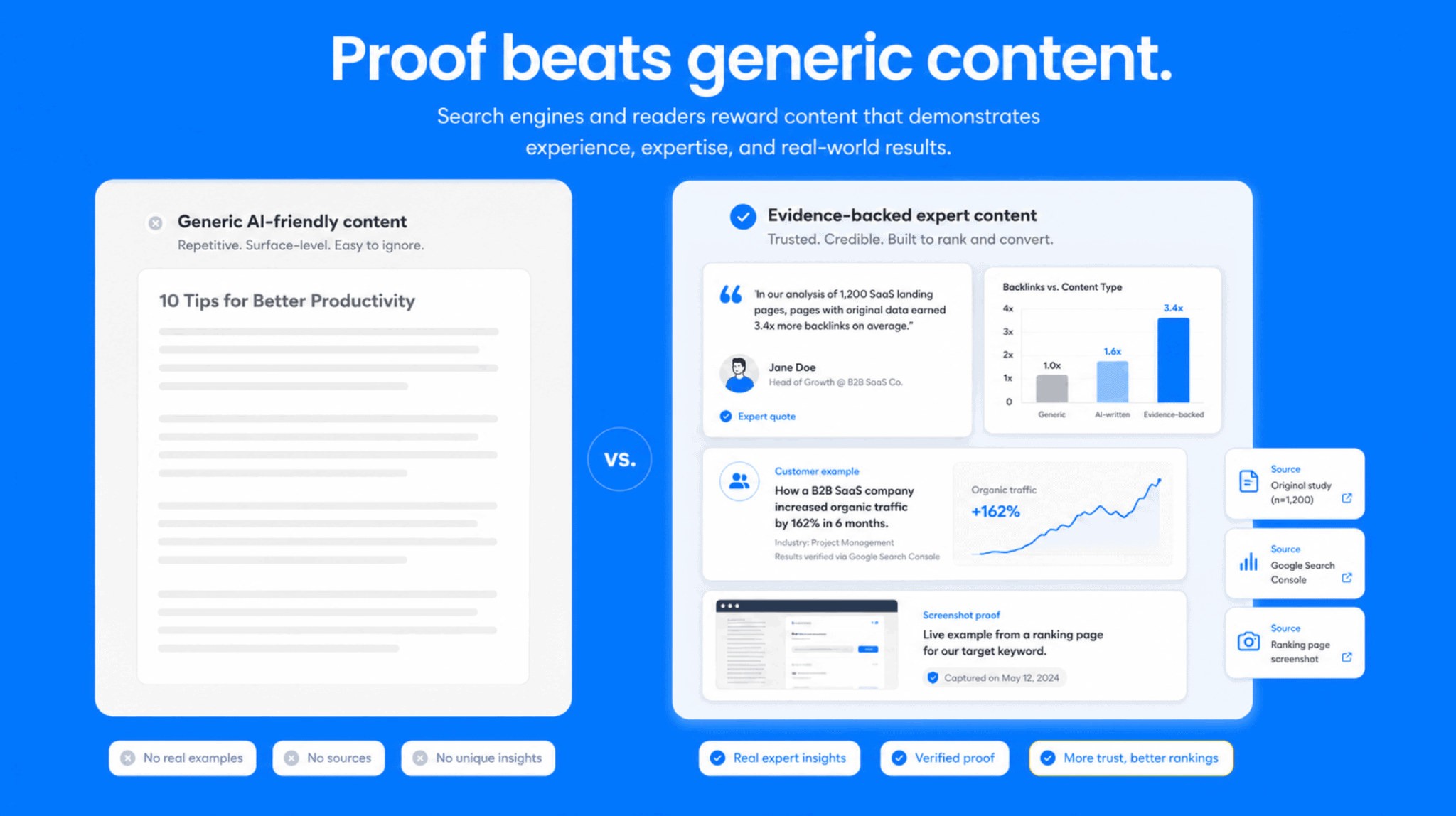
12. Add original proof immediately after the answer
A direct answer makes a page easier to extract. Proof makes it easier to believe.
Ashish Kumar, Founder of Red Dash Media, says, “I’ve been putting a direct answer at the start of every section, followed by quick questions and videos. It seems to help with those AI summaries.”
The exact format will vary. The underlying principle does not.
After the answer, give the reader something that cannot be lifted from ten other pages:
- an anonymised example from client work;
- a product screenshot;
- a practical decision tree;
- a tested workflow;
- a chart from original analysis;
- a video showing the process in action;
- a clear explanation of what went wrong and why.
The answer earns attention. The proof gives a person a reason to trust your page over a generic summary.
13. Turn internal category headings into real search questions
Many weak content sections begin with headings that make sense only inside the business.
“Pricing considerations” may look tidy in a brief. It does not tell the reader what they will actually learn.
Rob Dietz, Owner and President of Dietz Group, says, “Instead of burying the main point halfway down an article, I lead with a 40–60 word direct answer to the core question right at the top.”
The same discipline applies to headings.
A more useful heading would be:
How much does email verification cost for a growing SaaS company?
That question tells the reader exactly what the section will answer. It also forces the writer to give a useful response rather than circle the topic.
Good headings help a reader scan. Great headings help them decide where the page can solve their problem.
14. Use FAQs to resolve real friction, not to add filler
FAQ sections often fail because they repeat broad questions with generic answers.
The format itself is not the issue. Weak answers are.
Divyansh Agarwal, Founder of Webyansh, says to “focus on technical markup that helps search systems parse content more cleanly”. He also tightened internal linking, using descriptive anchor text from older posts to point readers and crawlers toward relevant new pages.
That technical work is useful, but the FAQ still needs editorial substance.
A valuable FAQ should answer the concerns that remain after the reader has worked through the article. It might cover timing, eligibility, cost, limits, exceptions or what happens after the first step.
The best FAQ questions often come from support conversations, sales calls and implementation friction. They solve the uncertainty that keeps a reader from acting.
15. Clarify the entities behind the advice
Search systems need confidence about who a company is, what it does and why its content deserves trust.
That does not only come from schema. It also comes from clear editorial signals.
Carlos Alvarez, Founder and CEO of Baseline Digital Marketing Agency, says his team shifted toward “structured, schema-marked Q&A blocks optimized specifically for LLM extraction rather than just standard keywords.”
His team also uses concise summary boxes near the top of pages to make the content easier to parse.
The content itself still needs to be specific. A reader should not have to infer who the company serves, what expertise it has or which market the advice applies to.
Make the relationship clear between the company, the audience, the problem and the evidence behind the recommendation.
Entity clarity is not about repeating brand names. It is about making the context impossible to misunderstand.
16. Consolidate thin coverage into deeper resources
Some teams react to falling organic traffic by publishing more: more keywords, more short posts, more basic answers.
That can create a library full of pages that all repeat the same surface-level idea.
Adam R Collins, SEO Consultant and Founder of Ignite SEO, says that one useful response is creating a more comprehensive website that covers multiple relevant questions rather than relying on a single narrow page.
His practical rules are: “answering the main question near the top, using concise answers for question-led articles and keeping product roundups easy to scan”.
The goal is not one giant guide for every topic. It is stronger coverage.
A deeper resource can include the core explanation, the practical questions that follow, comparison points, useful examples and internal pathways into more specialised content.
Thin articles may still rank for a narrow query. Deeper resources have more opportunity to earn trust across related searches and follow-up questions.
17. Format content to be extracted, not only read
Traditional SEO content often assumed a reader would move through a page from top to bottom.
AI search changes that. A system may pull one paragraph, one definition or one compact answer from the middle of an article.
Kriszta Grenyo, Chief Operating Officer at Suff Digital, says, “AI Overviews forced us to format content to be extracted, not just read: concise answer-first paragraphs, clear question-based headings and structured data up top.”
She also says the agency shifted away from chasing single keywords and toward owning topic clusters and entities.
That does not mean every paragraph needs to be written like a database entry. It means each part of the page should make sense without the reader needing to decode a long preamble.
Structure is not cosmetic. It is part of how your content makes its meaning visible.
18. Use niche expertise where generic answers run out
AI Overviews handle generic questions with ease. That makes niche expertise more valuable, not less.
Aleksandra Podżorska-Celak, SEO Specialist at DevaGroup, says she began monitoring server logs to understand which pages bots visit most often.
She found that crawlers often focused on content that was not necessarily popular in the usual sense, but addressed “deep-seated needs of customers in very specific niches.”
Her response was to build articles around the pain points of buyer personas in those industries, then apply a Bottom Line Up Front structure, bullet points and a dedicated FAQ section.
The lesson is not to chase every niche keyword. It is to look for the places where your team has context that a broad summary cannot reproduce.
That might be sector-specific compliance, regional buying behaviour, implementation constraints or a set of questions only experienced practitioners hear from clients.
19. Separate pages built for citation from pages built for conversion
Not every page needs to do the same job.
Some pages should answer an informational question. Some should help a reader compare options. Some should prove expertise. Some should help a prospective customer take the next step.
Ryan Pritchard, Founder and Principal Consultant at Skyport Digital, says he now separates content by intent: “informational pages built to get cited, service pages built to convert.”
That distinction avoids a common problem: one article tries to define a topic, compare every option, sell a service and explain the implementation process in the same space.
When a page tries to do everything, it often becomes too unfocused for citation and too broad for conversion.
A better content ecosystem allows pages to support each other. An explainer can link to a comparison. A comparison can link to a service page. A service page can link to a relevant case study or implementation guide.
20. Make the click worth more than the summary
According to Matt Emgi, CEO at EMGI Group, “The goal is not to fight the summary. It is to give the reader a reason to go beyond it. That can be a real example, a comparison, a workflow or a piece of context that only someone doing the work can provide.”
This is the most practical test for AI-era content.
Ask what a reader receives after the basic answer. If the rest of the page only repeats the overview in longer form, there is little reason to visit it.
The click becomes worthwhile when the page adds something specific:
- a worked example;
- a side-by-side comparison;
- a practical framework;
- a realistic timeline;
- a decision tree;
- a warning about common failure points;
- evidence from real implementation work.
AI can compress the surface. Your page needs to own the part that requires judgment.
What this means for your content workflow
You do not need to rewrite every article on your site.
Start with pages that already earn impressions but have weak click-through rates. Look for high-value pieces that begin too slowly, repeat broad definitions or fail to help a reader make a decision.
Then run a practical review:
- Does the page answer the main question in the opening section?
- Does every H2 have one clear job?
- Are key claims supported with proof, examples or first-hand insight?
- Does the content explain trade-offs and exceptions?
- Does the reader get value after the AI summary ends?
- Is the company’s expertise clear enough to trust?
- Does the page support a real decision, not only a keyword?
The teams that adapt well will not treat AI search as a reason to publish less. They will treat it as a reason to publish with more precision.
Final thought
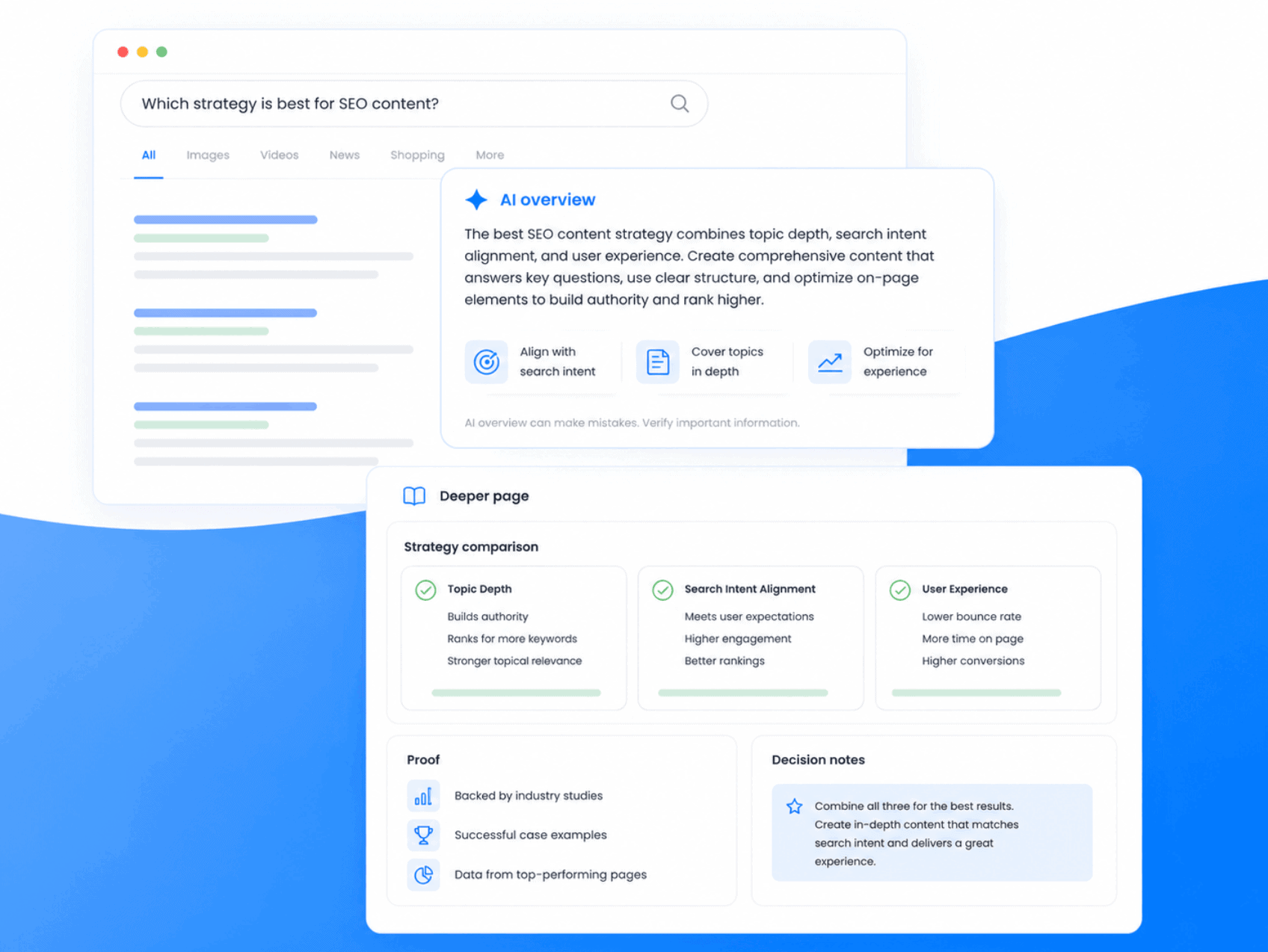
The easy answer now appears earlier in the search journey.
That leaves a more interesting job for content teams: become the source that explains what the answer means in the real world.
That is where trust starts. It is also where the most valuable clicks still come from.