
Video Transcript SEO: How to Turn a Transcript into Useful, Searchable Page Content
Semantic Summary
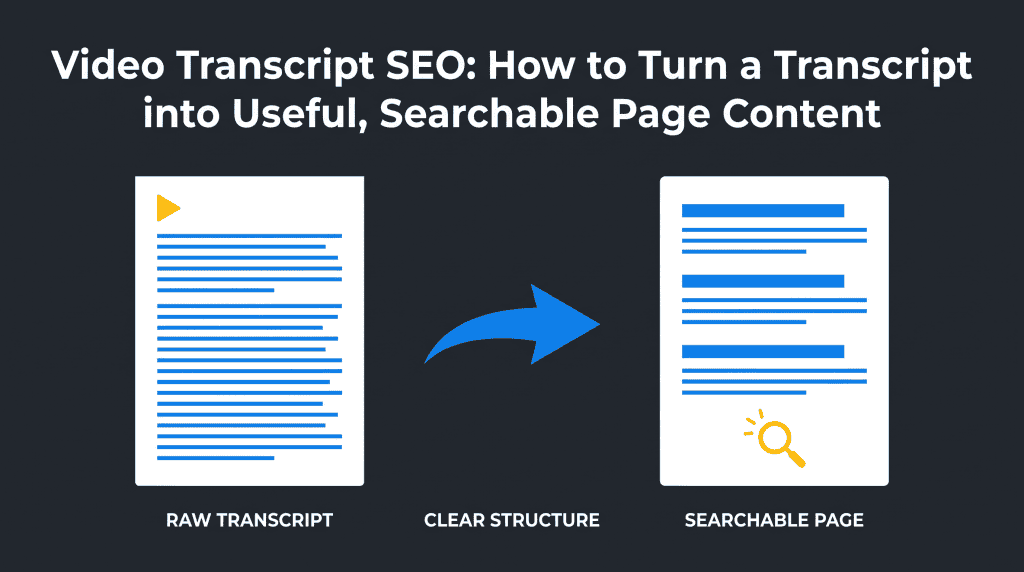
Idea: Video transcript SEO means turning spoken video into a clear page that people can scan, search, and use—not pasting an unedited wall of words below a player.
Challenge: Raw transcripts often contain errors, repetition, missing visual context, and no clear path for a reader who wants one answer quickly.
Summary: Keep the video’s meaning, then add a direct summary, useful headings, short paragraphs, context, and relevant links. The result is a better companion page for readers and a stronger text asset for search.
Related Reads: YouTube SEO: The Ultimate Guide to Optimizing Videos · Video SEO vs. Blog Content: A Strategic Guide · Creating Friendly AI Content · useful text on a real page. It is not a shortcut that makes every video rank. The practical goal is simpler: turn the useful ideas already spoken in a video into a clear companion page that answers questions, explains the topic in context, and makes the video easier to use.
Use this workflow when a video contains advice, an explanation, a demonstration, an interview, or a useful discussion that deserves a text version. Do not use it to publish a lightly edited dump of every word said on camera. Readers need structure. Search engines need a crawlable, useful page. Both needs point to the same result: an accurate, well-organized explanation.
What Video Transcript SEO Can and Cannot Do
Video transcript SEO helps turn spoken content into a readable resource. It can make a page easier to scan, give readers another way to use the information, and create relevant text around an embedded video. It does not guarantee higher rankings, replace a useful video, or make a weak topic valuable.
Google explains that a video needs an eligible, indexable page and a visible embedded player before it can be considered for video features. A transcript is helpful supporting content, but it does not replace the technical basics of video discovery, stable URLs, a usable thumbnail, and a page that serves a clear purpose. Google’s video SEO guidance is the right reference for those requirements.
| Useful outcome | What the transcript contributes | What it cannot prove |
| Reader convenience | People can skim, search within the page, copy a quote, or return to one explanation. | That visitors will watch longer or convert. |
| Clearer topic context | Headings and short sections make the main ideas visible in written text. | That a page will rank for every phrase spoken in the video. |
| Accessibility support | A transcript gives people a text alternative and can include important visual context. | That captions, subtitles, and a transcript are interchangeable. |
| Content reuse | Useful sections can become a companion explanation, FAQ, or supporting article. | That copied speech automatically becomes an original article. |
Think of the transcript as source material. Its job is to preserve what was said. Your page’s job is to help a visitor understand why that information matters and what to do with it.
Know the Difference Between a Transcript, Captions, and a Companion Page
A transcript, captions, and a companion page can come from the same recording, but they solve different problems. Keeping them separate prevents confusing technical choices and prevents a page from becoming a messy mix of text formats.
| Asset | Primary job | Best use | What to include |
| Transcript | Provide a text version of speech and, when needed, important visual information. | Readers who prefer text or cannot use the media in the usual way. | Speaker labels, paragraphs, clarifications, and timestamps only when they help. |
| Captions or subtitles | Let a viewer follow spoken words while watching. | Watching a video with sound off, limited hearing, or another language. | Timed text synchronized with the video. |
| Companion page | Answer a reader’s question using the video as supporting evidence. | Searchers who need an explanation, a process, or a reference. | Summary, sections, edited transcript material, embedded video, links, and a next step. |
The W3C recommends making transcripts easier to use with logical paragraphs, headings, links, speaker identification, and only the timestamps that add value. It also notes that a video transcript may need important visual information that captions do not include. Its transcript guidance is a practical reminder that useful text is more than speech converted word for word.
Use This Six-Step Video Transcript SEO Workflow
The fastest reliable process is to decide the page’s reader question before you edit the transcript. That one decision tells you what to keep, what to clarify, and what belongs elsewhere.
1. Choose a video with one clear reader problem
Start with a video that answers a real question. A tutorial, product explanation, expert interview, or demonstration often works well because it has a defined beginning, middle, and result. Avoid making a companion page for a casual update with no lasting information value.
Write one sentence before you touch the transcript: “This page helps a reader understand how to ___.” If you cannot finish that sentence, the source video may need a different format or a narrower page.
2. Create a clean source transcript
Make an accurate text version of the spoken content. Check names, numbers, key terms, and any statement that could affect a reader’s decision. Remove filler words, repeated starts, and accidental phrases, but do not silently change the speaker’s meaning.
Label speakers when more than one person talks. Add a short bracketed note when a visual demonstration supplies information that the spoken words omit, such as “[screen shows the report filters]”. This makes the text useful even to someone who does not press play.
3. Decide what remains verbatim and what becomes edited copy
Keep a short transcript section when readers may want the original wording, such as an interview answer or a detailed explanation. Turn the rest into reader-friendly copy when the spoken version repeats itself, changes direction, or needs context to make sense on the page.
| If the source contains… | Use this on the page | Reason |
| A concise expert answer | A clearly marked quote or transcript excerpt. | It preserves the original voice and attribution. |
| A long demonstration | A step-by-step explanation plus a timestamp link where available. | Readers can understand the steps before deciding whether to watch. |
| Repetition or off-topic conversation | A shorter summary or no inclusion. | It keeps the page focused on the reader’s question. |
| An important example on screen | A plain-language description near the relevant section. | The text should stand on its own. |
4. Build the page around answers, not the recording order
Videos often wander before they reach the point. A searchable page should not copy that order by default. Put the direct answer near the top, then group the useful material under headings that match the questions a reader is likely to ask.
For each major section, begin with a short answer. Then explain it with an example, a list, or the relevant transcript material. This makes the page easier to scan and gives each section a clear job. For a practical method, see the Atomic Answer Framework.
5. Add the video and the information that surrounds it
Embed the relevant video where it supports the page. Add a specific page title, a short description, a clear summary, and an introduction that explains who the video is for. Do not hide the player behind a click-only interaction if the page is intended to be a video destination.
If the page is a dedicated watch page, make sure the video is the main reason to visit. Google distinguishes a watch page from a normal article where the video is only supporting material. A companion article can still rank as a text result, but it should not claim video-feature eligibility merely because a video is embedded.
6. Link to the next useful answer
Give the reader a natural next step. Link to a deeper guide when the transcript introduces a concept but cannot explain it fully. Link to a related video, a supporting checklist, or a product resource only when it helps the current task.
Internal linking is not a keyword-placement exercise. Use descriptive anchors that tell readers what they will learn next. For example, a page about making a transcript searchable can point readers to a broader YouTube SEO guide or to a practical content optimization workflow.
A Copyable Template for a Searchable Video Companion Page
A companion page works best when it combines a short answer with a clearly marked transcript resource. The template below gives every section a reader-facing purpose.
| Page section | What to add | Reader benefit |
| H1 and opening answer | A precise title and two sentences that explain the topic and outcome. | Readers know immediately whether the page helps them. |
| Embedded video | The relevant video, visible without unnecessary interaction. | People can watch the original source when they prefer video. |
| Short summary | The main point, who it helps, and any important limit. | Readers get the answer without replaying the full video. |
| Question-led sections | Edited explanations drawn from the recording. | Each part is easy to scan and revisit. |
| Transcript or selected excerpts | Cleaned text with speaker labels and useful visual notes. | Readers can search, quote, and use the source material. |
| Resources and internal links | Only relevant next steps, with descriptive anchors. | The page leads naturally to deeper help. |
| Review date | A note for the team, not necessarily public copy. | Time-sensitive advice does not quietly become stale. |
Do not make the template rigid. A five-minute product update may need only a short summary and a cleaned transcript. A 45-minute tutorial may need a detailed table of contents, several direct-answer sections, selected timestamps, and an FAQ.
Optimize the Transcript Without Keyword Stuffing
Optimize a transcript by improving clarity and relevance, not by repeating a keyphrase. Add words only when they make the explanation more accurate or easier to find. A transcript full of unnatural variations is worse for readers and does not create a trustworthy page.
Start with the language people use for the problem. Use that wording in the page title, opening summary, and headings when it fits naturally. Then make the body helpful with definitions, examples, and clear steps. This gives the page context without forcing the same keyword into every paragraph.
- Use one clear page title. It should describe the video’s specific question, not every related phrase.
- Turn spoken transitions into headings. Replace “so, the next thing…” with a heading that names the next decision.
- Keep a useful full transcript. Edit it for readability, but do not remove the detail that makes it valuable.
- Add links in context. Link a term only when the destination expands that exact point.
- Write a unique meta description. Explain the outcome a searcher will get from this page.
- Use an FAQ only for real follow-up questions. Do not turn every sentence into a question merely to add more text.
NEURONwriter can help you research the terms and questions that appear in a relevant search result. Use that research to strengthen the brief and structure, then keep a human editor responsible for accuracy, reader value, and the final transcript meaning.
Technical Basics: Help Search Systems Find the Video and the Page
Technical video SEO starts with a visible, indexable page and a video that can be found in the rendered HTML. A transcript supports the page, but technical visibility depends on whether search systems can actually discover the video and understand its basic details.
For a real watch page, check the player, stable thumbnail, page title, description, and indexability first. Google also supports VideoObject structured data and, where appropriate, timestamp-based features such as Clip or SeekToAction.
Use these only when the page has a watchable video and the details are accurate. Google’s structured-data documentation explains the required properties and timestamp rules.
| Check | Why it matters | Simple action |
| Page is indexable | A blocked or noindexed page cannot be a useful search destination. | Check the page in Google Search Console after publishing. |
| Video is visible | Search systems need to find the player in the rendered page. | Do not load the only video after an unneeded click or swipe. |
| Video details are unique | Title, description, and thumbnail help distinguish one video from another. | Write page-specific metadata rather than using a generic channel description. |
| Timestamps add value | They can help a viewer jump to a meaningful section. | Add them for a long tutorial or interview; skip them when they create clutter. |
Use Metadata and Surrounding Text to Explain the Video
A search engine does not need a transcript stuffed with every keyword. It needs a relevant page that clearly explains the video content, the reader question, and the next useful action. The strongest signals are usually the ordinary parts of a helpful page: a specific title, a short meta description, visible video, clear headings, and surrounding text that adds context.
Use keyword research to learn the words people use, then match the page to the real search intent. A YouTube video about a product setup may need a practical setup page. An expert interview may need a page that organizes the answers by topic. The content type should follow the reader task, not a fixed transcript template.
| Page element | What to write | What to avoid |
| Page title and meta data | Name the specific question and outcome, using language that fits the video. | Using the same generic video titles and meta description on every page. |
| Video description | State who the video helps, what it covers, and the main limitation or condition. | Repeating the full transcript or promising better search rankings. |
| Surrounding text | Give a summary, direct answers, definitions, and links to relevant pages. | Leaving an embedded video with no explanatory text content. |
| Transcript format | Use accurate paragraphs, speaker names, and a caption or visual note where it improves understanding. | Publishing an unreviewed AI transcription as if it were accurate source material. |
If you host the video file yourself, the technical setup matters too. If a platform supplies the player, make sure the visible embed works on the relevant page. A video page with a readable transcript can improve discoverability, but it should still be judged by the questions it answers, its position in Google Search, and whether it gives visitors a reason to continue. Treat watch time, video results, and featured snippets as observations not results a transcript can promise.
For long content, use a few meaningful timestamps instead of showing every caption time. If you also provide subtitle files, such as SRT or VTT, keep those timed files separate from the web transcript. The reader-friendly transcript should remain simple to scan. Accurate transcripts, a clear page title, and links to relevant queries are more useful than a long list of repeated terms.
Common Video Transcript SEO Mistakes
The most common mistake is treating a raw transcript as finished content. A transcript can be accurate and still be hard to read. The fix is not to rewrite every sentence into marketing language; it is to give the text a clear structure and enough context for a new reader.
- Publishing automatic text without review. Correct names, key concepts, numbers, speaker changes, and important visual details.
- Confusing captions with the web-page transcript. Captions support viewing; an on-page transcript supports reading and searching.
- Deleting all detail to make a short blog post. Preserve the parts that answer the reader’s question or clearly provide a separate full transcript.
- Making unsupported ranking promises. Describe transcripts as useful text and accessibility support, not a guaranteed traffic switch.
- Creating duplicate pages with the same job. Give each companion page one distinct video, question, and reason to exist.
- Forgetting the source video. A transcript page should identify or embed the recording it represents whenever possible.
How to Measure Whether the Page Helps
Measure the page as a content asset, not as a one-week ranking test. First confirm that the page is indexed, the video works, links are relevant, and readers can find the transcript. Then watch the queries, impressions, clicks, engagement, and feedback that fit the page’s purpose.
| Signal to review | What it can show | How to use it |
| Relevant queries in Google Search | Whether the page appears for the questions it was designed to answer. | Compare the search results with the page’s summary and headings before changing copy. |
| Search engine visibility and clicks | Whether impressions and visits are growing for the right topic. | Review a meaningful period; do not judge one edit by a few days of data. |
| Video search or YouTube search signals | Whether the video itself is being discovered in the relevant channel. | Keep this separate from the text page’s organic search performance. |
| Links and referrals | Whether a useful page earns contextual internal links or external backlinks over time. | Check the relevance of the link, not only the total count. |
Use Google Search Console to see whether the page gains impressions or clicks for relevant questions. Check whether users reach the page from related internal links. If the topic changes, refresh the summary and the transcript notes rather than changing the URL without a reason. A transcript is useful only while its information remains accurate.
FAQ
Does video transcript SEO work?
It can help when the transcript becomes useful, indexable page content that answers a real reader question. It does not guarantee a ranking increase, but it gives people and search systems clearer text around the video.
Should I publish a full transcript or a summary?
Use a summary when the reader needs the main answer quickly. Keep a full cleaned transcript when it contains useful detail, an interview, or a reference people may want to search. Many strong pages use both: summary first, transcript below.
Do captions and a transcript do the same thing?
No. Captions are timed text for viewers who are watching the video. A transcript is a readable text version that can include speaker labels, headings, links, and important visual information.
Does Google index video transcripts?
Google can crawl text that is available on an accessible page, but video eligibility also has its own requirements. Make the page useful and indexable, then follow Google’s video guidance for the player, thumbnail, and watch-page details.
Can I turn a YouTube transcript into a blog post?
Yes, if you add a distinct reader purpose, clear structure, and useful explanation. Do not simply paste the words into a new URL. Build a page that gives readers a better way to understand and use the video’s information.
Should I add timestamps to a video transcript?
Add timestamps when they help a reader return to a meaningful moment, such as a tutorial step or interview topic. For a short video, too many timestamps can make the transcript harder to read.
How do I avoid duplicate content when using transcripts?
Give each page a different job. A video watch page can contain the transcript, while a separate article should offer a different, fuller explanation or a different reader outcome. Avoid publishing several near-identical transcript pages for the same recording.
How should I check an AI-generated transcript before publishing?
Review names, numbers, specialist terms, speaker changes, and sentences that influence a decision. Watch the relevant video segment when the text is unclear, then add missing visual context in brackets or in a clearly marked note.
Do transcripts improve accessibility?
They can make video information available to people who cannot use audio or video in the usual way and to people who prefer reading. A descriptive transcript can also include visual information that speech alone does not provide.
Can a video transcript page appear in featured snippets?
It can appear for a relevant query when the page gives a clear, accurate answer in a format that fits the search result. There is no special transcript markup that guarantees featured snippets or search rankings. Focus on the reader’s question, clear headings, and useful surrounding text instead.