
6 Best Tools for an AI-Powered Content Operations Stack in 2026
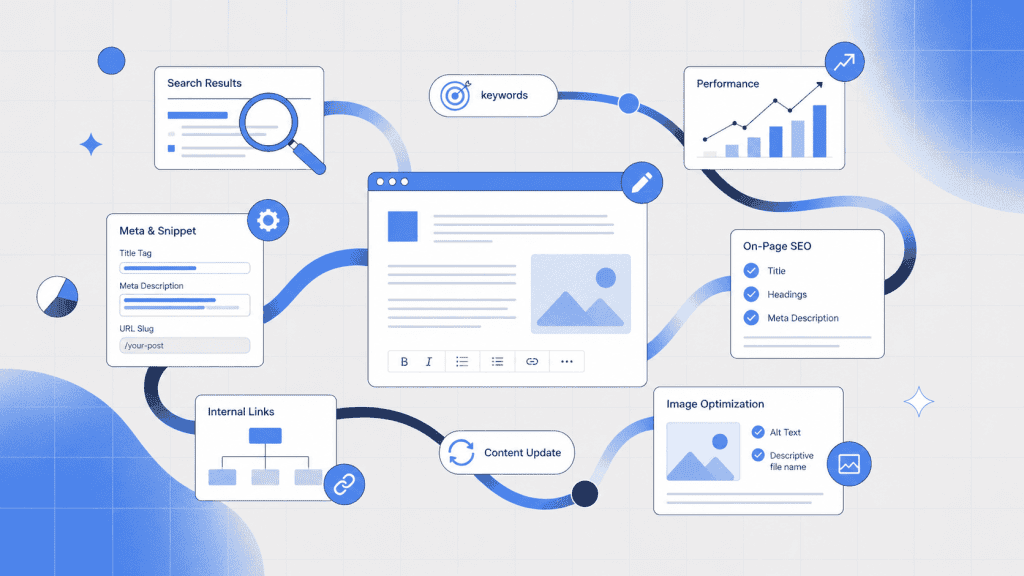
Content teams no longer struggle to generate enough words. Their harder problem is coordinating research, briefs, AI agents, writers, approvals, publishing and performance data without creating a maze of disconnected systems.
The best content operations tools solve distinct parts of that problem. One platform may guide research and optimization, another may automate handoffs and a third may provide custom software for processes that do not fit inside a standard content platform.
NEURONwriter earns the first position in this guide because it connects search intelligence, content planning, AI-assisted writing, optimization and AI visibility in one environment. Its official MCP server also lets AI assistants such as Claude and Cursor work directly with NEURONwriter’s SEO engine, reducing the manual copying that usually separates research from content execution.
What is a content operations stack?
A content operations stack is the combination of platforms, processes and governance rules a team uses to plan, produce, optimize, approve, publish and measure content.
It should not be a random collection of popular marketing software. Each platform needs a defined operational responsibility. When two or three systems perform the same job, the stack usually creates more administration than value.
A practical content operations stack may contain separate layers for:
- search and market intelligence
- content planning and optimization
- custom operational software
- cross-platform automation
- structured publishing
- digital asset management
- analytics and reporting
- team communication
The platforms in this guide are not direct competitors. Each one supports a different part of the content lifecycle.
The best content operations tools at a glance
| Platform | Category | Best for | Role in the stack |
| NEURONwriter | Content optimization and AI visibility platform | Agent-connected content planning, research and optimization | Central content intelligence and execution |
| Softr | AI app builder | Building custom content operations software without code | Portals, internal tools and operational apps |
| Make | Visual automation platform | Connecting tools and automating handoffs | Cross-platform automation |
| Contentful | API-first content platform | Structured multichannel publishing | Publishing infrastructure |
| Bynder | Digital asset management platform | Managing approved brand and campaign assets | Asset governance |
| Slack | Team communication platform | Discussions, alerts and exception handling | Communication layer |
How we evaluated the platforms
We did not rank these platforms according to how many AI features they advertise. Each selection had to own a clear part of a modern content workflow.
The strongest platforms reduce manual handoffs, work with meaningful business context and continue supporting the process after the first draft is created. They also give teams enough control to review AI output, manage access and change workflows as their needs develop.
A good content operations stack should help a team answer five questions:
- What should we create?
- What does the search market expect from the topic?
- Who owns each stage of production?
- How does approved content move into publishing and reporting systems?
- Which content needs to be improved next?
The first platform on our list answers more of these questions than a traditional AI writing tool.
1. NEURONwriter: best overall for agent-connected content operations
Category: Content optimization and AI visibility platform
Best for: SEO teams, agencies and in-house content teams connecting strategy, production and optimization with AI agents
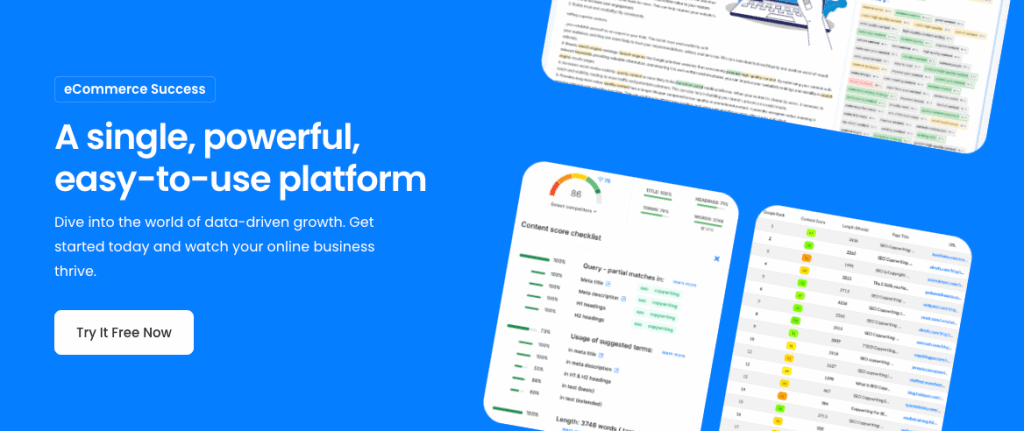
NEURONwriter is the strongest central platform for an AI-powered content operations stack because it goes beyond text generation. It combines search analysis, competitor research, semantic recommendations, content planning, writing support, optimization and AI visibility monitoring.
Its newest differentiator is the official NEURONwriter MCP server.
MCP, or Model Context Protocol, lets compatible AI assistants communicate directly with external systems. Once connected, an assistant such as Claude, Cursor or a custom MCP client can work with NEURONwriter’s SEO engine without a user repeatedly transferring data between applications.
An AI assistant can browse projects, start a new SERP analysis, retrieve recommended terms and questions, examine competitor content, evaluate a draft, save improved content and organize queries with tags. The connection uses OAuth, so the AI client does not receive the user’s NEURONwriter password. MCP access is currently available on the Gold plan and above.
Why MCP changes the content workflow
A typical AI-assisted SEO workflow still involves several manual steps:
- Run a search analysis in an SEO tool.
- Copy recommendations into an AI assistant.
- Generate or edit a draft.
- paste the draft back into the optimization tool.
- Review the score.
- Copy missing recommendations back to the assistant.
- Repeat until the draft is ready.
NEURONwriter MCP can turn this into a connected loop.
The user can ask an AI assistant to create an analysis for a keyword, review competitor coverage, write a draft, check the content score and improve weak sections. The assistant calls the relevant NEURONwriter functions as it works.
The current MCP release focuses on content research, preparation, evaluation and saving drafts. It does not yet publish directly to WordPress through MCP, although direct CMS commands appear on NEURONwriter’s roadmap.
Content research and optimization
NEURONwriter analyzes the search results for a target query and turns competitor data into practical content recommendations. Writers can review NLP terms, entities, questions, competitor structures and topic gaps while working inside the editor.
Our Content Designer adds a research-first layer to AI creation. Teams can provide URLs, documents or manually supplied text as sources. The system extracts relevant facts and presents them in an editable structure rather than treating an unconstrained AI model as the only source of information. Writers retain control over which facts remain in the final piece.
The Neuro AI assistant works inside the editor for drafting, rewriting and ongoing optimization. This reduces the need to switch between a separate AI chat and the content workspace whenever a paragraph needs to be expanded, shortened or aligned with the brief.
Planning and team coordination
NEURONwriter also covers a larger part of content operations than many optimization platforms.
Teams can maintain a publication calendar, group work into projects and campaigns, assign owners, set deadlines and move items through stages such as idea, draft, optimization and publication. Its planning and team-management features give agencies and internal teams a shared view of ownership, status and upcoming work.
That distinction matters. A content score is useful for one article. A structured planning system helps a team manage dozens or hundreds of articles without losing track of what needs to happen next.
SEO and AI visibility in one process
Search performance is no longer limited to a traditional list of blue links. Brands also need to understand when AI systems mention them, cite their pages or recommend competitors instead.
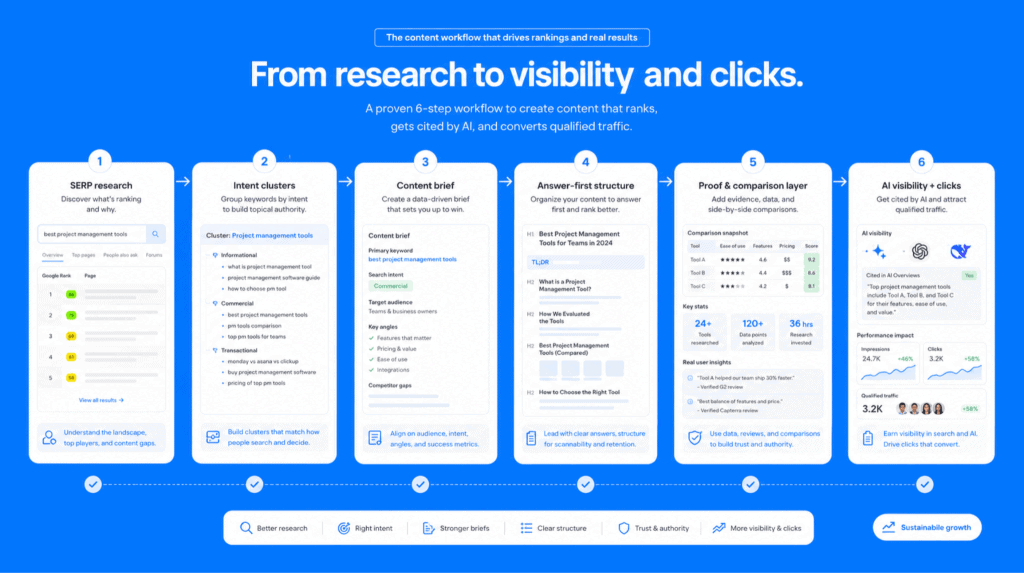
NEURONwriter’s AI Visibility module tracks brand mentions, citations, competitor presence and content opportunities across AI-generated answers. Its monitoring scope includes Google’s AI search experiences, with broader tracking for platforms such as ChatGPT and Perplexity available through its advanced offering. Teams can identify prompts where their brand is absent, review cited sources and use those findings to guide new content or updates.
This creates a useful feedback loop:
- search and AI visibility data reveal an opportunity
- the content plan turns it into assigned work
- SERP analysis and competitor research shape the brief
- AI agents or human writers prepare the draft
- NEURONwriter scores and improves the content
- monitoring shows where further work is needed
Key strengths
- Official MCP server for Claude, Cursor and compatible AI clients
- SERP analysis, competitor research and semantic recommendations
- Content Designer with fact extraction from selected sources
- In-editor AI assistance through Neuro
- Publication calendar, task ownership and workflow statuses
- Traditional SEO and AI visibility monitoring in one platform
- API and integrations for custom content systems
- Support for human-led and agent-assisted production
Limitations
NEURONwriter is not a full CMS, digital asset management platform or general business automation system. Its strongest role is content intelligence, planning, creation, optimization and visibility analysis.
MCP can prepare, evaluate and save content, but the current version does not publish directly to WordPress or use NEURONwriter’s internal one-click generation feature through the MCP connection.
Ideal team
NEURONwriter is particularly valuable for SEO agencies, multi-brand organizations and in-house teams that manage several domains or large content inventories. Smaller teams can also use it to replace disconnected research, briefing, writing and optimization steps with one more structured workflow.
2. Softr: best for building custom content operations software without code
Category: AI app builder
Best for: Business teams that need custom portals, internal tools and operational systems around their content process
Softr is an AI app builder for creating real business software without code. Content and marketing teams can use it to build production-ready portals, internal tools and operational apps for processes that extend beyond research, writing and optimization.
For example, an agency may manage content research and briefs in NEURONwriter but still need a separate application for freelancer onboarding, client requests, asset collection, partner access or multi-stage approvals. Softr lets the team create that system without starting a custom software project.
Softr’s AI Co-Builder can generate an initial application, including the Softr Database, tables, relationships, pages, navigation, blocks, user groups and business logic. Builders can then continue with AI assistance or refine each part through visual controls. They can also begin from a template or build manually from pre-made blocks.
The platform combines a native relational database, interface builder, workflow automation and standalone forms. Authentication, user management, hosting and security are included. Granular page-, block-, action- and record-level permissions allow different users to access separate interfaces and records within the same application.
A content agency could create one operational application in which:
- clients submit requests and see only their own projects
- freelancers access assigned briefs and upload deliverables
- editors review submissions and change statuses
- managers see workloads, deadlines and approval bottlenecks
- partners access shared assets or campaign information
Unlike pure vibe-coding platforms, Softr combines AI generation with visual management and pre-tested application infrastructure. The resulting app is designed for real users, live data and ongoing operations rather than a disposable experiment.
Teams can change permissions, workflows and app features as their process develops, without sending every update to a developer. This makes Softr particularly relevant when spreadsheets and general project management platforms can no longer represent the team’s exact operating model.
Key strengths
- AI app builder for production-ready business software without code
- AI Co-Builder plus template-based and manual creation paths
- Native Softr Databases as the primary data layer
- Visual interface builder, workflows and standalone forms
- Authentication, hosting and user management included
- Granular user groups and permissions
- Suitable for internal and client-facing applications
- Apps can be maintained and expanded without developer handovers
Limitations
Softr is not intended for developers who require full ownership and unrestricted control of a raw codebase. Highly algorithmic or deeply bespoke software may still require a traditional development stack.
Ideal team
Softr is a strong fit for agencies, marketing operations teams and business operators who know what operational software they need but do not want to manage conventional development.
3. Make: best for automating cross-platform handoffs
Category: Visual automation platform
Best for: Moving data and triggering actions across the content stack
Make helps teams connect applications and create visual workflows for repetitive processes. Its platform supports conditional logic, integrations, data movement, AI steps and custom JavaScript or Python when a workflow needs more precision.
In content operations, Make is most valuable between the major stages of work.
A workflow could create a production task after a topic is approved, notify an editor when a draft changes status, transfer approved content to a staging environment or add a published URL to a reporting dataset.
Make should not decide the content strategy or judge article quality. It should handle predictable handoffs once the team has already defined what each status and event means.
For example:
- A topic is added to the content plan.
- Make creates a supporting task in another operational system.
- The assigned writer receives a notification.
- A completed draft triggers an editorial review.
- Publication triggers reporting and refresh reminders.
Key strengths
- Visual workflow design
- Large integration ecosystem
- Conditional routing and data transformation
- AI agents and AI steps within workflows
- Custom code support for more advanced scenarios
- Clear view of each automation step
Limitations
Complex automation can hide a poorly designed content process. Teams need clear owners, statuses and quality rules before they automate the handoffs between them.
Ideal team
Make suits marketing and operations teams using several specialized platforms and spending too much time moving data or sending routine updates manually.
4. Contentful: best for structured multichannel publishing
Category: API-first content platform
Best for: Publishing reusable, structured content across websites, apps and other digital experiences
Contentful separates content from a single page design or website template. Teams define structured content models and use APIs to deliver that content to different digital touchpoints.
Its platform supports REST and GraphQL APIs, while its composable model breaks content into reusable components that can appear across websites, applications, email and other channels.
In this stack, NEURONwriter and Contentful own separate stages.
NEURONwriter guides research, writing and optimization. Contentful stores approved content in a structured format and makes it available to the systems responsible for presentation.
This division is particularly useful for organizations that need to reuse product information, educational content or campaign components across many markets and interfaces.
Key strengths
- Structured and reusable content models
- API-first delivery
- REST and GraphQL APIs
- Support for multichannel publishing
- Separation of content from front-end presentation
- Suitable for composable digital architectures
Limitations
Contentful is not an SEO research or content optimization platform. It also requires more technical implementation than a traditional plug-and-play blogging CMS.
Ideal team
Contentful is most relevant for organizations publishing across several websites, applications, regions or product experiences.
5. Bynder: best for digital asset governance
Category: Digital asset management platform
Best for: Keeping approved images, videos and brand materials organized and accessible
Content operations includes more than text. Teams also need a reliable system for images, video, campaign files, product media, templates and brand documentation.
Bynder provides a cloud-based digital asset management environment that acts as a central source for brand, campaign and product assets. Teams can store, organize, manage and share images, videos, documents and other media from one location.
Without a DAM, writers and designers often retrieve files from old email threads, local drives or loosely organized folders. That creates version problems and increases the chance that an outdated logo, screenshot or product image reaches publication.
A DAM gives the content workflow an approved asset layer. Writers and editors know where to retrieve the current file, while brand and creative teams retain control over how assets are organized and distributed.
Key strengths
- Central library for brand and campaign assets
- Metadata and search for faster retrieval
- Controlled sharing and distribution
- Support for multiple media formats
- Clearer management of approved asset versions
- Integrations with content management environments
Limitations
Bynder may be more platform than a small content team needs. Its value grows when an organization manages many assets, brands, markets or distribution channels.
Ideal team
Bynder is a strong fit for larger marketing organizations, retailers, product companies and agencies handling substantial volumes of creative assets.
6. Slack: best for coordination and exception handling
Category: Team communication platform
Best for: Fast discussions, alerts and decisions that do not belong inside the formal content record
Slack organizes communication into searchable channels and connects conversations with other workplace systems. Its Workflow Builder can also automate routine processes, add AI-generated responses and connect workflows with external tools.
Slack is useful in a content operations stack, but it should not become the primary place where briefs, deadlines, ownership and final decisions live.
A channel works well for:
- flagging a blocked article
- asking an expert for input
- notifying the team about a published campaign
- discussing an unexpected performance change
- escalating an approval that needs immediate attention
Once the decision is made, its result should return to the system of record. Otherwise, vital information becomes trapped in conversations that are difficult to reconstruct later.
Key strengths
- Fast team communication
- Channels for projects, clients and functional teams
- Searchable conversation history
- Large app integration ecosystem
- No-code workflows and AI workflow steps
- Useful for alerts and human decision points
Limitations
Slack can create operational noise when teams treat channels as project databases. It is better suited to communication around the workflow than storage of the workflow itself.
Ideal team
Slack works for distributed teams that need fast communication across content, SEO, design, development and client service.
How the content operations tools work together
The strongest content stack does not ask every platform to do everything.
A complete workflow could look like this:
- NEURONwriter identifies the opportunity. The strategy team finds a growing keyword cluster, competitor gap or declining page.
- NEURONwriter creates the content workspace. The team adds the topic to a project, assigns an owner and runs a SERP analysis.
- An AI assistant connects through NEURONwriter MCP. Claude, Cursor or another compatible client retrieves recommendations and competitor data.
- The draft is created and evaluated. A human writer or AI assistant prepares the text and checks it against the NEURONwriter analysis.
- Human review confirms accuracy and brand fit. The editor validates claims, examples, structure and tone.
- Softr manages adjacent operational processes. Clients, freelancers or partners use a custom portal for requests, files, approvals or project access.
- Make automates predictable handoffs. Status changes trigger notifications, tasks or data transfers.
- Contentful publishes structured content. Approved components move into the relevant websites, apps or channels.
- Bynder supplies approved visual assets. The publishing team selects the current images and brand materials.
- Slack handles exceptions. People discuss blockers and make time-sensitive decisions without turning chat into the system of record.
Three examples of content operations stacks
A team does not need every platform in this guide. The right stack depends on the number of contributors, publishing environments, clients and operational exceptions involved.
A lean in-house content team
A smaller team can build a capable system around NEURONwriter, its existing CMS and a simple communication channel.
| Need | Recommended platform |
| Research, planning and optimization | NEURONwriter |
| Publishing | Existing CMS |
| Selected automations | Make |
| Communication | Slack |
The team can add other tools when it needs broader competitor and backlink intelligence. Softr becomes relevant when a spreadsheet or project tool can no longer support the wider operational process.
A content or SEO agency
An agency usually needs stronger separation between internal work and client-facing access.
| Need | Recommended platform |
| Central content workflow | NEURONwriter |
| Client and freelancer operations | Softr |
| Cross-tool automation | Make |
| Team communication | Slack |
NEURONwriter remains the workspace for content research, planning and optimization. Softr provides custom operational software around client requests, contributor access and approvals.
A larger governed organization
A larger company may need stronger content structure, asset governance and access control.
| Need | Recommended platform |
| Content intelligence and optimization | NEURONwriter |
| Custom business applications | Softr |
| Structured publishing | Contentful |
| Asset governance | Bynder |
| Automation | Make |
| Communication | Slack |
The stack is larger, but each platform still owns a specific job. Governance becomes much harder when teams buy several tools for the same stage of work.
When should you build a custom content operations application?
Most teams should begin with the workflow features already available in their content, project and publishing platforms.
Custom operational software becomes useful when the process starts involving users, data and permission requirements that general-purpose tools cannot handle cleanly.
Common signals include:
- clients or external contributors need separate logins
- each client must see only their own projects and data
- intake forms need to trigger a larger operational process
- approvals cross several departments
- the team maintains complex spreadsheet permissions manually
- different user groups require different interfaces
- the same information is copied across several disconnected systems
- minor process updates keep joining the engineering backlog
In that situation, Softr can provide the application layer without being reclassified as content operations software. It remains an AI app builder for creating real business software without code. The content operations portal or internal system is the outcome produced with the platform.
Do not automate a broken content process
Automation does not repair unclear ownership, weak briefs or inconsistent quality standards. It makes the existing process move faster, including its mistakes.
Before connecting AI agents and automation platforms, define:
- the owner of each stage
- the information required in every brief
- approved source types
- the quality threshold for review
- status definitions
- approval authority
- publication rules
- update and refresh cadence
- escalation paths
NEURONwriter can supply search recommendations, competitor intelligence, planning, scoring and AI-connected execution. The team still needs to decide what accurate, valuable and publishable content means for its brand.
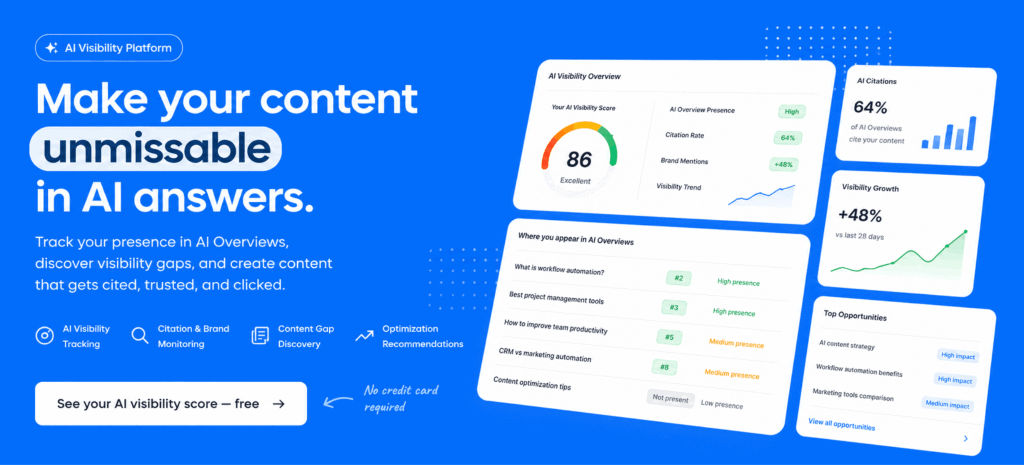
The best content operations stack combines machine speed with visible human control.
Frequently asked questions
What is the best content operations tool?
NEURONwriter is the best overall choice for teams that need content research, planning, semantic optimization, AI writing support and AI visibility in one platform. Its official MCP server also lets compatible AI assistants work directly with its SEO data and content-scoring tools.
Can NEURONwriter connect to AI agents?
Yes. NEURONwriter provides an official MCP server for compatible clients such as Claude, Cursor and custom MCP applications. Agents can start analyses, retrieve recommendations, read competitor content, evaluate drafts and save improved versions. MCP access requires a Gold plan or higher.
Does a content team need all eight platforms?
No. Most teams should begin with a central content platform, their publishing system and one communication channel. Additional platforms should be added only when a specific operational problem cannot be solved cleanly within the current stack.
What is the difference between NEURONwriter and Softr?
NEURONwriter is a content optimization and AI visibility platform used for research, planning, creation and optimization. Softr is an AI app builder for creating real business software without code. A team may use NEURONwriter for its core content workflow and Softr to build a separate client portal, contributor system or operational application.
What is the difference between content operations and content creation?
Content creation focuses on producing individual assets such as articles, landing pages and reports. Content operations covers the wider system behind those assets, including research, ownership, briefs, contributors, approvals, publishing, governance, measurement and updates.
Can AI manage an entire content workflow?
AI can complete more of the research, drafting and optimization loop when it has access to trusted systems and clear instructions. Human oversight remains necessary for factual review, business judgment, original insight, brand voice and final approval.
Build a content system that AI agents can follow
A scalable content stack does not begin with another writing generator. It begins with a clear operating model and a central platform that connects search intelligence with real production work.
NEURONwriter brings research, planning, semantic optimization, AI assistance and visibility monitoring into one environment. MCP extends that environment to AI agents, allowing teams to build connected workflows instead of transferring recommendations and drafts between isolated tools.