Is there a cost associated with generating images?
How does the AI image generation process work?
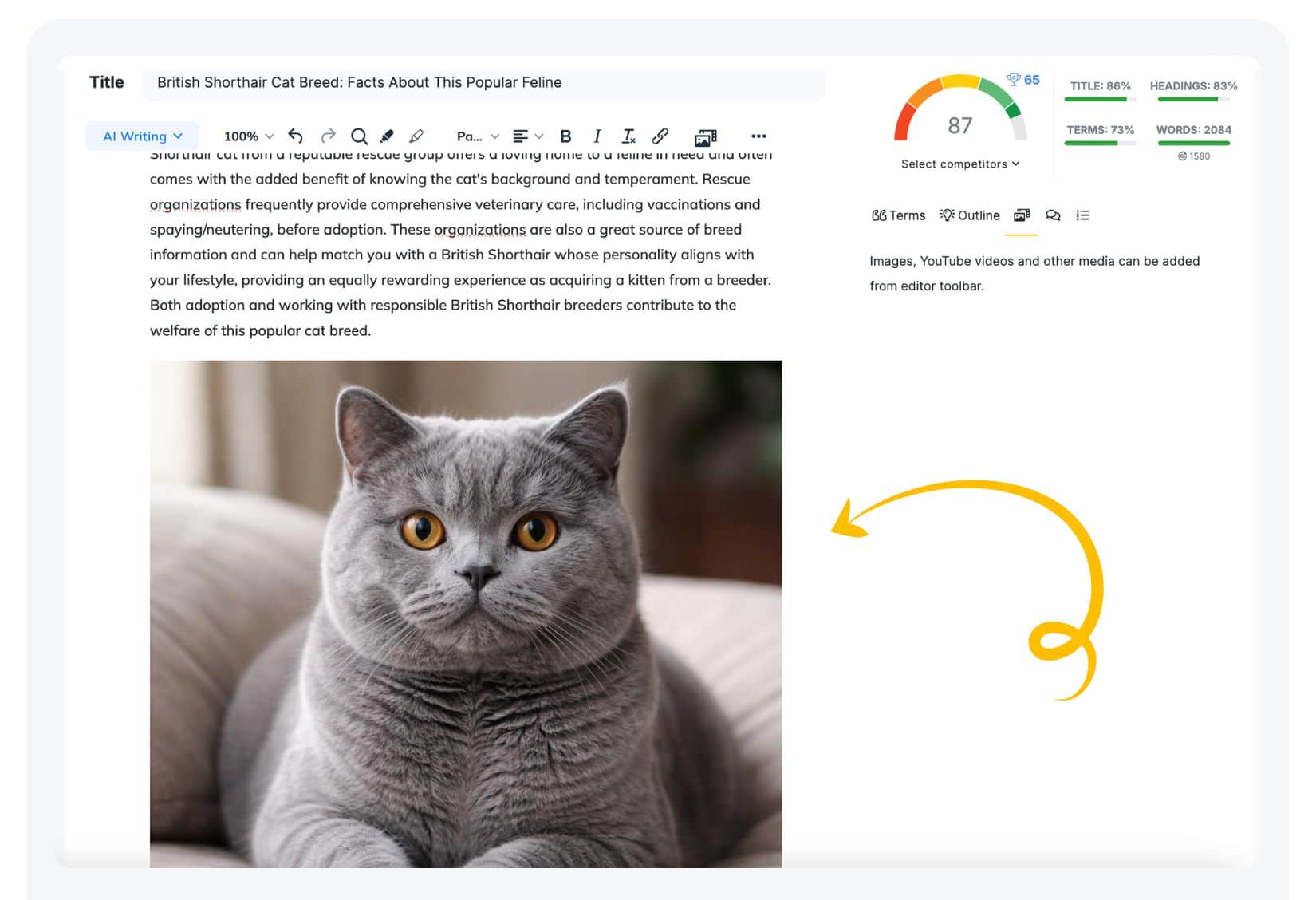
1.Simply select the place in the article where you want to insert an image. Our system will generate an image that matches the context.
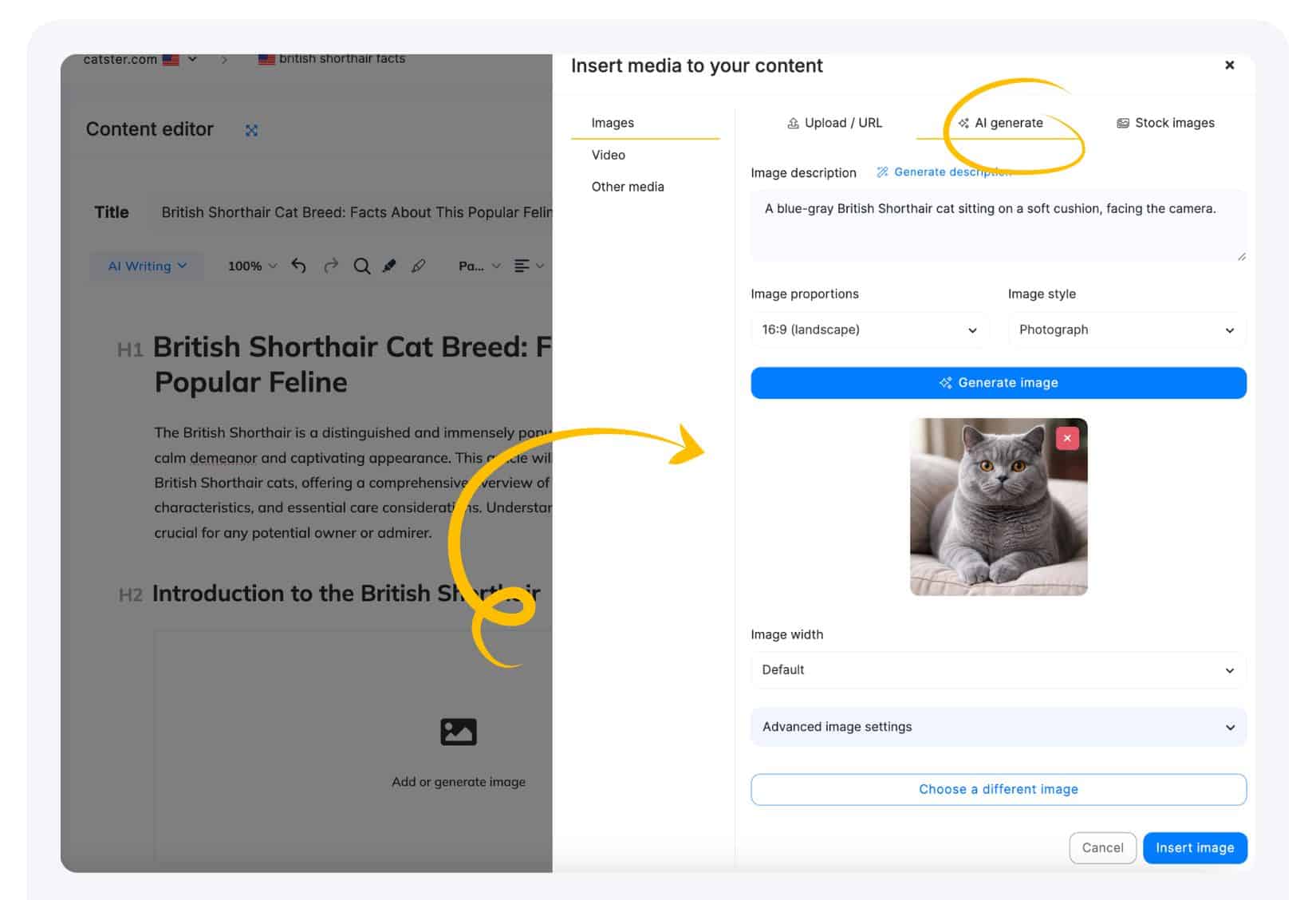
2. Next, find the Media Section icon in the upper toolbar of the Editor and open it. Then select the AI Image tab among the available media options in the Media window.
3.In the next step, you start with writing or generating most suitable image description to better customize the final look. choose the image aspect ratio and style, then click Generate image.
4. Once you’re happy with the generated image, simply confirm it to insert image into the text.
Can I customize the style or aspect of the generated images?
Yes, You can customize a style before generating the image.
- Available aspects are: 16:9 (landscape), 1:1 (square), 4:3, 3:2, 9:16 (portrait)
- Available styles are: photograph, cartoon, painting, scetch.
The image title attribute can now be optionally added after generating an image, before inserting it. This makes it easier to optimize your image for accessibility and SEO.
Do I need to confirm inserting image into the text?
Otherwise, you can regenerate a new image at this stage. If you leave the window without image insering, the image will not be saved and your credits may be wasted.
The images are hosted through our CDN (Content Delivery Network), which is a common practice used by many websites.
Using a CDN provides several benefits, such as faster image delivery, better performance, reduced load on your own server, and more reliable content delivery for users in different locations. The image links may therefore point to our CDN rather than directly to your website, but this is a standard approach to image hosting and delivery.