
SaaS Implementation Planning: A Practical Step-by-Step Guide
Semantic Summary
Idea: SaaS implementation planning turns a software purchase into a clear, owned project with measurable outcomes.
Challenge: Teams often focus on setup alone and overlook data, integrations, security, user readiness, and the work needed after launch.
Summary: Define the outcome, assign owners, prepare systems and people, test the full workflow, roll out in a controlled way, and measure whether the new SaaS solution is being used successfully.
Related Reads
- SaaS Onboarding Content SEO: Turning Implementation Questions into Expansion Opportunities
- SaaS Positioning: Align Category, Use Case and Proof Across Buyer Pages
- Content Migration for a Website Relaunch: Preserve Page Purpose, Links, and Search Equity
A SaaS implementation plan defines what the new software must achieve, who will do the work, how existing data and systems will connect, and how the team will know the rollout is ready. It should be detailed enough to coordinate people and decisions, but simple enough to update when requirements change.
This guide is for organizations introducing a new software-as-a-service (SaaS) product into their day-to-day work. It covers planning and implementation from initial requirements through launch and adoption. It is not a comparison of implementation platforms, and it does not promise that a particular plan guarantees a specific business result.
What SaaS Implementation Means and What the Plan Should Achieve
SaaS implementation is the process of setting up a cloud-based software product so that the right people can use it safely to complete the intended work. Depending on the product, this may involve configuration, data migration, integrations, permissions, testing, training, launch support, and ongoing review.
Buying access is only one part of the implementation process. A successful SaaS implementation also depends on decisions about how the product fits existing workflows, what information needs to move, and how users will learn the new process.
A useful SaaS implementation plan should answer five questions and support a successful SaaS adoption:
- What business need is the SaaS solution intended to address?
- Which workflows and user groups are included in the first release?
- Who owns decisions, technical work, communications, and approvals?
- What must be true before the team can safely go live?
- Which measures will show whether the new software is delivering the intended value?
The benefits of SaaS can include access to software without managing all of its underlying infrastructure. A SaaS provider typically operates the cloud service, while the customer still owns its configuration, access choices, data quality, and adoption work. Those benefits do not remove the need for careful planning. A new SaaS product still needs clear ownership, secure access, reliable data, and an adoption plan.
Prepare Before Implementation Starts: Requirements, Scope, and Success Measures
Begin with the work the organization needs to improve, not a list of software features. Clear requirements help the implementation team configure the product around real business needs and keep extra requests from delaying the first useful release.
Define the outcome and the first scope
Write a short outcome statement in everyday language. For example: “The support team will use one shared workspace to assign and track incoming requests.” Then define what is included in the first implementation and what can wait.
Record the current process before changing it. Note which teams perform each step, where information is stored, what causes delays, and which exceptions must still be handled. This gives the team a baseline and helps prevent a new SaaS platform from simply reproducing an inefficient process.
Separate essential requirements from preferences
Group requirements into three categories: essential for launch, important but not launch-blocking, and optional. Include workflow, access, reporting, data, legal, security, and integration needs. Ask the people who will use the software to confirm whether each requirement reflects real work.
For each essential requirement, name an owner and define how it will be checked. “The system should be easy to use” is difficult to test. “A new team member can complete the request intake task using the approved instructions” is more practical.
Choose measures before the work begins
Pick a small number of performance indicators tied to the outcome. These might include the share of intended users who complete a core task, the time required to complete a workflow, the number of unresolved data issues, or the volume of support requests about setup.
Set a starting point and a review date. Avoid claiming that the software alone caused a change: staffing, policy, training, and other projects can affect the same results.
Build the Implementation Team and Assign Owners
A SaaS implementation team should include the key stakeholders who make decisions, configure the product, manage data security, and perform the work after launch. Assign one accountable owner for each major decision so that questions do not wait in a shared inbox.
| Role | Main responsibility | Example decision or deliverable |
| Executive sponsor | Confirms the business outcome, scope, and resources. | Approves the first-release scope and resolves cross-team conflicts. |
| Implementation lead | Coordinates timeline, dependencies, risks, and status. | Maintains the implementation roadmap and decision log. |
| Product or system owner | Confirms configuration, workflows, and product-specific requirements. | Approves the configured workflow and acceptance checks. |
| IT and security owners | Review identity, access, integrations, data protection, and technical readiness. | Approve access rules, integration tests, and security requirements. |
| Data owner | Decides what information should move and validates its quality. | Signs off on field mapping, sample migration, and reconciliation. |
| Department representatives | Explain real user tasks and test whether the new process works. | Complete user acceptance testing and report workflow gaps. |
| Training and support owner | Prepares user guidance and plans help during launch. | Publishes training materials and launch-week support coverage. |
In a small organization, one person may hold several roles. The implementation manager or implementation lead should keep owners, decisions, dependencies, and the project-management plan visible. The important point is that the responsibilities remain visible. Keep a simple decision record with the question, decision, owner, date, and any follow-up work.
SaaS Implementation Best Practices Checklist
Use this SaaS implementation checklist to make the plan actionable before configuration begins. It is a project-management aid, not a fixed sequence that every organization must follow. Adjust it to the risk, number of teams, data sensitivity, and complexity of the SaaS tool.
| Check | Owner | Ready when |
| Business needs and first-release scope are agreed. | Executive sponsor and department lead | In-scope users, tasks, and deferred requests are written down. |
| Key stakeholders and decision makers are named. | Implementation manager | Each workstream has an owner and a route for unresolved decisions. |
| Data sources, fields, and data security requirements are understood. | Data owner and security lead | A test sample has been mapped and sensitive information has an approved handling plan. |
| Existing systems and integration dependencies are listed. | IT lead | Each connection has an owner, a test, and a failure-response plan. |
| Users and managers are prepared for the new process. | Training owner | Role-specific guidance, support, and communications are ready. |
| Launch and post-launch checks have acceptance criteria. | Implementation lead | The team knows what can block launch and who can approve a change. |
Before purchase, a buyer can reduce avoidable surprises by checking whether the SaaS solution fits essential workflows, whether the provider can answer security and data questions, and whether the implementation requires integrations or specialist support. This pre-purchase review does not replace the implementation plan; it gives the project a more realistic starting point. Once the organization selects the right SaaS solution, confirm the detailed work, dependencies, and timeline with the provider and internal owners.
Good best practices also include keeping scope changes visible, testing with representative data, and making user training part of the entire process rather than an afterthought. A successful SaaS implementation requires both a working configuration and a clear path for people to adopt it.
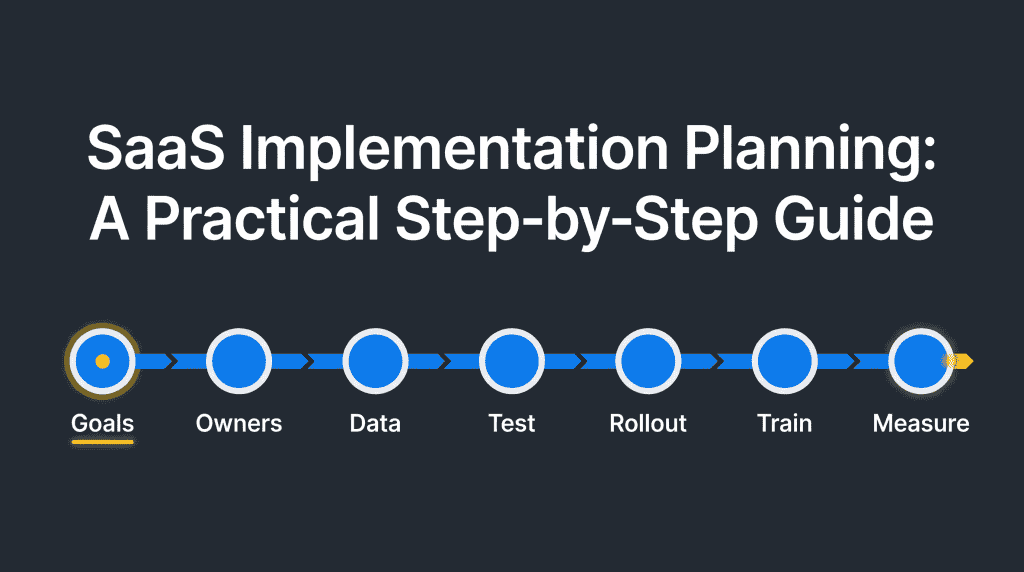
Create a SaaS Implementation Plan: Seven Practical Stages
A practical implementation plan moves from requirements to a tested, supported release. The stages can overlap, but each should have an owner, a completion condition, and a clear handoff to the next part of the project.
- Confirm the project brief. Record the business outcome, scope, users, constraints, budget, timeline, and approval process. Identify dependencies such as procurement, legal review, identity management, or a change window.
- Map the current workflow. Document the process people follow today, including exceptions and handoffs. Decide which steps should remain, change, or stop.
- Design the target workflow. Agree on roles, permissions, required fields, notifications, approval steps, reports, and integrations. Keep the first configuration focused on the agreed requirements.
- Prepare data and access. Identify data sources, owners, formats, quality issues, user accounts, and permission groups. Decide what should be migrated, archived, corrected, or left in the existing system.
- Configure and test. Set up the SaaS product and integrations in a safe test environment where possible. Test normal tasks, exceptions, permissions, and recovery steps using representative data.
- Train and roll out. Prepare role-specific guidance, support channels, launch communications, and a phased or organization-wide rollout plan. Confirm who can pause or reverse the launch if a critical issue appears.
- Review and improve. Track adoption, task completion, data issues, and user feedback. Fix launch problems, document lessons, and decide when the implementation project can move into normal operations.
Each stage should produce a small deliverable, such as a signed scope, workflow map, data checklist, test record, training guide, or post-launch review. This keeps progress visible without creating paperwork for its own sake.
Copyable SaaS implementation plan template
A detailed implementation plan that outlines work, ownership, and approval conditions can be kept in a shared project plan. Use one row for each workstream or milestone and update it when assumptions change.
| Phase | Example task | Owner | Exit check |
| Requirements | Confirm scope, business needs, users, and success measures. | Project sponsor | Scope and measures approved. |
| Design | Map current workflow, target process, roles, and integrations. | System owner | Department representatives accept the design. |
| Prepare | Clean data, set permissions, and configure the environment. | Data and IT owners | Sample data and access checks pass. |
| Validate | Run functional, integration, security, and user acceptance tests. | Test lead | Critical defects are resolved or explicitly accepted. |
| Launch | Train users, provide support, and release the agreed workflow. | Implementation lead | Support, communications, and pause conditions are active. |
| Improve | Review adoption, process results, and open issues. | Business owner | Follow-up actions have owners and dates. |
This template is a starting point, not an estimate of how long implementation takes. Set timing only after checking dependencies, the provider’s implementation services, staff availability, and the effort required to prepare data and users.
Plan Data Migration, Integrations, and Security
Data and integrations need their own plan because they can affect accuracy, privacy, and whether the new SaaS solution works with existing systems. Decide what will move, how it will be checked, and what the team will do if a test fails.
Decide what data to move
Start with the business purpose of each data set. Identify the source, owner, fields needed in the new SaaS platform, retention requirements, and any records that should not move. Clean and map data before migration rather than treating the new system as a place to store every old record.
Use a small test migration first. Check record counts, required fields, dates, relationships, access permissions, and a sample of records against the source. For a larger migration, the U.S. Federal Student Aid roadmap is a useful reference for planning scope, roles, risks, data quality, testing, and validation; adapt its level of process to the size and risk of your own implementation.
Map integrations and dependencies
List the systems that send or receive information, what data moves between them, how often it moves, and who owns each connection. Test typical and failure cases: missing fields, duplicate records, delayed updates, access errors, and retries.
Do not assume that an integration is ready because it connects successfully once. Define what a correct result looks like and how someone will notice when the connection stops working.
Review security and access
Ask the SaaS provider for the security information your organization needs. Review authentication, role-based access, audit logs, data handling, incident notification, backups, vulnerability reporting, and the process for removing access when a person leaves.
CISA’s Secure by Demand guidance recommends asking about product security before procurement, during contracting, and after procurement. Use it as a starting point for questions, not as a substitute for your organization’s security review. Keep the people who own security involved before sensitive data or users are moved into the new software.
Choose a Rollout Approach and Prepare Users
The rollout approach should match the risk and complexity of the implementation. A phased launch lets the team learn from a smaller group before expanding. A single launch can be appropriate when the workflow is simple, users are prepared, and the team can support everyone at once.
| Approach | May fit when | Plan for |
| Pilot group | The workflow is new or several assumptions need testing. | Define the pilot group, feedback period, success checks, and decision to expand. |
| Phased rollout | Teams, locations, or data groups can move in manageable waves. | Set entry criteria for each wave and keep support capacity available. |
| Organization-wide launch | The process is consistent and the readiness checks have passed. | Coordinate communications, training, launch support, and contingency actions. |
Training should reflect users’ actual tasks and connect the onboarding process to the work people need to do in the new SaaS applications. Give administrators setup guidance, managers process and reporting guidance, and end users short instructions for the work they perform. Include where to get help and how to report an error.
Do not treat launch communication as training. Tell users what is changing, when it changes, what they need to do, and where they can ask questions. For a deeper look at post-sign-up learning materials, see SaaS onboarding content and implementation questions.
Track Progress, Adoption, and Success
After launch, review whether the software is available, whether users can complete the intended tasks, and whether the implementation is moving toward its stated outcome. Early adoption is a signal to investigate, not proof by itself that the project has succeeded.
Use a short weekly check during the first rollout period. Review:
- Milestones completed and decisions waiting for an owner.
- Critical defects, data issues, or integration failures.
- Users enabled versus users expected for the current phase.
- Completion of the core workflow and requests for help.
- Changes to scope, timeline, cost, or risk.
At the agreed review point, compare results with the starting point. Ask users what is easier, what is still difficult, and which workarounds remain. If the SaaS product does not meet a requirement, decide whether to adjust the process, configuration, training, or scope. Keep the outcome measures tied to business needs rather than software activity alone.
Common SaaS Implementation Mistakes and How to Avoid Them
Most implementation problems come from unclear ownership, rushed data work, or a mismatch between the planned workflow and how people actually work. Address these risks before the project reaches go-live.
- Starting configuration before requirements are agreed. Confirm the first-release scope and decision owners before setup begins.
- Moving all historical data by default. Decide what users need, check retention rules, and test a representative sample.
- Leaving security review until launch week. Bring security and IT owners into planning and define approval conditions early.
- Testing only the standard path. Include exceptions, permissions, integration failures, and recovery steps.
- Assuming users will learn by exploring. Provide task-based training and launch support for each user group.
- Measuring logins instead of useful outcomes. Track completion of the intended work and pair usage data with user feedback.
- Letting scope expand without a decision. Record new requests, estimate their impact, and assign an owner to approve or defer them.
A successful implementation does not mean that every possible feature is configured on day one. It means the agreed users can complete the agreed work safely, and the team has a clear way to resolve issues and improve the process.
How NEURONwriter Can Help with Related Content Work
NEURONwriter supports content planning and writing around implementation topics; it does not manage a SaaS implementation project, configure software, move business data, or replace IT and security review.
Content Designer can help a content team outline an explanatory guide or help article from a topic and search intent. Its planning workflow also supports assigning a responsible person and deadline for editorial delivery. That can be useful when a company needs clear public or internal documentation about a new process.
Content Ideas’ Competitors Structure can help editors inspect how relevant pages organize headings and subtopics. Use it to inform a content brief, not to copy another organization’s process or treat search results as implementation requirements.
Auto-Insert Internal Links can suggest links between related pages in the NEURONwriter editor. If a team publishes implementation guidance, those suggestions can help connect setup instructions with relevant support or onboarding content. A person should still confirm each link is accurate and useful.
For content verification before publishing, see NEURONwriter pre-publish audit guide. For a separate procurement-evidence perspective, see how to organize evidence for procurement review.
FAQ
What is SaaS implementation planning?
SaaS implementation planning is the work of defining the outcome, scope, people, data, integrations, security checks, tests, rollout, and measures for introducing cloud software into an organization. It gives teams a shared sequence of actions and decision owners.
What should a SaaS implementation plan include?
Include the business goal, requirements, scope, timeline, team roles, dependencies, data and integration work, security approvals, test and acceptance criteria, training, rollout approach, risks, and post-launch measures. Keep decisions and changes in a visible record.
What is the first step in a SaaS implementation plan?
Define the business outcome and the first scope. Then document the current workflow and agree on which users and tasks must be supported in the initial release.
How long does a SaaS implementation typically take?
There is no single standard duration. Timing depends on the number of users, data volume, integrations, security reviews, workflow changes, and the provider’s implementation requirements. Estimate the work by milestones and revisit the timeline when a dependency changes.
How should a team plan SaaS data migration?
Identify data sources and owners, decide what must move, map fields, address quality issues, and test a representative sample before the full migration. Validate counts, relationships, permissions, and important records against the source before approving the next step.
Should an organization roll out SaaS all at once or in phases?
Use a pilot or phased rollout when the process is new, risk is high, or teams differ enough that learning from one group can improve the next. A single launch can suit a consistent, well-tested workflow with enough support capacity. Define readiness and pause conditions either way.
How do you measure the success of a SaaS implementation?
Measure progress against the business outcome chosen at the start. Combine task completion or process measures with user feedback, unresolved issues, and adoption by the intended groups. Avoid relying on logins alone or claiming causation from one metric.
What are common SaaS implementation challenges?
Common challenges include unclear requirements, missing decision owners, poor data quality, integration dependencies, late security review, insufficient user training, and unmanaged scope changes. A plan with owners, test gates, and clear acceptance conditions helps teams find these issues earlier.
Does NEURONwriter manage SaaS implementations?
No. NEURONwriter helps with content research, outlines, writing, and internal linking. It does not configure a SaaS product, coordinate a technical rollout, migrate business data, or replace implementation, IT, or security owners.