
Internal Site Search Analysis: How to Track Searches, Find Gaps, and Improve Content
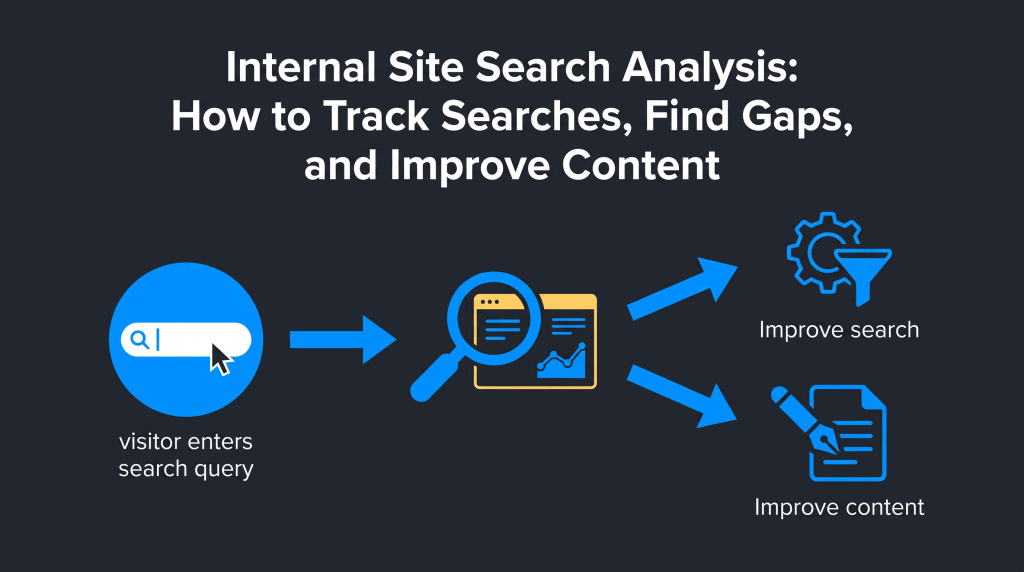
Semantic Summary
Idea: Internal site search analysis shows what visitors try to find after they arrive on your website.
Challenge: Search logs can be noisy or incomplete, and a query with no results does not automatically mean you need a new article.
Summary: Track a small set of privacy-safe search signals, group queries by user need, and decide whether each pattern calls for better search settings, clearer navigation, an existing-page update, or genuinely new content.
Related Reads
- Turn Customer Feedback into Actionable Content
- Content Map for Customer Intent: An Intent Mapping Guide
- First-Party Data for Content Strategy
Internal site search analysis reviews searches people make on your website. It can reveal unmet needs, weak search results, and content that may need improvement. It is not the same as researching Google queries; the datasets answer different questions.
What Is Internal Site Search Analysis?
Site-search data is useful because it records a visitor’s stated need in the words they chose. Treat it as a behavioral clue, not a complete explanation of why the person searched or whether the page answered them.
When someone searches your site, they may be trying to find a product detail, an explanation, a policy, a support answer, or a page they could not locate through navigation. A pattern of similar searches can point to friction or unmet demand. But one search alone is rarely enough to justify a content change.
Internal search is different from external search. Google Search Console reports queries that led people to your site from Google Search. An internal search report records terms entered into your site’s own search box. Google Analytics 4 can collect a view_search_results event when it detects configured search-term parameters in a results-page URL, but this depends on how your site search works and how measurement is configured.
An onsite phrase can help improve the experience for current visitors, but it does not prove Google demand or predict whether a new page will rank.
How to Set Up Internal Site Search Analytics
Check how your search works and which URL or event marks a search. Then test that tracking records the visitor’s query, not a page title or unrelated parameter.
1. Find the search-results signal
Many sites put the search term in a URL parameter, such as ?q=shipping or ?s=returns. Others update the page without changing the URL, so an analytics tool may need a custom event or a data-layer signal. Test a few searches on desktop and mobile, then inspect the resulting URL and analytics events.
In Google Analytics 4, enhanced measurement can detect site-search results when the results URL contains one of its recognized parameters, including q, s, search, query, or keyword. You can configure other parameters if your search uses a different name. Confirm the event in your property before relying on the report .
2. Check that the search term is useful and safe to collect
Record only what you need. Do not send names, emails, phone numbers, account numbers, or other personal information to analytics. People may type private details into a search box by mistake, so filter or redact them first.
Apply suitable access and retention controls. Aggregate or remove sensitive free-text before sharing search logs with content teams.
3. Test the collection from search to report
Search for a harmless test phrase and confirm the search-results event fires once and records that term. Test both a zero-result and a successful search, and make sure unrelated pages do not trigger the event.
Document the parameter, event, exclusions, report, and owner. Recheck after a redesign or search-system change.
Why Is Internal Site Search Analysis Important?
Use metrics that show what people seek, whether they find a useful result, and what they do next. Query volume alone is not enough.
| Signal | What it may show | What to check next |
| Searches per visit or share of visits with a search | How often visitors rely on the search box | Compare by device, page type, and navigation changes. High use may mean the search is useful, or that navigation is hard to use. |
| Top search terms | Common product names, topics, tasks, or vocabulary | Check whether the relevant page exists and whether its title, labels, and navigation make it easy to find. |
| Zero-result rate and zero-result terms | Queries for which the site search shows no matches | Separate genuine missing coverage from misspellings, synonyms, unavailable items, and technical indexing or tagging issues. |
| Search-result clicks and click-through rate | Whether visitors select a result after searching | Check result relevance, snippet clarity, ranking within site search, and whether the query needs a more direct answer. |
| Search refinements or reformulations | Visitors changing a query after seeing results | Compare the first query with the next one. It may show ambiguity, missing synonyms, weak results, or a more precise need. |
| Search exits and next-page behavior | Whether visitors leave or continue after searching | Review the result page and the following path. An exit can signal frustration, but it can also happen after the visitor gets a quick answer. |
| Conversion or task completion after search | Whether a search session is followed by a meaningful outcome | Define the outcome for your site, then compare similar queries and page types rather than assuming every search is purchase intent. |
Interpret each metric with context. A high search-exit rate may be a warning when users search for important product or support information and leave without further action. It may be harmless when a query leads to a concise answer, such as a delivery cut-off time. Compare related signals before deciding.
When reviewed consistently, site search analysis can help teams understand user intent, find weak points in the search experience, improve navigation, spot content gaps, and see whether visitors reach a useful next step. These are practical opportunities, not guaranteed conversion or SEO gains; outcomes depend on the actual problem and the quality of the fix.
What the data can help you improve
Internal site search analysis can inform several types of work, but it cannot tell you which fix will work without testing. Use it to frame a question, then confirm that the page, search settings, or navigation change solves the observed problem.
- Findability: frequent searches for a page already on the site may show that visitors cannot find it through navigation or page labels.
- Search relevance: repeated reformulations or low clicks can point to weak matching, unclear snippets, or results in an unhelpful order.
- Content coverage: a repeated question with no suitable destination may justify an update or a new page after validation.
- Product discovery: ecommerce searches may reveal missing synonyms, unclear attributes, or details that shoppers want to compare.
- Task completion: connecting search behavior to a defined task can show whether users reach the information or action they came for. A conversion rate is meaningful only when the tracked action reflects that task.
How to Analyze Site Search Data
Use a repeatable review that connects each query with its results, the visitor’s next action, and the content available.
- Choose a useful time window. Compare like with like where possible, such as the same weekdays or a similar seasonal period. Note major launches, promotions, outages, or site changes that could affect the pattern.
- Group searches by task. Combine wording variants only when they express the same need. Keep separate queries when they suggest a different task or decision.
- Inspect the results shown. Check whether the search returned no result, a weak match, or a relevant page that was difficult to recognize. Review the search results page as well as the destination.
- Review what happened next. Look at clicks, refinements, exits, and meaningful task completion. Interpret each in context instead of assuming one metric explains the experience.
- Choose and record one change. Decide whether to improve the search settings, navigation, an existing page, or create a distinct resource. Give the change an owner and review date.
This sequence makes an internal search analysis useful to content teams without turning every phrase into a new SEO target. For organic search demand, review public search results and search-performance data separately.
Test representative searches yourself
Run a small set of common queries on desktop and mobile. Include a popular search, a zero-result query, a synonym, a misspelling, a query that is often refined, and one long specific phrase. Check what appears, how the result is labeled, whether filters help, and whether the intended destination is easy to recognize.
Record what you expected and what the site returned. This simple check can reveal a search-configuration issue that aggregate metrics alone may not explain. Repeat it after a significant change to confirm the experience works as intended.
How to analyze queries, zero results, and near misses
Group searches into themes before changing pages. A useful review connects the wording people use to the result they saw, the action they took, and the information your site provides today.
Group by the visitor’s task, not just exact wording
Combine close variants such as “return a purchase,” “returns policy,” and “send an item back” if they point to the same task. Keep terms separate when the wording hides a meaningful difference, such as “cancel before shipping” versus “return after delivery.” The goal is to identify a shared need without flattening important distinctions.
For each group, note the page or results shown, whether the query returned zero matches, whether the visitor clicked or refined the search, and what happened next. This creates a better diagnostic record than a raw list of keywords.
Read zero-result searches carefully
A zero-result search can mean that visitors want something the site does not cover. It can also mean that an existing page uses different wording, the search index is stale, a product is unavailable, the query contains a typo, or the search function does not understand a synonym.
Before creating content, search the site using the query and its likely variants. Check whether a relevant page is present in the search index and whether its title, category, product attributes, and metadata are clear. If the information already exists, improve findability first.
Use reformulations and near misses as clues
A reformulation happens when a visitor changes their search after the first attempt. A near miss is a query that returns something related but not quite what the visitor likely needs. Neither is a formal diagnosis by itself; each is a pattern worth checking against results and next actions.
For example, imagine several visitors search “compare plan limits,” click a general pricing page, then search “how many projects per plan.” This pattern could mean the pricing page needs a clearer comparison table, that the site-search results hide the relevant section, or that a separate explanation is missing. Review the page and search behavior before choosing a fix.
Search logs do not show Google demand or predict organic performance. Validate SEO opportunities separately with public search data and your content map.
Turn search patterns into the right action
Choose the smallest change that solves the problem. That may be a synonym, clearer label, existing-page update, navigation link, or new article.
| Observed pattern | First response to test | When to create or expand content |
| Relevant page exists, but query returns no result | Check indexing, tagging, synonyms, spelling variants, and search configuration. | Only if the existing page does not answer the underlying question. |
| Many related searches lead to the same existing page | Make the page easier to find; improve its title, headings, labels, and internal navigation. | Expand the page if it answers only part of the repeated need. |
| Different queries express a recurring question not answered anywhere | Confirm the pattern across time and visitor types; check support or sales feedback for context. | Create a new resource when the need is distinct, useful to more than one visitor, and not already covered. |
| Searches return results but attract few clicks | Review result order, snippets, labels, and the match between query and page. | Rewrite or restructure the destination if it is a poor answer, rather than publishing a near-duplicate page. |
| Visitors repeatedly refine a query | Test clearer suggestions, synonyms, filters, and query handling. | Add explanatory content if the reformulation reveals a knowledge gap, not merely a search-function gap. |
Keep an action log with the query group, evidence window, likely cause, chosen change, owner, and review date. After the change, compare the same query group’s result quality and next action. Do not treat a short-term rise or fall as proof that one edit caused the outcome; traffic mix, seasonality, inventory, and other site changes can also affect the data.
A practical action record can be as short as: Query group: “plan limits”; signal: repeated reformulations; likely issue: visitors cannot compare limits; action: add a clear plan comparison to the existing pricing page; owner: product content; review: four weeks after release. The record keeps the reasoning visible and helps the team avoid publishing a second page that repeats the same information.
When several issues compete for time, prioritize by how often the need appears, how important the task is to the visitor, and how severe the failure seems. Treat this as a simple decision aid, not a precise score. A rare search for a critical account or safety instruction may deserve attention before a common query with an easy workaround.
Site Search Optimization: Fix the Search Experience First
Site search optimization means improving the search experience on your own website; it is not the same as optimizing a page for external search engines. Many problems can be fixed in the search experience itself. Try these changes before expanding the content library.
- Add common synonyms and alternate wording. Connect the terms visitors use with the labels in your catalog or help content.
- Correct common spelling variants. If harmless typos consistently lead to no results, adjust query handling or suggestions.
- Review result relevance and order. Put the most direct answer near the top when the query clearly expresses a task.
- Improve filters and categories. Make it easier to narrow product or article results without forcing visitors to guess the right wording.
- Make search visible and navigation clear. Search should help visitors who need it, not become the only route through a confusing site.
- Check search-result URLs and crawling. Internal search pages and filter combinations can create many URLs. Decide deliberately whether any should be crawlable or indexable. Google notes that faceted navigation can create very large URL spaces and recommends managing crawling where those URLs provide little search value .
Do not automatically block or index every search URL. Review the site’s architecture, URL patterns, and intended public landing pages first. The goal is to keep useful pages discoverable while avoiding an uncontrolled set of low-value combinations.
How NEURONwriter can help after you find a content gap
NEURONwriter can support the planning and drafting steps after your own analytics or search logs reveal a real content need. It does not collect your visitors’ internal search queries or replace your analytics setup.
- Content Ideas can help explore topics based on trends, competitor structures, and user searches. Use it to develop a validated content idea after your first-party evidence suggests a need; it is not a substitute for your private site-search report. See the Content Ideas feature.
- Content Designer can help turn an approved topic into a structured article or landing-page outline and draft. Give it the audience question and evidence you have reviewed, then edit the result for accuracy and completeness. See Content Designer.
- Auto-Insert Internal Links can suggest relevant internal links for content you are preparing. Review and approve suggestions so a new resource connects to the most useful existing pages. See the Auto-Insert Internal Links feature.
For a broader view of how customer evidence can inform content planning, see how to turn customer feedback into actionable content. If your team maps topics to audience needs, the customer-intent content map can provide a complementary planning step.
Common mistakes in internal site-search analysis
Avoid treating every search as a content request; that can create unnecessary pages or the wrong fix.
- Confusing internal searches with Google queries. They come from different contexts and should not be combined as if they measured the same demand.
- Writing a new page for every zero-result term. First check synonyms, search indexing, inventory status, and whether an existing page already answers the need.
- Assuming a search exit always means failure. The visitor may have found a direct answer. Read exits alongside clicks, task completion, and page type.
- Counting repeated queries without grouping them. Similar phrases may represent one task. Conversely, similar words may express different needs.
- Ignoring privacy and access. Free-text queries can accidentally include sensitive details. Minimize collection, protect access, and apply redaction before data leaves your systems.
- Changing many things at once. If you alter search settings, navigation, and page copy together, it becomes harder to understand which change helped.
- Leaving no owner or review date. Search patterns shift. Assign someone to revisit important query groups and confirm whether the issue remains.
FAQ
What is internal site search analysis?
It is the review of search terms and behavior from people using the search function on your own website. The goal is to understand what they are trying to find and whether the search experience or the site’s content helps them get there.
How do I track internal site searches in Google Analytics 4?
Check whether your site search places the query in a URL parameter that Google Analytics 4 recognizes, such as q, s, search, query, or keyword. If it uses another parameter or does not change the URL, configure and test an appropriate measurement event. Confirm that search terms appear correctly and that sensitive text is not sent.
What is the difference between internal search and Google Search Console data?
Internal search data comes from visitors who are already on your website and use its search box. Search Console reports how your site appears and performs in Google Search. The datasets can inform different decisions, but they are not interchangeable.
Which site-search metrics should I monitor first?
Start with the share of visits that use search, top search terms, zero-result searches, result clicks, refinements, exits, and a meaningful next action. Choose metrics that match your site’s purpose. An ecommerce store and a help center may need different outcome measures.
Do zero-result searches always mean I need to create new content?
No. A zero-result query may come from a misspelling, synonym mismatch, stale search index, unavailable product, or a technical issue. Check whether a relevant page already exists and whether the search system can find it before commissioning a new page.
What is a near-miss search?
A near-miss is a search that returns something related but not quite what the visitor appears to need, often followed by a refinement or another search. It is a useful descriptive label for analysis, not a standard analytics metric or proof of a content gap. Review the results and visitor path before deciding what to change.
Can internal site-search data help with SEO?
It can reveal wording and questions that may help you improve existing content or identify topics worth validating. But onsite search volume does not measure Google search demand or guarantee organic rankings. Validate a potential SEO topic separately using search-result research and public search data.
Should internal search results be indexed by Google?
Not automatically. Some search-result and filter URLs may be useful public landing pages, while many combinations create low-value or repetitive URLs. Review your URL patterns and purpose, then choose an intentional crawling and indexing approach based on your site’s needs.
How often should I review site-search data?
Review it often enough to catch meaningful patterns, but do not react to every isolated query. A weekly or monthly review can work depending on traffic and seasonality. Keep the same measurement definitions over time and revisit important changes after implementation.
Can NEURONwriter analyze my private internal search logs?
NEURONwriter Content Ideas and Content Designer can help with topic planning and drafting after your team has identified a need. They do not replace your analytics setup or automatically collect private site-search data. Bring only the findings and examples your privacy process allows you to share.