
Crawled – Currently Not Indexed: How to Diagnose the Google Search Console Status
Semantic Summary
Idea: “Crawled – currently not indexed” means Google visited a page but has not included it in its index at the time of the report.
Challenge: The status can point to a real issue, but it can also be normal for URLs you do not want in search. Repeatedly requesting indexing without checking the page rarely answers why it is excluded.
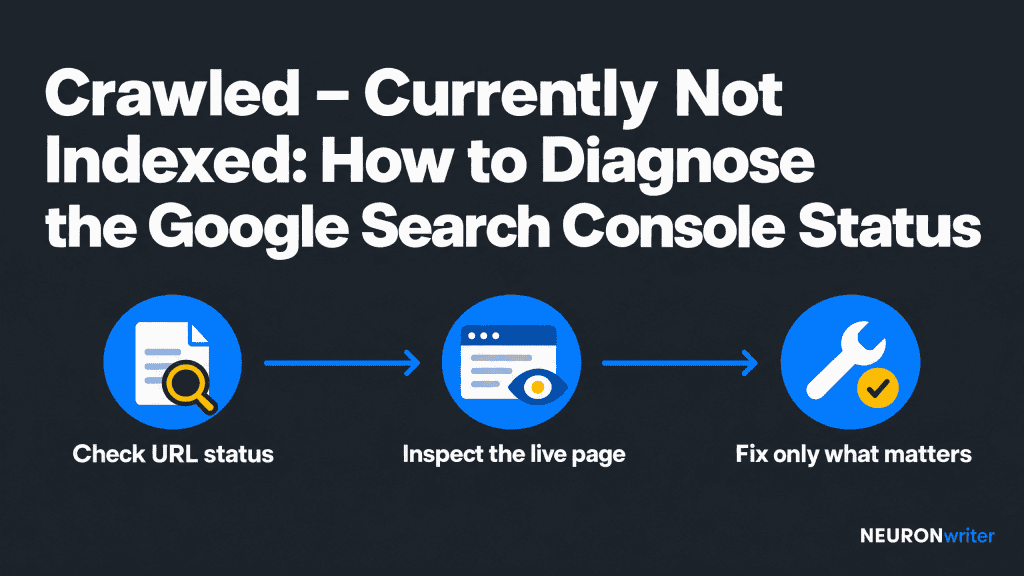
Summary: Confirm the URL’s current state in Search Console, decide whether it should be indexed, inspect likely technical and content causes, and make a targeted change only when the evidence supports one.
Related Reads: Technical SEO for Beginners: A Simple Guide · Canonical Tags for SEO · Mastering Internal Linking for SEO
What “Crawled – currently not indexed” means in Google Search Console
Google has fetched the URL, but it has not added that page to the Google Search index at the time shown in the report. A page generally needs to be indexed before it can appear in Google results, but this status alone does not tell you why Google left it out or whether it may be indexed later.
In plain terms, Google has crawled your page, but it is not currently indexed. You can find the status in the Page indexing report in Google Search Console. The label describes what Google has done so far; it does not identify one specific indexing issue or prove that a page can never be indexed.
When Google has crawled a page, it has fetched it; that is different from adding the URL to the search index. The report is a starting point for checking which pages are not indexed, not a list of fixes that apply to every URL.
It is also not automatically an error, penalty, or emergency. Google says it does not index every URL it knows about. Your practical goal is for the canonical version of each important page to be indexed not for every URL variation on your site to appear in the index. A feed, filter URL, tracking parameter, duplicate, or page you intentionally keep private may not need action. See Google’s Page indexing report documentation for the current status definitions and guidance.
Crawling, indexing, and ranking are different steps. Crawling is when Google fetches a page. Indexing is when it processes and may store that page. Ranking is how eligible pages are ordered for a particular search. A crawl does not promise indexing, and indexing does not promise a high position.
Check the crawled currently not indexed status in Google Search Console
Use Google Search Console’s URL Inspection tool on the exact URL. Read the indexed result first, then run Test live URL if you have changed the page or need to see what Google can access now.
- Copy the full URL, including the correct protocol, host, path, and any trailing slash.
- Inspect it in the property that contains that exact URL.
- Review the indexed result: the last crawl, page availability, indexing status, and Google-selected canonical.
- If the page has changed since that crawl, run a live test and check whether Google can fetch and render the important content.
- Compare the indexed result with the live test. A difference may explain why the report has not caught up with a recent fix.
These two views answer different questions. The indexed result describes the version Google last processed. The live test fetches the current page and checks some technical conditions.
Google warns that a successful live test does not guarantee indexing: it does not fully assess content quality, all duplicate cases, or every condition that affects inclusion. It also cannot predict Google’s canonical choice. Use the tool as a diagnostic, not as an approval stamp. See the official URL Inspection guide.
Decide whether this URL should be in Google
Before trying to fix an excluded URL, decide whether it is a page you actually want people to find through search. The status is only a problem when an important, useful, distinct page is missing.
- Keep investigating: a product, service, category, or editorial page that serves a clear search need and should be discoverable.
- Usually no action: a duplicate or alternate URL, a feed, a tracking-parameter version, a filter combination with no independent value, or a page intentionally excluded from search.
- Check the preferred version: if several URLs show the same or very similar content, identify which one should represent them in search. Inspect Google’s selected canonical rather than assuming your preferred version was chosen.
A canonical URL is the preferred address for a page when similar versions exist. Canonical tags are signals, not commands. Keep the page’s canonical, internal links, sitemap entries, and redirects consistent where they should point to the same version. Our guide to canonical tags and canonical URLs explains how to review those signals.
Why a crawled page is currently not indexed
For an important URL, inspect the likely cause in a simple order: can Google access it, is it the right URL to index, and does it add enough distinct value to deserve a place in Search?
| What you notice | What to check | Next step |
| Live test cannot fetch or render the page | Page availability, server response, robots.txt rules, blocked resources, and whether the main text appears in the rendered view. | Fix an unintended access or rendering problem. Ask a developer for help if the cause is in server or JavaScript setup. |
| Indexing allowed is “No” | A noindex meta tag or response header, and whether it was added by the CMS or template. | Remove it only if the page is meant to appear in Search. Keep it if the exclusion is intentional. |
| Google-selected canonical is another URL | Whether the two pages are duplicates or near-duplicates, and what the canonical tag, internal links, sitemap, and redirects indicate. | Make the intended version clear. Do not force separate pages into one canonical if they serve different purposes. |
| The URL is accessible but has little distinct value | Whether it answers a clear user question, adds information beyond similar pages, and matches the likely search intent. | Improve or consolidate the page only if you can make it genuinely more useful. More words alone are not a fix. |
| One page is weakly connected to the rest of the site | Whether relevant pages link to it with descriptive, ordinary links, and whether users can find it through navigation. | Add useful internal links from related pages. Avoid adding links where they do not help readers. |
| The URL is new or was recently updated | The last crawl date and whether the important change is visible in the live test. | Allow time for Google to recrawl. Submit a request after a meaningful fix if the page is important. |
Do not confuse robots.txt with noindex. A robots.txt rule controls whether a crawler may fetch a URL; it is not a reliable way to keep a page out of Google’s index. A noindex directive asks search engines that support it not to index the page, but Google must be able to crawl the page to see that directive. Check Google’s explanations of robots.txt and noindex before changing either setting.
How to fix a crawled but not indexed page
Make one evidence-based change at a time. Start with a technical block if Google cannot see the page. If it can, check whether the URL is the right canonical and whether the page offers a clear reason to be indexed.
- Correct access problems. If a page should be public, resolve accidental authentication, server errors, blocked crawling, or missing rendered content. Do not remove access controls from private pages.
- Align indexing signals. Confirm that a wanted page is not unintentionally marked noindex. Check that the canonical points to the intended live URL and that internal links and the sitemap do not favor a conflicting version.
- Improve the page for its reader. If the page repeats other pages or misses the searcher’s main question, add useful details, original examples, clear answers, or information the reader cannot get from the near-duplicates. Consolidate pages when they serve the same purpose.
- Make the page easy to discover. Link to important pages from relevant, accessible parts of the site. A sitemap can help Google discover canonical URLs, but submission is not a guarantee of indexing.
- Recheck after the change. Run a live test for technical changes. Then monitor the indexed result and Page indexing report as Google revisits the URL.
For a broader technical review, see the technical SEO checklist. For site architecture and useful contextual links, see internal linking best practices.
Should you request indexing?
Request indexing after you have made a meaningful fix to an important page, or when a new or updated URL needs recrawling. You can request it from URL Inspection. This places the URL in a crawl queue; it does not force Google to crawl it immediately or include it in the index.
Google says a request can take a week or two, and submission does not guarantee that the page will appear in the index. Avoid submitting the same unchanged URL repeatedly. Instead, confirm the page is available, that the fix is live, and that the page is worth indexing. For many updated URLs, use a sitemap rather than sending individual requests. Details and limits are in Google’s URL Inspection documentation.
How NEURONwriter can help with the content side
NEURONwriter cannot inspect a Google Search Console URL or make Google index a page. Use Search Console for the actual URL status and technical checks. Once you have ruled out access, canonical, or indexing directives, NEURONwriter can help review whether the page covers its topic clearly and connects to related content.
Content Score and NLP Terms can help editors compare a draft with semantic recommendations and spot topic coverage gaps. Entities can help identify important people, concepts, and other named elements for the subject.
Auto-insert Internal Links can suggest relevant links between related articles. Treat these as editorial aids, not as Google ranking factors or promises of indexation. See the NEURONwriter and Google Search Console integration guide for the separate workflow between content planning and performance data.
When can you leave the status alone?
Leave the URL alone when it is not meant to be indexed, when Google has selected a valid canonical version, or when a recent change simply needs time to be crawled. Also avoid treating every excluded URL in a large report as an emergency. Google’s stated goal is not 100% coverage; it is indexing the canonical versions of important pages.
If many important pages show this status, look for a shared pattern rather than changing every page separately. Group the URLs by template, page type, canonical target, content purpose, and last crawl.
A site-wide pattern may point to a shared technical setup or a broader content-quality issue. If the data still looks inconsistent after checking URL Inspection and the report, consult a developer or the Google Search Central Help Community. Do not assume that the status alone proves a penalty.
FAQ
What does “Crawled – currently not indexed” mean?
It means Google has crawled the URL but has not included it in the index at the time shown. In other words, Google has crawled your page, but it is not currently indexed. The status does not identify one universal cause. Check the URL and decide whether it should be indexed before making changes.
Is “Crawled – currently not indexed” an error or a penalty?
Not necessarily. Google says this is common and does not always require action. It matters most when the URL is an important, distinct page that should appear in Search.
What is the difference between “Crawled” and “Discovered – currently not indexed”?
“Crawled” means Google fetched the page but has not indexed it. “Discovered” means Google knows the URL but has not crawled it yet. The checks differ: for a crawled page, inspect what Google received and whether it is worth indexing; for a discovered page, also consider discovery paths and crawl scheduling.
How do I check whether my page is really indexed?
Inspect the exact URL in Google Search Console and read its indexed status. A live test checks the current page, not whether that version is already in the index. Google also notes that “URL is on Google” means eligible to appear, not guaranteed to appear for every search.
Does a successful live test guarantee indexing?
No. A successful test shows that Google’s inspection system can access the page for certain checks. It does not guarantee that the page is unique, meets quality requirements, becomes Google’s chosen canonical, or is added to the index.
Should I keep clicking “Request indexing”?
No. Request indexing after a meaningful change to an important page, then give Google time to recrawl it. Repeating the request for an unchanged page does not force indexing or guarantee that the page will be indexed.
How long does it take for a fixed page to be indexed?
There is no guaranteed timetable. Google says an indexing request can take a week or two, and some pages may take longer or remain unindexed. Monitor the URL in Search Console rather than promising a fixed date.
Should I fix every URL with this status?
No. Some URLs are duplicates, alternate versions, or pages you do not want in search. Prioritize canonical, useful pages that serve a distinct purpose for readers.
Can adding more words get a page indexed?
Not by itself. Add information only when it improves the page’s usefulness, accuracy, or distinct value for the searcher. Repeating existing points to increase word count does not solve a technical block or make a duplicate page necessary.
Could robots.txt be the reason, and should I block the URL?
Check whether robots.txt unintentionally prevents Google from crawling a page that should be public. Do not use robots.txt as a substitute for noindex: a blocked crawler may not see the directive, and the URL may still appear in results without its content.
After publishing, share the checklist with the people who maintain your site, such as an editor or developer. If you answer a related question in a public webmaster community, link to the guide only when it directly helps explain the steps.