301 Redirects for SEO: How to Move URLs Without Losing Users or Search Signals
Semantic Summary
Idea A 301 redirect tells visitors and search engines that a page has moved permanently to a new URL.
Challenge A redirect only helps when the new destination matches the old page’s purpose. Sending every removed URL to a homepage, or creating chains and loops, creates a worse experience.
Summary Decide whether the move is permanent, map each old URL to the closest useful new URL, create one direct redirect, then test the status, destination and internal links.
Related Reads
- Technical SEO for Beginners: A Simple Guide
- Technical SEO Checklist
- Content Pruning: A Guide to Removing Underperforming Content
- Content Governance in 2026
What Is a 301 Redirect?
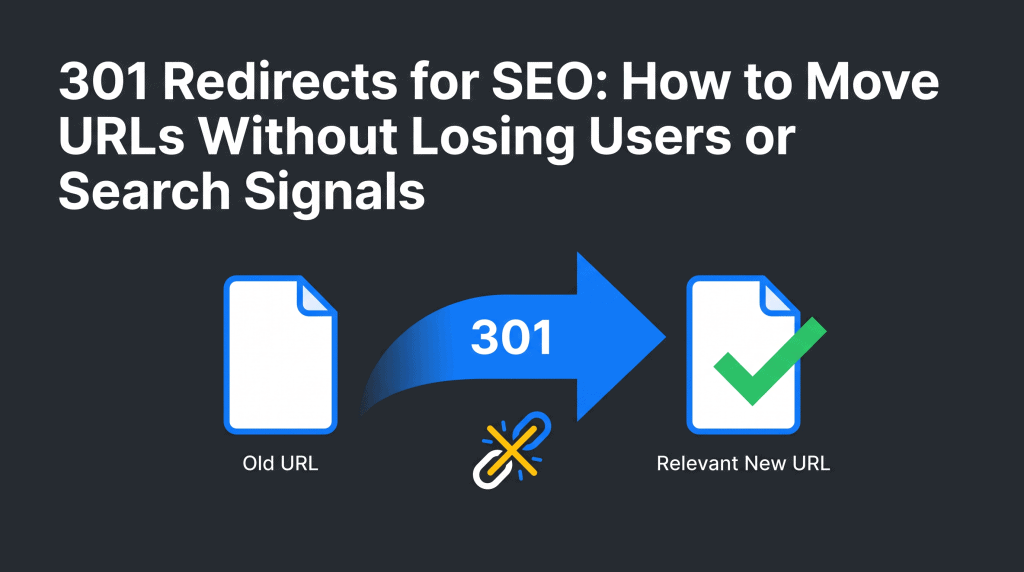
A 301 redirect is an HTTP response that sends a visitor from an old URL to a new URL and says the move is permanent. In plain language, it is a forwarding address for a web page. When someone clicks, bookmarks or types the original URL, the browser follows the redirect and loads the replacement page.
For SEO, a permanent redirect is a clear signal that the original URL has moved. Google Search Central explains that permanent redirects such as HTTP 301 and 308 are used as a signal that the redirect target should be canonical. That helps a search engine understand which new page to show over time.
A 301 redirect does not create better content or guarantee rankings. It does one essential job: it helps users and search engines reach the page that now fulfils the same need. That is why a relevant destination matters more than simply avoiding a 404 page.
How redirects work in one request
A visitor asks for an old address. The web server returns a 301 status code and the target address. The browser and crawler then request that final page. The best outcome is one clean move: old URL → relevant new URL → 200 OK.
When a 301 Redirect Is the Right Choice
Use a 301 when the content has permanently moved, been replaced or been consolidated into a better page. Do not use it simply because an old page feels inconvenient. The correct type of redirect depends on what happened to the original page and what users should find next.
| Situation | Best response | Why |
| A page moved to a new path but serves the same purpose | 301 redirect | The move is permanent and the new page answers the same need. |
| Several overlapping pages became one complete guide | 301 redirect to the consolidated page | The new page is a relevant replacement for each old page. |
| A website moved to a new domain name | Page-to-page 301 redirects | Each old address needs a matching counterpart on the new domain. |
| A page is unavailable for a short period, a test or a seasonal switch | 302 redirect or another temporary redirect | The original URL is expected to return and should remain the primary location. |
| A page is gone and there is no genuinely useful replacement | 404 or 410 | It is more honest than sending the visitor to an unrelated page. |
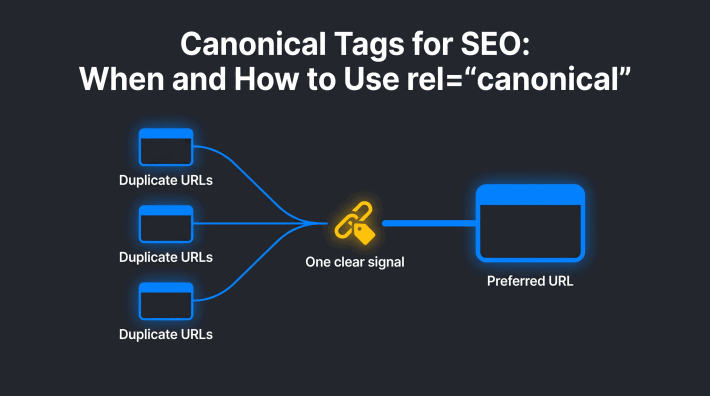
| Multiple live URLs show the same or near-identical content | Consider a canonical signal first | Use a redirect only when one URL should no longer be available to visitors. |
Common use cases for 301 redirects
- You correct a URL slug and the page itself remains the same.
- You move a page into a new section of a site.
- You merge duplicate or competing pages into one stronger resource.
- You replace a discontinued product, service or article with a close equivalent.
- You move to a new domain and can match the original URL to a corresponding new URL.
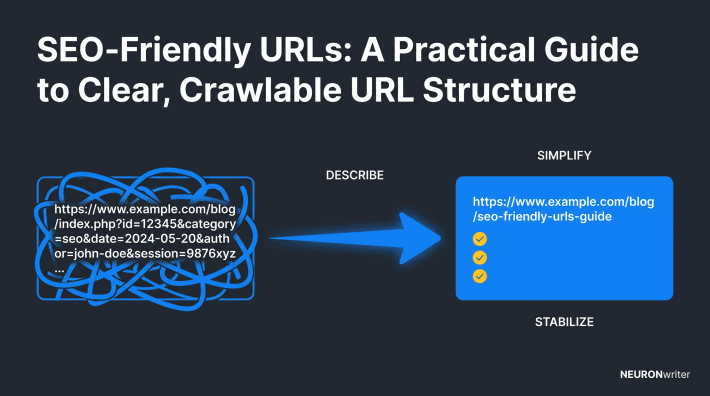
- You standardise permanent URL variants, such as a preferred secure version of the site.
For a broader decision about whether to update, consolidate or retire a page, use the content-pruning guide. This article focuses on the redirect decision after the page’s fate is clear.
How 301 Redirects Affect SEO
301 redirects affect SEO by telling a search engine that a permanent page move has happened. They can help carry useful signals from an old URL to the most relevant replacement, including links and the history of the page. They cannot make an unrelated destination relevant, and they do not remove the need for good content or sound technical SEO.
People often call this transferred value link equity or SEO value. Treat it as a reason to map carefully, not as a promise that every signal will instantly appear on the target. Google may need to crawl both addresses, process the permanent redirect and reassess the new page. During a larger move, visibility can fluctuate while that happens.
Why destination relevance matters
If a person searched for a detailed guide, the redirect target should offer that guide or a genuine consolidated replacement. Redirecting an old URL to the homepage just because it is available can confuse the visitor. At scale, irrelevant redirects may be treated like a soft 404: a page that looks reachable but does not answer the request.
Good SEO and user experience point to the same rule: send the old URL to the new one only when the new page can reasonably satisfy the original intent. If no such page exists, a clear 404 or 410 is usually safer.
301 vs 302: Choose Permanent or Temporary on Purpose
The important difference in 301 vs 302 is not what the visitor sees; both can move them elsewhere. The difference is the message behind the move. A 301 says the move is permanent. A 302 says it is temporary and the original URL should remain the main location.
| Question | Use a 301 | Use a 302 |
| Will the original page return? | No | Yes |
| Should the new URL become the long-term location? | Yes | No |
| Example | Permanent URL changes, a new domain or content consolidation | A short maintenance message, a test or a limited-time page switch |
| Search implication | Signals a permanent move | Signals that the original page is still the intended location |
Use a 302 redirect when the move is truly temporary. Do not use a 301 to point a live page at a holding page, a campaign page or a page you plan to remove later. The same principle applies to other temporary redirects: the status should describe reality.
Other redirect types in plain language
The main decision is usually between 301 and 302 redirects, but other redirect types exist. An HTTP 308 is also a permanent redirect. Meta refresh redirects and JavaScript redirects can work in limited situations, but Google Search Central recommends server-side permanent redirects whenever possible because they are the clearest signal. Use a 301 redirect when the move is permanent; use a 302 redirect when the original page will return.
Do not choose a method simply because it is quick to add. Before implementing redirects, decide whether the page has genuinely moved, whether the redirect target is useful, and whether visitors can follow the redirect in one step. That small review helps preserve SEO value and avoids a redirect that is still pointing to another redirect later.
Build a Redirect Map Before You Change Anything
A redirect map is a simple list that records every old URL, its chosen destination and the reason for the decision. Create it before changing URLs, deleting pages or launching a new domain. It makes the work reviewable and prevents last-minute redirects to the wrong page.
Google’s site-move guidance recommends mapping old URLs to new URLs, updating internal links, testing redirects and submitting the new sitemap. The same habits help with a smaller content consolidation.
| Original URL | Redirect target | Reason | Intent match | Test result |
| /old-beginner-guide/ | /complete-beginner-guide/ | Content combined into a stronger guide | Yes: both answer the same beginner question | Pending |
| /old-product-model/ | /replacement-product-model/ | Permanent product replacement | Yes: replacement is suitable for the same buyer | Pending |
| /event-2023/ | — | No useful successor | No | Return 410 or 404, not a redirect |
Questions to answer for each URL
- What did the original URL offer or answer?
- Is there a specific replacement that serves the same visitor need?
- Is the move permanent, or will the old page return?
- Does the final URL return a normal 200 response after the redirect?
- Have your own internal links been changed to the final address?
For a new domain, avoid a blanket rule that pushes every page to the new homepage. A page-to-page redirect map protects meaning. It is also easier to test, maintain and explain to a developer or site owner.
How to Implement and Test a 301 Redirect
Implementing redirects is best done in one controlled place: server settings, your hosting environment or a built-in redirect manager in your content management system. Choose the method your technical owner can safely maintain. If you do not control the server, ask the person who does to add the approved map rather than experimenting on a live site.
Choose the right place to create a redirect
Many sites can create a redirect in a CMS or hosting control panel. If the site has server access, a developer may use redirect rules there. Server-side permanent redirects are Google’s preferred approach where possible. The exact syntax differs by setup, so use your host’s documentation or ask a developer to implement the list.
On a WordPress site, the redirect may be managed by the host, a site-management setting or a redirect extension. The practical requirement is the same: record the source URL, the final target, the 301 status and the owner. Do not let several systems create competing redirect rules.
Test a redirect before and after publishing
- Open the original URL in a private browser window.
- Confirm that it lands on the intended final page, not another redirect.
- Check that the destination is useful and returns a normal page, rather than an error.
- Test a sample with a browser tool, a command-line status check or the URL Inspection tool in Google Search Console.
- Replace internal links that still point at the old URL; internal navigation should not rely on redirection.
- For a large move, add the new URLs to the sitemap and monitor indexing, crawl errors and traffic patterns.
The technical SEO checklist is a useful companion for checks beyond redirects, including crawl access, sitemaps and indexing signals.
Prevent the Most Common Redirect Problems
Most redirect problems are planning problems, not coding problems. A short review before launch can prevent a broken path from becoming a site-wide issue.
| Problem | What happens | Better approach |
| Redirect chain | URL A points to B, then B points to C. Each extra hop adds delay. | Redirect A directly to C. Avoid redirect chains whenever possible. |
| Redirect loop | A URL eventually points back to itself and the browser cannot finish. | Check the full route before publishing and keep one source of redirect rules. |
| Irrelevant target | The visitor gets a page that does not answer the original request. | Use the closest equivalent page or return 404/410 when none exists. |
| Temporary move marked permanent | The wrong long-term signal is sent. | Use a 302 or another temporary redirect instead. |
| Old internal links remain | Your own users take an unnecessary extra step. | Update navigation, articles, templates and sitemaps to use the new URL directly. |
There is no useful target number for how many redirects a website can have. Many redirects can be appropriate on a large migration. What matters is whether each redirect is justified, relevant and direct. Redirect chains occur when one old rule is left in place after another change; regular checks stop them from spreading.
Keep Redirects in Place and Review Them
Keep a 301 redirect in place for a long time. Google’s site-move documentation recommends keeping redirects for at least a year and suggests considering keeping them indefinitely for users. The practical priority is to update your own links so people reach the final URL directly, while old bookmarks and external links still have a working route.
After a major URL change, review the redirect map, server logs and Google Search Console. Look for unexpected 404s, pages that point to another redirect, incorrect destinations and old URLs still used in internal links. A simple monthly check is enough for most sites; a large migration needs closer monitoring at launch.
FAQ
Do 301 redirects affect SEO?
301 redirects affect SEO because they signal that a page has permanently moved to a new URL. They help search engines and visitors find the appropriate replacement, but they do not guarantee rankings. The new page still needs to match the old page’s purpose and offer useful content.
Should I use a 301 or a 302 redirect?
Use a 301 when the move is permanent and the new URL should become the long-term destination. Use a 302 when the original page will return, such as during short maintenance, a temporary test or a limited campaign. Choose the status that reflects the real situation.
Can too many 301 redirects hurt SEO?
A large site can have many valid redirects after a migration or consolidation. The bigger problem is a redirect chain or irrelevant destination, not the raw number of rules. Keep each redirect direct, purposeful and mapped to a useful replacement.
How long should I keep a 301 redirect in place?
Keep it for at least a year after a substantial move and consider keeping it longer for visitors using old bookmarks or external links. Update your own links sooner, so internal users do not need to follow the redirect. Review the rule rather than removing it just because traffic has dropped.
When should I use a 404 or 410 instead of a 301 redirect?
Use 404 or 410 when a page is permanently gone and there is no close replacement. A redirect to an unrelated homepage or category page is not a helpful substitute. A clear missing-page response is better than a misleading destination.
What is a redirect chain?
A redirect chain is a sequence such as URL A to URL B to URL C. It adds loading time and makes the route harder for browsers and crawlers to follow. Update the first rule so the original URL points directly to the final destination.
How do I test a 301 redirect?
Open the old URL in a private browser window and make sure it reaches the expected final page. Then check the HTTP status with a suitable tool or Google Search Console, confirm the final page returns normally and review the redirect map for chains or loops.
Can I create a 301 redirect in WordPress?
Yes, depending on how the site is hosted, you may use the host’s controls, a site-management setting or a redirect extension. Keep every rule in a documented redirect map and avoid managing the same URL in multiple places. If the change affects many pages, involve the person responsible for the server.
What is the difference between a canonical tag and a 301 redirect?
A canonical tag suggests which of several live URLs should be treated as the preferred version. A 301 redirect sends the visitor away from the original URL because the page has moved permanently. Use a canonical when the alternate page needs to remain available; use a 301 when it does not.