
GA4 AI Traffic in the Age of AI Search: What Metrics Still Matter
Semantic Summary
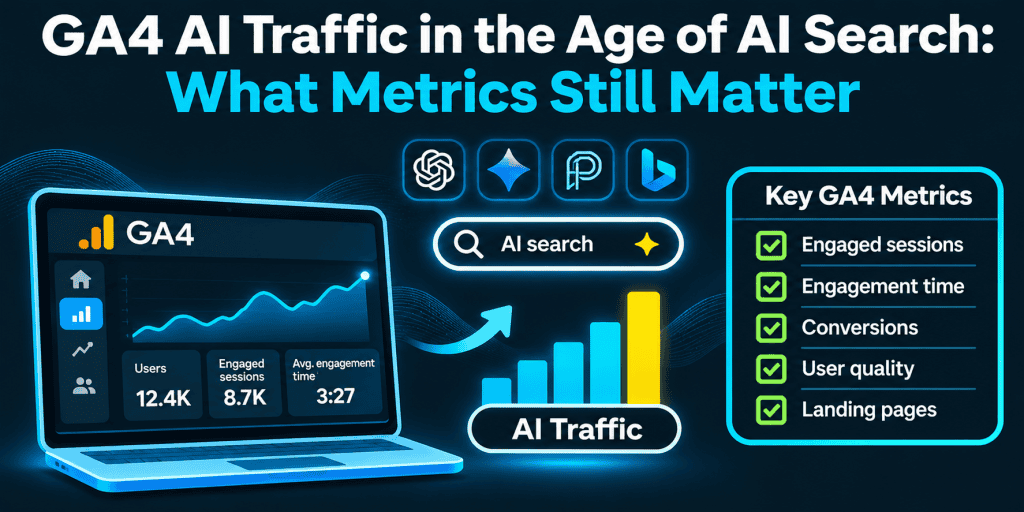
Idea: GA4 can show some AI-assistant clicks, but not AI Overview or AI Mode clicks as a separate group, and not the many visits that never arrive with a referrer. The metrics that still matter are the ones that describe outcomes and quality, not raw sessions.
Challenge: Guides promise a clean “AI traffic” number. In practice, GA4, Search Console, and server logs each see a different slice, and every AI referral figure is a floor.
Summary: Build a custom AI channel, read engagement and key events together, add Search Console’s generative AI impressions, and report what you cannot see.
Related reads: The Attribution Crisis: Why Direct/Unknown Traffic Hides SEO Wins · AI Search Attribution: A Conservative Model
GA4 can show some AI traffic, but only a slice of it. Google announced a new AI Assistant channel in 2026, and a custom channel group for AI traffic can catch the sources it misses. Clicks from AI Overviews and AI Mode also count as Organic Search, and many visits arrive with no referrer. Treat every figure as a floor, and judge it with outcome and quality metrics. This guide is marketing advice, not a guarantee of results.
What changed in measuring AI search in 2026?
| When | What changed |
| May 2026 | Google announced the AI Assistant channel in GA4’s default channel group, as reported |
| 3 June 2026 | Search Console launched generative AI performance reports for AI Overviews and AI Mode, plus a separate report for Discover |
| 31 August 2026 | The generative AI reports reached websites worldwide |
Google’s help documentation for the generative AI performance report describes impressions by page, country, date, and device. Clicks stay in the main Performance report under the Web search type.
What can GA4 see, and what can it not?
| Surface | What usually reaches GA4 | Where to look |
| AI assistants such as ChatGPT, Gemini, Copilot | A session with the assistant’s domain as the traffic source | Traffic acquisition |
| Other assistants (reports differ on Perplexity and Claude) | Often a plain referral | Session source and medium |
| Google AI Overviews and AI Mode | Organic Search, like any Google click | Search Console impressions |
| AI mobile apps and copied links | Often no referrer, so Direct | Direct, with caution |
| AI crawlers and bot traffic | Not human sessions; they usually do not run the GA4 tag | Server logs |
Which GA4 metrics still matter?
Keep the numbers that describe what visitors did and what the business got. Sessions alone say little when AI answers settle a question before the click, and a single metric rarely tells the story.
| Metric | What it tells you | Caution |
| Key events and key event rate | Whether visits led to the actions you care about | Keep key events few and clear |
| Engaged sessions and engagement rate | Whether visitors stayed, viewed more pages, or acted | The default threshold may not suit your site |
| Landing page by source | Which pages assistants and search send people to | Small numbers need caution |
| New and returning users | Discovery versus loyalty | The visitor may have seen your brand in an answer first |
| Search Console clicks and impressions | Demand and visibility in Google | A different system with different definitions |
By default, an engaged session lasts longer than ten seconds, has a key event, or has at least two page or screen views.
Which GA4 metrics matter less now?
- Raw session growth. More answers inside the chat can mean fewer clicks, even when visibility grows.
- Bounce rate. In GA4 it is the inverse of engagement rate, so use engagement rate. Web analytics habits from older versions do not always carry over.
- Pageviews. They reward long paths, not useful ones.
- Last-click conversions as sole proof. They miss earlier influence from answers.
- Single-source blame. A drop in one report may be a change in another source.
- Average time on page. It varies widely with page type, so compare like with like.
How do you track AI traffic in GA4?
You can track AI traffic in Google Analytics 4 without extra software, because the data is already there. If you wonder how much traffic AI tools like ChatGPT send, and how much traffic from ChatGPT reaches a given page, start here. You do not need an AI tool for it. Every GA4 session carries a source and a medium, and those two fields do most of the work.
- Open the traffic acquisition report. Check whether the AI Assistant channel appears, and which major AI platforms like Gemini and Copilot land in it.
- Read the traffic source. Use Session source and medium to identify AI sources that fall into Referral.
- Create a custom channel group in GA4. In Admin, add a new channel group for AI traffic with an “AI Search” channel that matches the session source with a regular expression.
- Order it above Referral. Otherwise sessions land there first, and you cannot report AI traffic separately.
- Chart AI traffic over time. Using GA4 explorations, add Session source as a second dimension, and save the view as a GA4 report.
- Test the result against your raw traffic data, and keep it separate from general referral traffic.
Creating an AI traffic channel group takes minutes. Here is an example pattern to adapt, not a complete list of AI referrers.
chatgpt\.com|chat\.openai\.com|perplexity\.ai|gemini\.google\.com|copilot\.microsoft\.com|claude\.ai|mistral\.ai
Name the AI channel group clearly and document its pattern. A GA4 custom channel group applies when a report runs, so it also works on past data. Our guide to the invisible traffic problem explains why some visits stay unattributed.
Why do AI visits sometimes show up as Direct?
- Apps and web browsers that strip the HTTP referer header.
- Copied links pasted from an answer into a message or a new tab.
- Partial tagging. A link with a source but no medium may land in Unassigned.
So AI visits can appear as direct traffic, and Direct hides some influence. Treat it as an unknown, and do not credit or blame AI for it.
How do you analyze visit quality and conversions from AI?
AI traffic analysis is only as good as the channel rules behind it, so compare with care.
- Compare engagement rate and engagement time by channel.
- Compare key event rate, not only counts.
- Check landing pages to see which pages assistants cite.
- Read website traffic and search traffic together, because AI-driven traffic also shapes later visits.
- Wait for enough data. A few dozen sessions can swing wildly.
Some reports claim AI visitors convert better, but many claims come from vendors. Test it on your own GA4 data.
How do GA4 and Search Console fit together?
| Question | Best source | Limit |
| How often did my pages appear in AI Overviews and AI Mode? | Search Console generative AI report | Impressions only; the two features are not separated |
| How many Google clicks did I get? | Search Console Performance, Web search type | AI clicks are not split out |
| What did visitors do after arriving? | GA4 | Sessions without a referrer are missing |
| Which answers mention us? | AI answer monitoring | A sample of prompts |
Search Console also has a generative AI control. If you opt out, your pages receive no traffic or impressions from those features, according to Google.
How NEURONwriter helps: its Google Search Console integration shows impressions, clicks, and rankings in the editor (Gold plan or higher). It reads Search Console, not GA4.
Can GA4 tell AI referrals from AI crawlers?
Not reliably. GA4 reports sessions from tools that run its tag, and it excludes known bots and spiders. A web crawler’s requests show up in server logs, not in GA4, so a rise in AI agents fetching pages will not appear in your GA4 property.
What can GA4 not prove?
GA4 cannot prove that an answer caused a sale, cannot see most responses that produced no click, and cannot show a visit that arrived without a source. State those limits in every report. Our guide to the AI visibility measurement framework shows how to keep rankings, mentions, citations, and referral visits in separate columns, and a conservative attribution model helps you describe a pattern without calling it proof.
How NEURONwriter helps: the AI Visibility Overview tracks Share of Voice, Google TOP10, Brand in Answers, and Domain Citations across four AI engines, with trend charts, and Monitored Discussions add a score and sentiment per prompt. It does not read your GA4 sessions. From an SEO view, this is a record of what answers say, and GA4 remains the record of what visitors did.
How do you set up a monthly report?
Setting up GA4 once is not enough. A short monthly routine keeps the numbers honest, and it lets you report on traffic from AI without overstating it.
- Update the channel group. Add any new source you see in Session source.
- Record AI referral traffic by source, with engagement rate and key events.
- List the top landing pages for AI sources.
- Note Direct and Unassigned changes without drawing a conclusion.
- Add Search Console impressions from the generative AI report for the same pages.
- Write one sentence on what changed and what you did, so you can track traffic effects of your own work.
AI chatbot traffic is only one part of the picture. AI chatbots and other assistants also shape brand searches and later visits, and AI responses can change between two checks. That is why the monthly note matters more than any single number.
Common mistakes in GA4 AI reporting
- Reporting one number as the truth. It is a minimum.
- Counting AI Overviews clicks as AI Assistant traffic. They belong to Organic Search.
- Copying someone else’s regex without checking your own sources.
- Quoting a conversion rate from another site.
How does NEURONwriter help with measuring AI search?
- Answers. AI Visibility and Monitored Discussions show what generative AI engines say about your brand.
- Readiness. AI Readiness checks structured data, crawler access, robots.txt rules, and HTTPS on a page you enter.
- Google data. The Search Console integration shows impressions and clicks next to your drafts.
Treat every score as a guide, because no tool can guarantee traffic or citations.
FAQ
How can I see AI traffic in Google Analytics 4?
Open Traffic acquisition, look for the AI Assistant channel, then check Session source and medium and build a custom channel group that ranks above the default rules.
What is AI Assistant traffic in GA4?
A default channel announced in 2026 for visits from recognized assistants. Reports differ on which assistants it covers, so verify in your own data.
Does GA4 count clicks from AI Overviews and AI Mode?
Yes, as Organic Search. They do not appear in the AI Assistant channel.
Does GA4 filter out bot traffic?
GA4 excludes known bots and spiders. AI crawlers usually do not run the GA4 tag, so they appear in server logs.
Can GA4 distinguish AI referrals from AI crawler activity?
Not reliably. Check server logs for crawler requests.
Why do AI visits sometimes appear as Direct in GA4?
Apps, copied links, privacy settings, and redirects can remove the referrer.
Can GA4 distinguish traffic from different AI assistants?
Yes, when the source is recorded. Keep Session source as a second dimension.
My UTM parameters are not working. What should I check?
Check spelling and case, redirects that remove parameters, and links with a source but no medium.
Does GA4 use AI?
GA4 uses machine learning for insights, anomaly detection, and predictive metrics for eligible properties. Check the current documentation.
Does a channel group change historical data?
It applies when a report runs, so it also works on past data, as reported.
Is there enough AI traffic to make the analysis worthwhile?
It depends on your site. Even a small channel can show which pages assistants cite, but small samples need caution.
Should I worry about high Direct traffic?
Treat it as unknown. It can include AI visits and many other sources, so do not draw conclusions from it alone.