Keyword Cannibalization: How to Find, Diagnose, and Fix Competing Pages
Semantic Summary
Idea: Keyword cannibalization means overlapping pages are working against your site’s search performance, not simply using the same words.
Challenge: Several pages appearing for a query can be normal. Removing or merging them without checking their purpose may lose useful traffic.
Summary: Compare search intent, page-level data, and unique value. Keep useful differences, consolidate genuine repetition, and measure the result across the affected pages.
Related Reads: Keyword Grouping: How to Organize Keywords by Search Intent · Content Pruning: A Guide to Removing Underperforming Content
What Is Keyword Cannibalization in SEO?
Keyword cannibalization occurs when multiple pages target overlapping searches and their overlap harms the site’s overall organic performance. Search engine optimization, or SEO, means improving how useful, accessible pages appear in unpaid search.
Two articles can target the same keyword without creating a problem. A product page and a buying guide may rank for the same keyword while answering different needs. Shared wording alone does not tell you whether either should disappear.
Search intent is the task behind a search: learning something, comparing options, buying, or finding a particular website. The important question is whether your pages compete to provide essentially the same answer, with little useful difference.
For example, two outdated guides to choosing office chairs may repeat the same advice. One complete, current guide could serve readers better. But a chair-selection guide and instructions for adjusting a chair should normally remain distinct. These are illustrative examples, not measured ranking results.
Is Keyword Cannibalization Always Bad?
Harmful overlap deserves attention; ordinary overlap does not. Keyword cannibalization isn’t proved by a repeated focus keyword, a shared heading, or a different URL appearing this week.
A page you want to rank may not be the best answer for that search. Before changing anything, examine the queries and useful actions each destination already supports. A preference for one landing page is not evidence that another is damaging it.
What Causes Pages to Compete?
The usual starting point is repeated page purpose: teams publish another answer without checking the existing one. Keyword cannibalization is a common concern on growing sites, but it requires investigation rather than an automatic cleanup.
- Repeated briefs: separate writers receive similar keywords and produce nearly identical answers.
- Annual replacements: a new guide goes live while the old version remains available with the same advice.
- Unclear page roles: broad categories, narrow categories, and articles repeat the same selection guidance.
- Copied variants: several addresses expose identical or near-identical content because of technical settings.
- Unfocused expansion: related keywords are added to every piece of content, making previously distinct answers look alike.
Repeated work can dilute editorial attention and spread useful evidence across several incomplete answers. It does not follow that a search engine divides a fixed amount of ranking power equally between them.
Also separate this issue from keyword stuffing: excessive repetition within a page is a different problem. Removing every shared word is not a sensible way to resolve overlap.
How to Identify Keyword Cannibalization
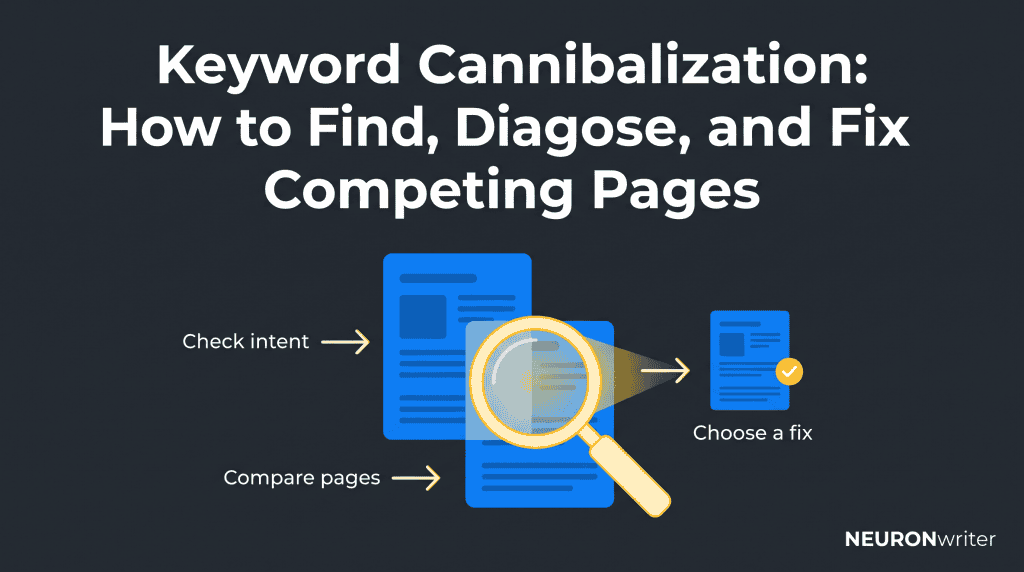
The most useful way to identify keyword cannibalization is to combine page-level search data with a direct comparison of the answers. Start with an important topic, not a list of every repeated word on your website.
1. Find Candidate Pages
Review your content list, sitemap, and existing keyword map. Look for similar titles, repeated guide versions, and pages assigned the same user task.
You can also use Google Search with site:yourdomain.com “topic” to find possible matches. This search is a discovery aid, not a complete inventory or a ranking test. Results containing a specific keyword do not automatically compete for that search.
2. Check the Search Query in Google Search Console
Use Google Search Console’s Performance report to see which pages receive impressions and clicks for a chosen keyword. Use the same country, device, search type, and date range throughout the comparison.
- Open Performance → Search results for your verified property.
- Add a Query filter for the exact term you want to investigate.
- Select Pages and record the destinations, clicks, impressions, click-through rate, and average position.
- Compare complete periods and review the history of each candidate.
- Inspect closely related searches separately, or use a clearly defined group filter.
For a first review, the previous three months is a practical starting point, not a universal rule. Use longer comparable periods when demand is seasonal or traffic is sparse. A short-term keyword ranking change can reflect changing demand or competition rather than internal conflict.
Do not treat these numbers as a live view of two results shown to the same person. Google documents omitted queries and canonical URL attribution: some searches are hidden, and most performance is credited to the preferred version rather than a duplicate address.
3. Compare What Each Page Actually Answers
Write one sentence describing each page’s reader task. Then compare its main advice, examples, audience, and next action.
If both pages target the same keyword but each serves a different purpose, keep that distinction visible. If pages target the same keyword and offer the same answer with only cosmetic changes, investigate consolidation.
Look beyond the target keyword. Check each page’s other long-tail keywords, meaning more specific searches, and its business value. Removing an answer that attracts useful enquiries could make the site’s results worse even if your preferred page rises.
4. Rule Out Other Causes of Weak Search Engine Rankings
Ranking instability is a signal, not a diagnosis. Check indexability, unexpected redirects, changed content, seasonality, and changes in the search engine results page before blaming overlap.
Open representative results and see whether the expected format has changed. A buying search may now favour product listings rather than advice. If the intended answer no longer matches the task, rewriting it may matter more than removing another article.
A Simple Keyword Cannibalization Audit and Decision Table
A useful audit records the evidence and the proposed remedy together. The goal is to determine which page or set of pages best serves readers—not automatically select the highest current ranking.
| Situation | What to check | Likely next action |
| Two pages serve distinct needs | Different answers, supporting searches, and useful actions | Keep both; clarify their roles if necessary |
| Two guides repeat the same answer | Unique value, current accuracy, links, and combined search performance | Consider merging into one useful destination |
| A broad page overlaps a narrower answer | Whether readers need the deeper answer separately | Differentiate the coverage and connect the pages |
| Duplicate content is accessible through multiple URLs | Technical settings and the preferred version | Review canonical tags or an appropriate permanent move |
| Rankings fluctuate but evidence is unclear | More history, current results, technical changes, and seasonality | Investigate further; avoid irreversible changes |
For each suspected pair, record the topic, both addresses, reader task, comparison dates, evidence, unique information, intended destination, owner, and next review. Mark the conclusion as confirmed, suspected, or not a problem. A flag from SEO tools should begin this review, not end it.
How to Fix Keyword Cannibalization
Choose the smallest change that resolves the actual problem. You can differentiate useful answers, merge repetitive content, or handle technical duplicates; these are not interchangeable fixes.
Differentiate Similar Pages That Deserve to Stay
When both answers are useful, give each a clear purpose. Changing to a different keyword is not enough if the main advice remains the same.
For example, one office-chair guide could explain choosing a chair for a small workspace. Another could explain adjusting an existing chair. Update the title, opening, headings, examples, and next action to support those genuinely different jobs.
Do not invent a distinction merely to keep an old post. Validate a specific long-tail keyword against audience needs and current results before committing to it. Ask which page is the most relevant for each task, rather than which heading contains the most keywords.
Consolidate Repetition and Use a Relevant 301 Redirect
If two or more pages provide essentially the same answer, preserve the strongest useful material in one page. Choose the destination based on accuracy, intent, existing links, and performance across the whole topic.
Do not simply paste both articles together. Remove repetition, check claims, and retain unique examples. Then arrange a 301 redirect, meaning a permanent move, from the retired address to the relevant consolidated answer.
Google’s URL-change guidance supports redirects to a consolidated destination and warns against irrelevant moves to a homepage. Our 301 redirects guide covers implementation and testing in more detail.
Before closing the change, check that the destination works, remains indexable, and contains the promised answer. Update your navigation and sitemap where needed. Replace internal links to the retired address with direct links to the current answer; use the internal-link audit guide for that cleanup.
Use Canonical Tags Only for Genuine Duplicate Variants
A canonical is the preferred version of duplicate or very similar content. It can help when those variants must remain accessible, but it is not a shortcut for distinguishing different articles.
Google’s canonicalization guidance treats annotations and permanent moves as signals; Google still selects the representative version. Keep those signals consistent and link to the intended destination.
If both answers deserve independent search visibility, improve their differences instead. Applying a canonical to the page you dislike ranking can remove that page’s distinct opportunities rather than fix the issue.
A Worked Example: Two Chair-Selection Guides
This example illustrates the decision process; it is not a client case study or a claim of ranking improvement.
| Page | Finding | Editorial decision |
| /choose-office-chair/ | Current selection advice and useful fit explanations | Potential retained destination |
| /office-chair-buying-guide-2024/ | Repeated selection advice plus one helpful measurement example | Review other search demand, preserve the useful example, then consider retirement |
If the older guide also supports a distinct, valuable task, reconsider the merge. The decision is about useful answers and evidence, not the date in the address alone.
How to Avoid Keyword Cannibalization
Preventing keyword cannibalization starts with assigning clear page purposes before drafting. Keyword research should lead to a considered publishing decision, not a new post for every variation.
Use keyword mapping to record the primary task, related searches, existing destination, and boundaries. Do not create one page for each keyword when a single answer can meet several searches.
Before approving a brief, check whether another answer already exists. Update it if the new information belongs there. Plan a separate piece only when readers need a substantially different answer.
For the full planning process, follow the keyword grouping guide. Clear keyword targeting can prevent cannibalization without banning repeated vocabulary across connected pages.
Give an editor ownership of the map and the overlap review. Recheck important topics after major publishing changes; a quarterly review is a reasonable starting cadence, not a search engine requirement. This makes prevention part of your SEO strategy rather than an occasional emergency.
How NEURONwriter Helps With Keyword Cannibalization
NEURONwriter helps gather evidence, compare coverage, and improve the chosen answer. Use these four named functions for their specific jobs; no single recommendation proves that your pages are harming each other.
- Google Search Console integration: review search performance and signals that different pages attract the same phrases. Use the official integration workflow alongside the intent checks above.
- SERP / Competition Analysis: inspect competing titles, headings, and content structure to check the expected answer and format. The Keyword Analysis page describes this function and its structure view.
- NLP Terms: review suggested topic-related language when improving a retained or differentiated answer. The recommendations in Content Writer support coverage, not a requirement to copy the same terms into every article.
- Internal Link Suggestions: review possible destinations and link text after deciding which answer to keep. The Keyword Analysis page names this feature; check each suggestion against the actual reader’s next step.
A Content Score measures alignment with content recommendations, not whether cannibalization exists or whether search rankings will rise. Keep your diagnosis and your writing score as separate decisions.
Common Mistakes and How to Monitor the Fix
The most damaging mistake is removing useful content before understanding its contribution. Monitor the affected topic as a whole, not only the page selected to remain.
Do not delete or noindex an answer merely because it shares a search term. Noindex means excluding a page from search; it also removes that page’s other opportunities. Likewise, adding a canonical everywhere or deleting all repeated anchor text can make a site’s navigation and coverage worse.
Record a baseline, the change date, and what you changed. Compare clicks, relevant searches, and useful actions over equivalent periods with consistent filters. Watch for indexing problems and lost long-tail visibility as well as improvements.
After consolidation, traffic moving to the retained destination is expected. That movement alone is not a gain. Review combined performance and remember that Search Console’s property and page totals use different aggregation.
Search engine rankings can fluctuate during reprocessing. Make an early technical check, then review performance once there is enough comparable data. Share the revised answer through relevant existing channels when it genuinely helps readers, without promising links, rankings, or AI citations.
FAQ
How do I check for keyword cannibalization for free?
Use Google Search Console to filter a search term and inspect the Pages tab. Compare the answers and their other search demand before choosing a remedy. A spreadsheet is enough to record findings for a small review.
Does having multiple pages rank for one keyword mean something is wrong?
No. Different answers can appear for a broad search, and a repeated keyword isn’t evidence of harm. Look for duplicated purpose and a credible performance problem before changing pages.
What is the difference between cannibalization and duplicate content?
Duplicate content is identical or very similar information available in different places. Harmful overlap can also occur between differently worded answers serving the same purpose. The appropriate remedy depends on whether you need distinct answers or merely different versions of one answer.
Can a product page and a blog post compete?
Yes, but shared terms do not prove a conflict. A buying destination and an educational guide can support different stages of a decision. Check the search intent and each page’s useful contribution before merging them.
Should I always redirect the page with less traffic?
No. A low-traffic answer may support a valuable niche task or enquiries that a broader page cannot replace. Redirect only when the destination genuinely replaces the retired answer; otherwise improve it, retain it, or investigate further.
Will changing the focus keyword solve the problem?
Not by itself. The main content, examples, and next action must change if the purpose needs to change. A keyword strategy works through relevant answers, not a different label in a publishing field.
Can internal linking fix competing pages on its own?
Usually not if the underlying answers are repetitive. Helpful links can clarify relationships and direct readers to the right destination. Using the same anchor wording more than once is not automatically harmful, and removing all such links is not a reliable fix.
How do I calculate a keyword cannibalization rate?
There is no universal search engine formula. You can track a defined internal metric: confirmed harmful-overlap groups divided by reviewed groups, multiplied by 100. Label the dataset and review criteria; do not mix this with product-sales cannibalization or treat it as a ranking factor.
How long does it take to see results after a fix?
There is no guaranteed timetable. Search engines need to discover and process changes, and sparse or seasonal demand may require a longer comparison. Verify implementation first, then evaluate the affected pages together rather than expecting an immediate ranking increase.