Product Schema in 2026: What AI Shopping Assistants Actually Read

Semantic Summary
Idea: Product schema is structured data that describes one product on its page: name, image, brand, identifiers, price, and availability. It helps machines read facts without guessing, but it is one input among several, alongside visible page text, feeds, and reviews.
Challenge: Many guides claim to know exactly what AI shopping assistants read. Only Google documents its use of product markup in detail, so teams risk building on assumptions.
Summary: Mark up accurate, visible facts, keep price and availability in sync, choose Product or ProductGroup carefully, validate the result, and test what AI answers say about your products.
Related reads: How to Prepare Your E-commerce Site for AI Shopping Agents · Schema Markup for AI Agents: The 5 Tags You Need · FAQ Schema for AI Search
Product schema is structured data, usually JSON-LD, that describes a single product on its own page. It labels facts such as the name, images, brand, identifiers, price, and availability. Google documents how it uses this markup. Other AI shopping assistants have not published full lists of the fields they read, so treat schema as one input and keep the visible page, your feed, and your reviews accurate too.
What is product schema, and why does it matter?
Product schema is a vocabulary from schema.org that tells machines what a page sells. A search engine or assistant can read the labeled facts instead of inferring them from layout.
It matters for three reasons:
- Clarity. Labeled facts reduce guesswork about price, stock, and identity.
- Eligibility. Valid markup can make a page eligible for some Google shopping features.
- Consistency. One structured source helps keep facts the same across search, feeds, and assistants.
It is not a ranking switch. Markup helps systems understand a page, and it does not guarantee rich results or higher positions.
Do AI shopping assistants actually read product schema?
Some do, in ways that are documented. Many do not say. That is the honest answer.
Google explains how product structured data supports shopping experiences in its product structured data introduction. Other assistants publish little about field-level behavior. So avoid any claim that “assistant X reads field Y” unless you can verify it.
| Source of product facts | Documented by | What to do |
| Product structured data on the page | Google, schema.org | Mark up accurate, visible facts |
| Merchant product feed | Google Merchant Center and similar programs | Keep feed and page identical |
| Visible page text and images | All search systems read pages | Write clear, complete product copy |
| Reviews and third-party mentions | Varies by system | Collect real reviews and earn independent coverage |
Our guides on preparing an e-commerce site for AI shopping agents and schema markup for AI agents cover the wider picture. This article stays on Product markup.
Which fields should every product page include?
Start with the facts a buyer needs. Treat this table as a direction, and confirm required and recommended properties in Google’s current documentation before you publish.
| Field | Why it matters | Notes |
| name | Identifies the product | Match the visible product title |
| image | Shows the product | Use crawlable image URLs |
| description | Explains the product | Match the visible description |
| brand | Names the maker | Use the real brand name |
| sku, gtin, mpn | Product identifiers | Use real codes; do not invent them |
| offers: price and priceCurrency | States the current price | Match the price shown on the page |
| offers: availability | States stock status | Update when stock changes |
| offers: url | Points to the purchase page | Use the canonical product URL |
| shipping and return details | Answers the next buyer question | Include only if accurate and visible |
| aggregateRating and review | Summarize real customer feedback | Only if real reviews appear on the page |
What does a minimal Product JSON-LD example look like?
Here is a simplified example with placeholder values. It shows the structure, not a complete or required set of fields.
<script type=”application/ld+json”>
{
“@context”: “https://schema.org”,
“@type”: “Product”,
“name”: “Example Trail Backpack 30L”,
“image”: [“https://example.com/images/backpack-front.jpg”],
“description”: “A 30-liter backpack for day hikes.”,
“brand”: { “@type”: “Brand”, “name”: “Example Brand” },
“sku”: “EX-TB-30”,
“offers”: {
“@type”: “Offer”,
“url”: “https://example.com/products/trail-backpack-30l”,
“priceCurrency”: “USD”,
“price”: “129.00”,
“availability”: “https://schema.org/InStock”
}
}
</script>
Every value must match what the page shows. Check the Product type on schema.org for property definitions.
What is the difference between product snippets and merchant listings?
Google describes two kinds of product experiences in its documentation. They need different data.
- Product snippets. Enhanced results for pages about a specific product, often with review information. See Google’s product snippet guidelines.
- Merchant listings. Shopping experiences that need fuller offer data, such as price and availability.
Decide which experience you want, then provide the properties it needs. Requirements can change, so check the documentation each time you update your templates.
When should you use Product or ProductGroup?
Use Product for a single item. Use ProductGroup when one page covers variants of the same item, such as sizes or colors.
- Single product, one page. Use Product with its own offer.
- Variants on one page. Consider ProductGroup with a Product for each variant. Describe what varies, such as size or color.
- Variants on separate pages. Each page can be its own Product. Keep identifiers consistent.
Google has documentation for variant markup. Confirm its current rules before you implement it.
Where should you not use Product schema?
Product markup is for a page about one product. Avoid these common misuses:
- Category and listing pages. They show many products. Use list-style markup such as ItemList where it fits, and not Product for each item without a dedicated page.
- Service pages. Services are not products. Use a type that fits, such as Service.
- Pages without a real offer. Do not invent prices or stock.
A page can combine Product with other types, such as BreadcrumbList or FAQPage, when each matches visible content. See our FAQ schema guide.
How do you add product schema to your store?
Choose the method that keeps data accurate at scale.
- Check what you already have. Many platforms and themes output some product markup. View the page source and test it.
- Prefer generation from your product data. A template that reads the live price and stock avoids drift.
- Use a plugin or app where it fits. Review its output, because defaults may be incomplete.
- Write JSON-LD by hand for small catalogs. Keep one template and fill it from your data.
- Test and monitor. Validate before launch, and review errors after.
How NEURONwriter helps: NEURONwriter Generate Schema Markup option creates JSON-LD from your page content. In the editor, open the three-dot menu, choose Generate Schema Markup, pick a type such as Product, and copy the result into your site. It generates code from text, so check every price, availability, and identifier against your real product data. It does not validate markup, so test the output separately.
How do you keep price and availability accurate?
Price and availability change most often, and mismatches cause the most trouble.
- Match the visible page. The marked-up price must be the price shoppers see.
- Update stock status. Mark items out of stock when they are, and follow Google’s guidance for removed pages.
- Handle sale prices carefully. Mark up the current price that a shopper can pay, as the documentation describes.
- Keep currency correct. Use the currency shown on the page.
- Sync with your feed. Feed and markup should say the same thing.
- Avoid stale caches. Make sure cached pages do not show old prices.
If the schema price differs from the visible price, trust and eligibility suffer. Fix the source, not only the markup.
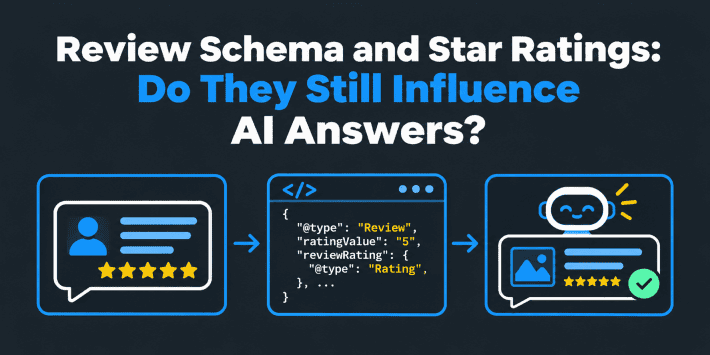
What should you know about review and rating markup?
Review markup is sensitive. Treat it as a claim about real people.
- Only mark up real reviews. They must appear on the page and come from real customers.
- Keep ratings honest. The aggregate must reflect the reviews you show.
- Follow Google’s review guidelines. Misleading markup can lead to penalties.
- Do not promise stars. Google does not publish a fixed number of reviews that guarantees a display.
How does product schema work with Google Merchant Center?
Merchant Center is Google’s program for product feeds. Google can use product data from feeds and from page markup. Keep both consistent, so the same price, availability, and identifiers appear everywhere.
If your feed and your page disagree, fix the shared source. Check Google’s current documentation to see how it combines the two for your setup.
How do you test and fix product schema errors?
Test before and after launch.
- Test a live page. Use Google’s Rich Results Test to check eligibility and errors.
- Validate the syntax. Use the Schema Markup Validator for general schema.org checks.
- Review Search Console reports. Look for product and merchant listing issues.
- Fix the cause. Change the template or the data, not just one page.
- Retest and monitor. Errors often return after template changes.
Common errors include missing required properties, invalid price formats, mismatched visible content, and broken image URLs.
What other structured data and SEO basics support product pages?
Product markup works best inside a sound ecommerce SEO setup. A few related basics help an ecommerce website or ecommerce store get more from its markup.
- Use JSON-LD where you can. Google supports several formats, including microdata and RDFa, but JSON-LD in a script block is usually easier to maintain. Google recommends it in its structured data documentation.
- Add supporting types. BreadcrumbList helps search engines understand site structure, and Organization describes your business. A video schema type applies only if the page really has a video.
- Keep product pages indexable. Structured data cannot help a page that Google cannot index. Check that individual product pages are crawlable and not blocked by mistake.
- Write clear page content. Good titles, descriptions, and images support the markup, and they drive the rich snippets and organic click-through rate that you measure.
- Fix technical SEO first. Slow pages, duplicate URLs, and broken images undermine product data.
Both Google and Bing read schema.org markup, and a clean implementation helps search engines understand your product information in the same way. Markup is not a substitute for strong pages. It adds clarity to a product detail page that already earns trust.
Use Google Search Console to see how Google reads your pages, and use Google Analytics to see what happens after the click. Together they show whether structured data issues affect traffic. If a template error appears, fix the template, then request a recrawl.
A short note on terms: product schema markup, structured data markup, and schema code all mean the same thing in practice. What matters is that the markup describes the product on the page, tells Google what you sell, and helps AI systems and search results show accurate facts about it.
What is a practical checklist for implementing structured data on product pages?
This checklist guide explains what to confirm before you publish. It is useful for any team implementing structured data at scale.
- Pick the right structured data types. Use Product for single items, and ProductGroup for variants. Use ItemList for lists, and do not use Product for a list page.
- Use the page to describe the product. Use schema to describe what shoppers can see, such as the name, images, and price.
- Include the required fields. Google requires certain properties for each feature, and a basic product markup that misses them may be ignored.
- Add recommended fields only when accurate. Fields recommended by Google, such as shipping and return details, help only if they are true and visible.
- Be careful with price range. If a page covers variants with different prices, check how Google handles a price range before you mark it up.
- Check images. Images used by Google must be crawlable, and they may also appear in Google Images.
- Test in Google Search Console. Review reports via Google Search Console and fix issues at the source.
This approach helps Google see what you sell, and it helps search engines understand each product page in the same way. A good implementation lets a page appear in Google with the right facts. Google displays features only when a page qualifies, so never assume a result will show.
A short glossary: structured data types are the labels such as Product, Offer, and Review. Review schema covers ratings and customer reviews. A markup for ecommerce setup combines several types. The schema helps search engines read the page, and it can help Google show price and availability when the data is complete and valid. An important product detail is that the markup must always describe a useful product page that shoppers can actually use.
If you want to generate product schema quickly, a generator can produce a first draft. Always review the draft, because Google can see only what the page and markup say, and wrong values travel everywhere.
Common product schema mistakes
- Marking up data that is not on the page. Every fact must be visible.
- Static prices in a changing store. They go stale fast.
- Product markup on category pages. Use the right type for the page.
- Invented identifiers. Use real GTINs or leave them out.
- Fake or hidden reviews. They risk penalties.
- No testing after theme or plugin updates. Markup can break silently.
How does AI search change what you do?
AI tools answer shopping questions such as “best waterproof backpack for day hikes.” They may mention products, compare them, and cite sources. You cannot see every field they read, so test the outcome.
- Test product prompts. Run buyer-style prompts across engines and log which products and sources appear. Use our citation-checking checklist.
- Expect differences. Engines cite different sources, as we explain in why AI engines cite different sources.
- Check accuracy. Compare AI statements about price, availability, and specifications with your page.
- Fix at the source. Update the product page, feed, or markup that holds the wrong fact.
Clear product copy still matters. See our SEO product description template and our guide to optimizing product pages for AI answer engines.
How NEURONwriter helps: the AI Visibility module monitors the questions you add, called Monitored Discussions, across Google AI Overviews, Google AI Mode, ChatGPT, and Perplexity. Add shopping prompts for your category.
Each discussion gets a visibility score from 0 to 100, a per-engine breakdown, and a sentiment tag. The AI Readiness audit checks whether AI crawlers can reach your site and whether structured data is present. It does not read your product feed or confirm that a price in an answer is correct, so check that yourself.
How do you measure product schema results?
Measure outcomes that matter to the business.
- Search Console reports. Valid items, warnings, and errors for product markup.
- Impressions and clicks on product pages.
- Conversions from organic product visits.
- AI answer accuracy. What AI tools say about your price and availability.
- Error trends. Whether template changes introduce new issues.
There is no fixed timeline for results. Results depend on crawling, indexing, and eligibility, so no one can promise a date.
How does NEURONwriter help with product schema?
NEURONwriter helps you write complete product pages, generate JSON-LD, and watch how AI describes your products. It does not validate markup or confirm product data. Here is how it maps to the steps above.
- Plan the page. SERP analysis shows competitor headings, suggested terms with usage ranges, and related questions for your product keyword. The content editor and content score show whether a draft covers what top pages cover.
- Generate the markup. Generate Schema Markup creates JSON-LD from the page content, with types such as Product, Review, HowTo, Blog, and FAQ.
- Check readiness. The AI Readiness audit checks whether AI crawlers can reach your site and whether structured data is present.
- Monitor AI answers. AI Visibility tracks Monitored Discussions across four AI engines, with visibility scores and sentiment.
- Act on gaps. Opportunities and Competitors point to tasks such as earning external mentions and improving product pages.
You can run a keyword analysis in NEURONwriter before you write your next product page. Treat every score as a guide, because no tool can guarantee rich results or citations.
FAQ
What is product schema?
Product schema is structured data that describes one product on its page, including name, images, brand, identifiers, price, and availability.
What is the minimum required for product schema?
It depends on the experience you target. Google documents required and recommended properties for product snippets and merchant listings, so check the current documentation.
Does product schema directly improve search rankings?
Not directly. It helps systems understand your page and may make it eligible for some rich results. It does not guarantee rankings or display.
Do AI shopping assistants read product schema?
Google documents its use of product markup. Other assistants have not published full field lists, so treat schema as one input along with visible content, feeds, and reviews.
Does product schema work without a price?
Some product snippet features can work without full offer data, but shopping and merchant features need price and availability. Check Google’s documentation for the experience you want.
Does each product variant need its own schema?
Variants can be described with ProductGroup and a Product per variant, or each variant page can have its own Product. Follow Google’s current guidance and keep identifiers consistent.
Can I use product schema on a category page?
Product markup is meant for pages about a single product. For category pages, use list-style markup where it fits, and avoid marking up every item as a full Product.
Can I use product schema on service pages?
No. Services are not products. Use a type that fits, such as Service, and keep markup consistent with visible content.
Can I combine Product with other schema types?
Yes, when each type matches visible content. Common pairings are BreadcrumbList and FAQPage.
What happens if the price in my schema differs from the visible price?
It creates a mismatch that can hurt trust and eligibility. Fix the source data so the page, markup, and feed all agree.
How long does it take for product rich results to appear?
There is no fixed time. It depends on crawling, indexing, and eligibility. Check Search Console for status.
How many reviews are needed for star ratings to appear?
Google does not publish a fixed number. Mark up only real reviews that appear on the page, and do not expect a guaranteed display.
What should I do when a product goes out of stock?
Update the availability value to match reality, or follow Google’s guidance if the page is removed. Keep the feed and page consistent.
Does my ecommerce platform already add schema?
Many platforms and themes add some product markup, but coverage and accuracy vary. View your page source and test it before assuming it is complete.