
Review Schema and Star Ratings: Do They Still Influence AI Answers?
Semantic Summary
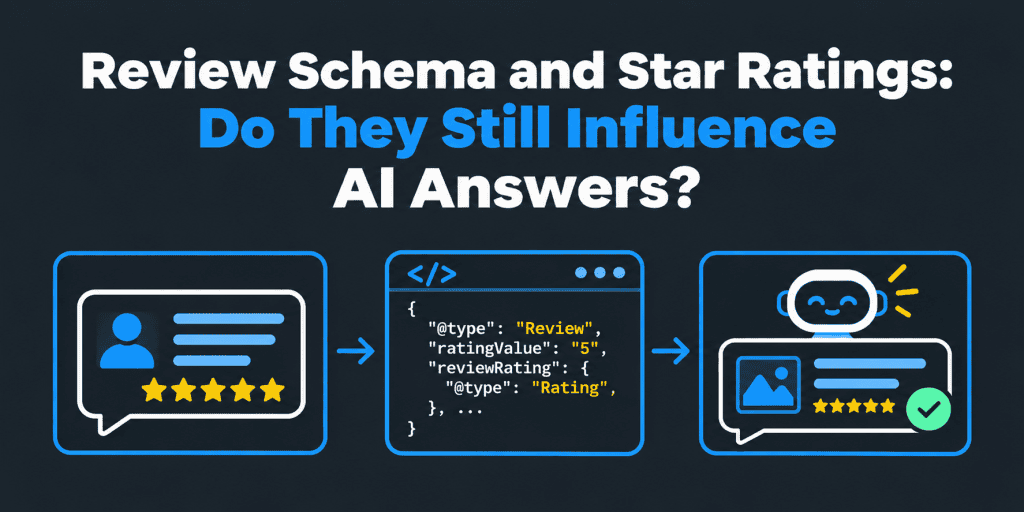
Idea: Review schema labels real customer reviews and ratings so that machines can read them. In Google, it can make some pages eligible for star ratings. For AI answers, there is no published evidence that the markup alone changes what an assistant says.
Challenge: Guides promise stars and AI visibility from a snippet of code. In practice, many pages are ineligible, and fake or self-serving reviews create risk.
Summary: Mark up only real, visible reviews on eligible page types. Treat AI influence as a hypothesis, test it with a controlled change, and focus on honest review content.
Related reads: Schema Markup for AI Agents: The 5 Tags You Need · Does Replying to Google Reviews Help SEO? · AI Visibility Experiment Design
Review schema is structured data that labels customer reviews and ratings on a page. In Google, it can make some pages eligible for star ratings in search results. For AI answers, there is no published evidence that the markup alone changes what an assistant says. Real reviews, their wording, and independent mentions matter more. This guide is marketing advice, not legal advice.
What is review schema, and how does it work?
Review schema uses schema.org types to describe a review or a rating for a specific item. The item can be a product, a book, a recipe, or another supported thing.
Two types do most of the work:
| Type | What it describes | Typical use |
| Review | One person’s review, with an author and a rating | A single customer review shown on a product page |
| AggregateRating | A summary of many ratings, with an average and a count | “4.6 average from 120 ratings” on a product page |
Both types must refer to an item, and both must reflect reviews that users can see on the page. Google explains the details in its review snippet documentation.
Do star ratings still influence AI answers?
There is no published proof that review markup alone influences AI answers. That is the honest answer. Some vendors claim it does, but they rarely show method or evidence.
What can be said safely falls into three levels:
| Claim | Evidence level | How to treat it |
| Valid markup can make some pages eligible for star ratings in Google | Documented by Google | Follow the documentation |
| AI answers often reflect the sentiment of reviews found on the web | Plausible, since AI tools summarize sources | Check it by testing your own prompts |
| Review markup alone changes AI answers | Not documented | Treat as a hypothesis and test it |
So do not add review markup in the hope of an AI boost. Add it where it is eligible and honest, and measure the outcome. Our guide to AI visibility experiment design shows how to test one change at a time.
Which pages are eligible for review stars in Google?
Google supports review snippets for specific kinds of items. The list can change, so confirm it in the current documentation.
| Page type | Eligibility | Notes |
| Product pages with customer reviews | Generally eligible | Reviews must be real and visible |
| Other supported items, such as books, courses, or recipes | Eligible for listed types | Check the supported list |
| A business reviewing itself on its own site | Not eligible | Google treats this as self-serving |
| Category or list pages | Usually not appropriate | Reviews should refer to a single item |
| Service pages | Often unclear | Check whether the item type is supported |
The self-serving rule matters most for local and professional businesses. Google’s guidelines say that reviews about a business or organization that the site itself controls should not be marked up for review rich results. Check the current wording in the documentation.
What are Google’s guidelines for review schema?
These principles appear in Google’s guidance. Read the current text before you implement.
- Mark up real reviews. They must come from real users and appear on the page.
- Name the item. Each review or rating must refer to one specific item.
- Match the visible page. Do not mark up content that users cannot see.
- Avoid self-serving reviews. Do not mark up reviews of your own business or organization on your own site.
- Use correct values. Rating values must follow the scale you state, with a dot as the decimal separator.
- Do not mislead. Fake, hidden, or manipulated ratings can lead to penalties.
Which properties does review markup need?
Google lists required and recommended properties. As a direction, expect these fields. Confirm the exact requirements in the documentation.
| Markup | Core fields | Notes |
| Review | author, reviewRating (with ratingValue), and the item reviewed | Add datePublished and reviewBody when accurate |
| AggregateRating | ratingValue, and ratingCount or reviewCount, plus the item | Counts must match the reviews you represent |
Here is a simplified example with placeholder values. It shows the structure only.
<script type=”application/ld+json”>
{
“@context”: “https://schema.org”,
“@type”: “Product”,
“name”: “Example Trail Backpack 30L”,
“aggregateRating”: {
“@type”: “AggregateRating”,
“ratingValue”: “4.6”,
“reviewCount”: “120”
},
“review”: {
“@type”: “Review”,
“author”: { “@type”: “Person”, “name”: “Example Reviewer” },
“datePublished”: “2026-01-15”,
“reviewRating”: { “@type”: “Rating”, “ratingValue”: “5”, “bestRating”: “5” },
“reviewBody”: “Comfortable on long hikes and easy to adjust.”
}
}
</script>
These numbers are examples. Use only values that match the real reviews on your page.
Can a business mark up the reviews it collects on its own website?
It depends on what the reviews are about. Reviews of a product, a book, or another supported item can be eligible. Reviews of the business itself, shown on the business’s own site, are treated as self-serving and are not eligible for review rich results.
Do not copy reviews from another platform and present them as if you collected them. Mark up only reviews that users can see on the page, and follow the documentation and each platform’s rules. If you are unsure, ask your developer or compliance lead.
How do you add and test review schema?
Follow these steps.
- Check eligibility. Confirm that your item type is supported.
- Display real reviews. Make sure the reviews and the rating summary appear on the page.
- Add JSON-LD. Use a template that reads your real review data.
- Test the page. Use Google’s Rich Results Test and the Schema Markup Validator.
- Monitor Search Console. Check the review snippet report for errors and warnings.
- Retest after changes. Template and plugin updates can break markup.
How NEURONwriter helps: NEURONwriter’s Generate Schema Markup option can create JSON-LD from your page content, and its type list includes Review. In the editor, open the three-dot menu, choose Generate Schema Markup, pick a type, and copy the result. It does not collect reviews, check that they are real, or validate the code. Add only real review data, and test the output separately.
Why might review stars not appear in Google?
Valid markup does not guarantee stars. Common reasons include:
- Ineligible item type. The page is about a business, a category, or an unsupported item.
- Self-serving reviews. The reviews are about the site owner’s own business.
- Missing or invalid fields. Required properties are absent or badly formatted.
- Content mismatch. The visible page does not show the reviews or ratings you marked up.
- Indexing problems. The page was not recrawled or indexed since the change.
- Google’s choice. Google may decide not to show a rich result even when markup is valid.
Check the Rich Results Test first, then Search Console. Fix the cause, and avoid chasing stars with questionable markup.
How many reviews should you include in the markup?
Google does not publish a fixed number. Include real reviews that appear on the page, and make sure any rating summary reflects them. If you show ten reviews on the page, you can mark up those ten. Keep counts honest.
Do not pad the markup with reviews users cannot see. Do not promise stars after a certain number of reviews.
How should you lay out a review on the page?
A clear layout helps readers and machines. Use a simple pattern for each review.
- Reviewer and date. Show who wrote it and when.
- Rating. State the score and the scale.
- Verdict. Give a one-line summary.
- Details. Explain what worked and what did not.
- Fit. Say who the product or service suits.
Short, specific reviews are easier to quote than vague praise. Our guide to user-generated content and SEO explains why real customer wording adds value.
How is a Google review rating calculated, and where should customers review you?
Google presents ratings from reviews left on its platforms, and it does not publish a complete formula. Treat the displayed rating as a summary, not as a number you control.
Where should customers leave reviews? It depends on where your audience looks. Google reviews feed your business profile, while other platforms may matter more in some markets. Follow each platform’s rules, and do not pressure customers to choose one. Our guide to replying to Google reviews and our local SEO checklist cover the local side.
What actually helps reviews show up in AI answers?
AI tools summarize what they find. So the content of the reviews and the sources that carry them matter.
- Specific review text. Detailed reviews give assistants concrete points to repeat.
- Recent and steady reviews. Fresh feedback signals an active business.
- Independent mentions. Coverage on credible third-party sites carries weight.
- Consistent entity details. The same name and facts everywhere help tools connect reviews to you.
- Honest responses. Professional replies show care and add context.
Engines differ in what they cite, as we explain in why AI engines cite different sources.
How NEURONwriter helps: the AI Visibility module monitors the questions you add, called Monitored Discussions, across Google AI Overviews, Google AI Mode, ChatGPT, and Perplexity. Each discussion gets a visibility score from 0 to 100, a per-engine breakdown, and a sentiment tag, which shows how an answer describes your brand. The Opportunities tab lists tasks such as “Earn mention” on pages AI already cites. Use these to test whether reviews change what assistants say. It does not collect reviews or show whether your markup is valid.
How do you test whether review markup changes AI answers?
Use a controlled test. Change one thing and record the result.
- Pick prompts. Write 10 to 15 buyer-style prompts about your product or service.
- Record a baseline. Log the answers, sources, and sentiment before the change.
- Change one thing. For example, add valid review markup to a set of eligible pages.
- Wait and repeat. Re-run the same prompts after the pages are recrawled.
- Compare carefully. Note differences, but remember that many factors can change AI answers.
Our guide to AI brand monitoring and our citation-checking checklist explain how to log answers.
What should you avoid with reviews and markup?
- Fake or purchased reviews. They break platform rules and may break the law.
- Incentivized reviews where rules forbid them. Check each platform’s policy.
- Hidden or invisible reviews. Markup must match visible content.
- Self-serving markup. Do not mark up reviews of your own business on your own site.
- Cherry-picked ratings. Do not show only the best reviews as the average.
Laws about fake and incentivized reviews differ by country, so ask your legal team if you are unsure.
How do you get started with review schema markup?
This short tutorial shows how to add review schema markup in a safe order. It works for a developer or a site owner using a plugin or widget.
- Read Google Search Central. Start with the review snippet documentation to learn which item types are supported and what Google requires.
- Pick one eligible web page. Choose a product page with real customer reviews, and avoid starting with a business page.
- Add review schema with JSON-LD. Write the markup in HTML as a script block, or let a plugin or review widget output it. Review its code before you publish.
- Check identifiers and item details. The item name and identifier must match the product on the page.
- Test in the Rich Results Test. Look for errors, then check how the page may appear in Google search results.
- Watch the report. Search Console shows whether Google detects review snippets and flags problems.
Valid review schema markup helps Google understand the page. It can also help rich snippets appear in Google search results and SERPs when a page qualifies. Google decides what to show, so treat any rich snippet as a possible outcome, not a promise.
Review markup does not replace ranking work. It does not boost organic positions on its own, and it should highlight real feedback, not hide weak products. Honest customer reviews showcase the quality of a product, and they give AI tools a clear recommendation to repeat when they are specific and recent. Product snippets and product availability details live in separate markup, so keep them accurate too.
For businesses with a physical location, Google Maps and the business profile are the main home for local reviews. Markup on your own site is a supporting layer, and it is not a way around the self-serving review rule.
Common review schema mistakes
- Marking up a category page. Reviews should refer to one item.
- Using self-serving reviews for a local business. They are not eligible.
- Mismatched counts. The rating count must match the reviews you represent.
- Wrong decimal format. Use a dot, not a comma.
- Static ratings. A hard-coded rating goes stale and misleads.
- No testing after updates. Plugins and themes can break markup.
How does NEURONwriter help with review schema?
NEURONwriter helps you write review-rich pages, generate JSON-LD, and watch how AI describes your brand. It does not verify that reviews are real or that markup is valid. Here is how it maps to the steps above.
- Plan the page. SERP analysis shows competitor headings, suggested terms with usage ranges, and related questions for your keyword. The content editor and content score show whether a draft covers what top pages cover.
- Generate the markup. Generate Schema Markup creates JSON-LD from the page content, with types that include Review, Product, HowTo, Blog, and FAQ.
- Check readiness. The AI Readiness audit checks whether AI crawlers can reach your site and whether structured data is present.
- Monitor sentiment. AI Visibility tracks Monitored Discussions across four AI engines, with visibility scores and a sentiment tag.
- Act on gaps. Opportunities and Competitors point to tasks such as earning independent mentions and improving pages.
You can run a keyword analysis in NEURONwriter before you plan your next review or product page. Treat every score as a guide, because no tool can guarantee star ratings or citations.
FAQ
What is review schema?
Review schema is structured data that labels a customer review or rating for a specific item, so machines can read it.
What is the difference between Review and AggregateRating schema?
Review describes one person’s review with its own rating. AggregateRating summarizes many ratings with an average and a count.
Do star ratings still influence AI answers?
There is no published evidence that review markup alone does. Reviews can shape what AI tools summarize, so test your own prompts.
Why are my aggregate ratings not showing on Google?
Common causes are an ineligible item type, self-serving reviews, missing fields, a mismatch with the visible page, indexing delays, or Google’s own choice not to show them.
Can a business add schema markup for reviews it collects on its own website?
For products and other supported items, yes, when reviews are real and visible. Reviews of the business itself on its own site are treated as self-serving.
Can I use review schema on a local business or law firm site?
You can describe the business with LocalBusiness-type markup, but reviews about it on its own site are not eligible for review stars. Legal advertising rules about testimonials also vary by jurisdiction.
Which schema should I use for service reviews?
Check which item types Google supports for review snippets. Service pages may not be eligible, so do not assume stars will appear.
How many reviews should I include in the JSON-LD?
Google gives no fixed number. Include real reviews that appear on the page, and keep any rating count accurate.
Which review schema format does Google prefer?
Google supports several formats and generally recommends JSON-LD. Confirm the current guidance in its documentation.
Is review schema necessary for local businesses?
No. For local businesses, honest reviews on your business profile and consistent details matter more than markup.
How is a Google review rating calculated?
Google shows ratings from reviews left on its platforms and does not publish a full formula. Treat the rating as a summary you influence by earning honest reviews.
Is it better to leave reviews on Google or Yelp?
It depends on where your audience searches. Follow each platform’s rules, and do not pressure customers to choose one.
How do you lay out a review?
Show the reviewer and date, the rating and scale, a one-line verdict, specific details, and who it suits. Keep paragraphs short.