SEO-Friendly URLs: A Practical Guide to Clear, Crawlable URL Structure
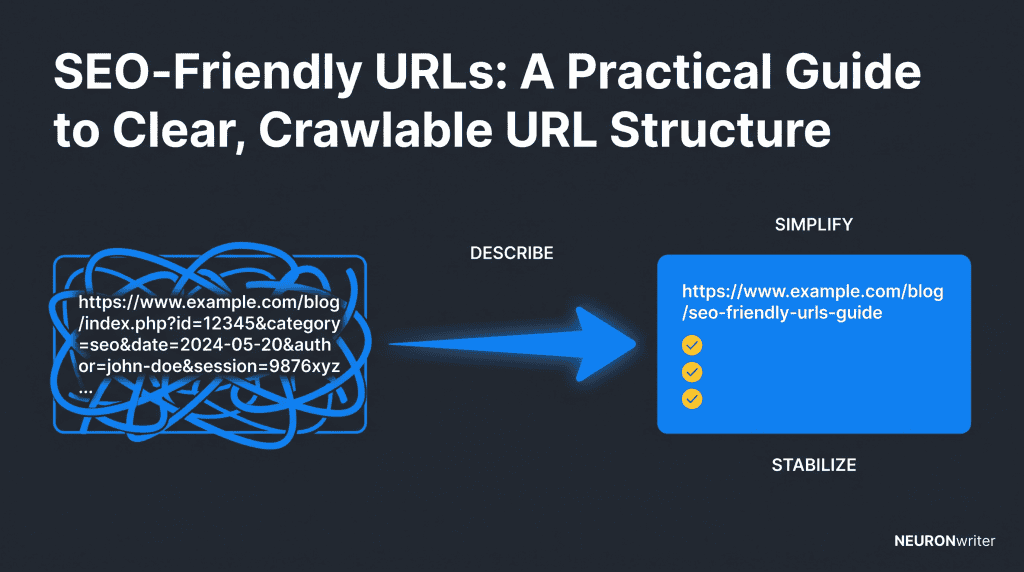
Semantic Summary
Idea
A good URL gives a person and a search engine a quick, honest clue about the page behind it.
Challenge
Long slugs, fragile folders, uncontrolled filters and unnecessary URL changes create unclear paths and, sometimes, many versions of the same page.
Summary
Use short descriptive words, hyphens, lowercase and only the folders or parameters that add real value. Keep a published URL stable unless there is a strong reason to move it.
Related Reads
- Technical SEO for Beginners: A Simple Guide
- The Technical SEO Checklist for 2026
- 301 Redirects for SEO: How to Move URLs Without Losing Users or Search Signals
What Are SEO-Friendly URLs?
SEO-friendly URLs are short, readable web addresses that describe the page’s real purpose. They help users decide what they will open, and they give search engines another clear signal about how a page fits into the site.
A URL is the full web address. The slug is the last, page-specific part of it. In example.com/guides/seo-friendly-urls/, seo-friendly-urls is the slug. A useful slug does not need to repeat every word in a headline. It needs to make the subject easy to recognise.
| Page purpose | Clear URL | Unclear URL |
|---|---|---|
| Guide to URL structure | /guides/seo-friendly-urls/ |
/blog/post?id=4821&source=nav |
| Blue running shoes category | /running-shoes/blue/ |
/catalogue.php?c=7&f=19 |
| Help page about invoices | /help/download-invoices/ |
/support/article-145/ |
A readable URL is not a shortcut to ranking. Great content, useful internal links, crawlability and a good page experience still matter. But clean URL formatting removes avoidable uncertainty. It is a practical part of search engine optimization, not a magic trick.
Why SEO-Friendly URL Structure Matters for SEO
SEO-friendly URL structure makes a site easier to understand and maintain. It can help a visitor see where a link leads before clicking, while a logical structure gives crawlers a consistent path through related pages.
Google Search Central recommends simple, descriptive URLs, words in the audience’s language, hyphens between words and as few unnecessary parameters as possible.1 Those are sensible rules for people as well. A clear URL is easier to share, review in a spreadsheet and recognise when it appears in a search result.
Use a relevant keyword when it describes the page naturally. Do not turn the URL into a list of keyword variations. For example, /seo-friendly-urls/ is clearer than /best-seo-friendly-url-structure-seo-url-best-practices/. Search engines use many signals to assess a page. Your job is to make the address accurate, not to squeeze every possible phrase into it.
URL length matters mainly as a clarity test. Long URLs often contain copied headlines, dated folder names or technical leftovers. Remove what does not help a reader identify the destination, but keep useful words rather than shrinking the path into an unexplained code. A simple URL structure is better than a short but vague one.
Search engines assess a page through many signals, so an address alone will not create rankings. Its practical role is to remove ambiguity and support the useful content, clear links and consistent structure that users already need.
Google Search is one search engine that benefits from clear paths. A search engine still needs crawlable links and relevant content to understand a site. Ranking reflects the whole page and its usefulness, so a higher ranking is never a reason to rewrite a good, established address without a real need.
How Search Engines Read a Clear URL
Create an SEO-friendly URL structure to explain the page, not to repeat every keyword. Readable URLs and human-readable URLs help search engines understand the topic before they process the full page. They also help users and search engines understand where a link is going when it appears in navigation, a document or a search result.
Keywords in URLs can add useful context when they are the normal name of the subject. Keywords in your URL should not become a list. The same principle applies to URL length: simple URLs are easier to recognise, but a descriptive URL is better than an abbreviated code that nobody understands.
Search engines treat hyphens as word separators, so use them between words when you create SEO-friendly URLs. This can help search engines understand the difference between separate concepts. It does not replace good content, clear headings or relevant internal links.
Using a URL consistently across the site reduces accidental duplicates. A URL can help with clarity in search engine results, but SEO performance still depends on the page’s usefulness, its links and the wider site structure.
Build the URL Before You Publish the Page
The safest time to create an SEO-friendly URL is before a page is published and linked across your site. Start with the page’s user task, then choose the fewest words that distinguish that page from nearby content.
Ask four plain questions before you set the slug:
- What is this page helping the reader do or understand?
- Which words would a reader expect to see in a link to it?
- Does a folder add useful context, or does it only make the address longer?
- Will this wording still make sense if the page is improved next year?
Suppose you publish a guide called “A Practical Guide to Clear, Crawlable URL Structure.” The natural page purpose is SEO-friendly URLs, so /seo-friendly-urls/ is a stronger choice than copying the whole title into the address. It is descriptive, human-readable and flexible enough for future updates.
How to Create SEO Friendly URLs: Best Practices
The core rules are simple: describe the page, remove clutter and keep the final path stable. The table below turns that principle into choices a content or web team can use every day.
| Rule | Use this approach | Avoid this | Why it helps |
|---|---|---|---|
| Describe the page | /content-refresh-checklist/ |
/page-12/ |
Descriptive URLs set a clear expectation before the click. |
| Use the audience’s language | Words your customers use in search and on-site navigation | Internal team jargon or a literal translation that nobody uses | The URL should match the language of the people it serves. |
| Use hyphens | /download-invoices/ |
/download_invoices/ or /downloadinvoices/ |
Hyphens make separate words easier to read. Google explicitly recommends them over underscores.1 |
| Use lowercase | /seo-friendly-urls/ |
/SEO-Friendly-URLs/ |
URLs can be case sensitive, so one lowercase convention reduces accidental distinct URLs. |
| Keep it concise | Only the words that identify the page | Full headlines, dates or filler words that add no useful meaning | Shorter URLs are easier to review, share and preserve when content changes. |
| Add folders with purpose | /guides/seo-friendly-urls/ when “guides” is a real section |
/resources/blog/2026/seo/guides/article/seo-friendly-urls/ |
A folder should explain location, not create a deep, fragile path. |
| Limit parameters | Keep only parameters that change a real user view | Tracking IDs, session IDs and many filter combinations in indexable URLs | Complex URLs can create multiple URLs for similar content and waste crawling effort. |
| Keep it stable | Update the page without changing its path when the topic stays the same | Renaming a live URL only to chase a new keyword | Stability avoids unnecessary redirect work and broken links. |
SEO-Friendly URL Structure by Page Type
There is no one perfect URL structure for every site. A folder earns its place only when it helps users and search engines understand a real section of the website.
| Page type | Useful pattern | Decision to make |
|---|---|---|
| Blog article | /seo-friendly-urls/ or /guides/seo-friendly-urls/ |
Use a section folder only if it remains stable and meaningful across the blog. |
| Service page | /services/content-optimization/ |
Make the service clear without duplicating the whole navigation trail. |
| Help article | /help/export-report/ |
Use the action or question a customer needs answered. |
| Product category | /running-shoes/ |
Keep the category path close to the navigation people actually use. |
| Product page | /running-shoes/trail-runner/ |
Add the category only when it gives useful browsing context and will not change often. |
For a multilingual site, use a consistent language or market pattern before translating slugs and page paths. The right local term may not be a word-for-word translation. Our multilingual website guide explains how language paths, local terminology and hreflang work together.
Dynamic URLs and URL Parameters: Simple Technical SEO Rules
Dynamic URLs are not automatically bad, but each parameter should have a clear job. A filter, sort order or tracking value can produce a new address even when the underlying page is almost the same.
That becomes risky when a shop lets people combine colour, size, price, sort order and session details into many distinct URLs. Google notes that additive filters and irrelevant parameters can create large numbers of similar pages, which can take crawling attention away from useful content. Its faceted-navigation guidance recommends deciding which filtered views deserve crawling and keeping the remaining combinations under control.
Use this simple test:
- Keep a parameter when it creates a useful, distinct page that people may genuinely search for.
- Do not promote it as an indexable destination when it only changes tracking, a temporary session or an unhelpful sort order.
- Set one consistent parameter format when parameters are necessary. Google recommends conventional separators such as
=and&. - Do not use a fragment, such as
#blue, to load fundamentally different page content for search. Google generally does not support fragments as a way to change page content.
This is where URL structure connects with technical SEO. If filters or multiple URLs are central to your site, review the issue with developers and use the wider checks in our technical SEO checklist.
When Should You Change an Existing URL for SEO?
Usually, keep an established URL if the page still serves the same purpose. A URL does not need to be perfect to be useful. Changing it only because a new keyword sounds tempting can create more work than value.
| Situation | Best first decision | Next action |
|---|---|---|
| The slug is slightly longer than you would choose today | Keep it | Improve the title, content and internal links without moving the page. |
| The URL describes a different topic from the page after a major pivot | Consider a change | Choose a new descriptive URL and plan a relevant permanent redirect. |
| Two live URLs show the same page or near-identical content | Choose a preferred version | Review canonical URLs and decide whether one version should be redirected. |
| A product or section has moved permanently | Change with care | Map the old URL to the closest useful new destination. |
When a permanent URL move is justified, Google recommends a permanent server-side redirect where possible; 301 and 308 signals tell Google the page has moved permanently. The change itself is only half the job. Update internal links, test the destination and avoid redirect chains. Use our 301 redirects guide for the practical migration process.
Before changing several paths, write down the preferred address for each page. That record makes it easier to spot multiple URLs, choose canonical URLs where appropriate and preserve one clear destination in navigation, sitemaps and internal links.
SEO-Friendly URL Checklist Before Publishing
Before you publish, a short review prevents most URL mistakes. It takes less time to choose a clear URL now than to change multiple URLs after a page has gained links and traffic.
- State the page’s purpose in one sentence.
- Choose the shortest descriptive slug that still distinguishes the page.
- Use a natural keyword only if it accurately names the topic.
- Use lowercase and hyphens between words.
- Add a folder only when it matches a durable section of the site.
- Remove dates, filler words and tracking values unless they serve a real purpose.
- Check that the URL matches the page title, internal links and navigation label.
- Keep the URL unchanged once the page is live, unless the page’s purpose truly changes.
For a new site, agree on this simple URL formatting rule before the team starts publishing. It keeps a growing library consistent and supports the wider foundation covered in SEO for new websites.
Use NEURONwriter to Make the Page and URL Agree
NEURONwriter can help a content team clarify the topic of a page before the slug is chosen. Use the search intent, planned H1 and page brief to check that the URL describes the same task the page will actually solve.
For example, a brief may begin with a broad working title and then reveal that the search intent is a how-to guide, not a product comparison. That is the moment to select a clearer path. The URL should not carry every suggested term. It should make the page’s central subject easy to understand, while the article itself provides the depth.
FAQ: SEO-Friendly URLs
What makes a URL SEO friendly?
An SEO-friendly URL is descriptive, readable and stable. It uses words that accurately describe the page, separates words clearly and avoids clutter that does not help a visitor or a search engine understand the destination.
Should I put a keyword in my URL?
Use a keyword in your URL when it naturally describes the page. Do not repeat keywords or force awkward wording. The URL is one contextual signal among many, so accuracy and readability matter more than keyword repetition.
Are shorter URLs better for SEO?
There is no useful character-count target for every page. Aim for a URL that is as short as it can be while still explaining the page. Shorter URLs are often easier to share and maintain, but removing useful context only to save a few characters does not help.
Should I use hyphens or underscores in URLs?
Use hyphens when you need to separate words. Google recommends hyphens rather than underscores because they make the individual words easier for users and search engines to identify.
Do URL parameters hurt SEO?
Parameters do not automatically harm SEO. Problems appear when they create many URLs with the same or very similar content, such as endless filter, sort, tracking or session combinations. Keep necessary parameters consistent and control the variants that do not provide search value.
Should every page include categories in its URL?
No. Add a category or folder only when it gives useful, durable context. A short path can be better for a focused blog, while a large store may need a meaningful category path to help users navigate related products.
Can I change an old URL to improve SEO?
Do not change an old URL simply to make it look cleaner. Consider a move only when the current path is misleading, the page has changed purpose or you are making a wider structural change. If it moves permanently, use one direct, relevant permanent redirect and update internal links.
Does URL structure cause duplicate content?
URL structure can contribute to duplicate content when multiple URLs show the same or nearly the same page. Common causes include parameters, alternate letter casing, tracking values and filter combinations. Decide which URL should be the preferred version, then use the appropriate technical signals for your situation.
How can I check whether a URL is clear?
Read it without opening the page. If a person can tell what they will find, the words are natural and there is no unnecessary clutter, it is probably clear. Then check that the address matches the page purpose, navigation label and internal-link anchor text.